

Microsoft Edge Canary/Dev builds are often updated with new features that are not widely known to the general public. One of these features is a built-in password generator that you can use to create strong passwords when you want to sign up for a new online account.
It should come as no surprise that it's important to use unique and strong passwords, and Microsoft's new feature will make your life easier if you frequently create online accounts.

While you can always use third-party extensions to generate secure passwords for your new accounts, the built-in tool allows you to complete task without using a password manager.
In the latest version of Microsoft Edge Dev and Canary, you can use a feature called “Suggest strong passwords” to quickly generate passwords.
To enable password generation in Edge, follow these steps:
1.Open Settings > Profiles > Passwords.
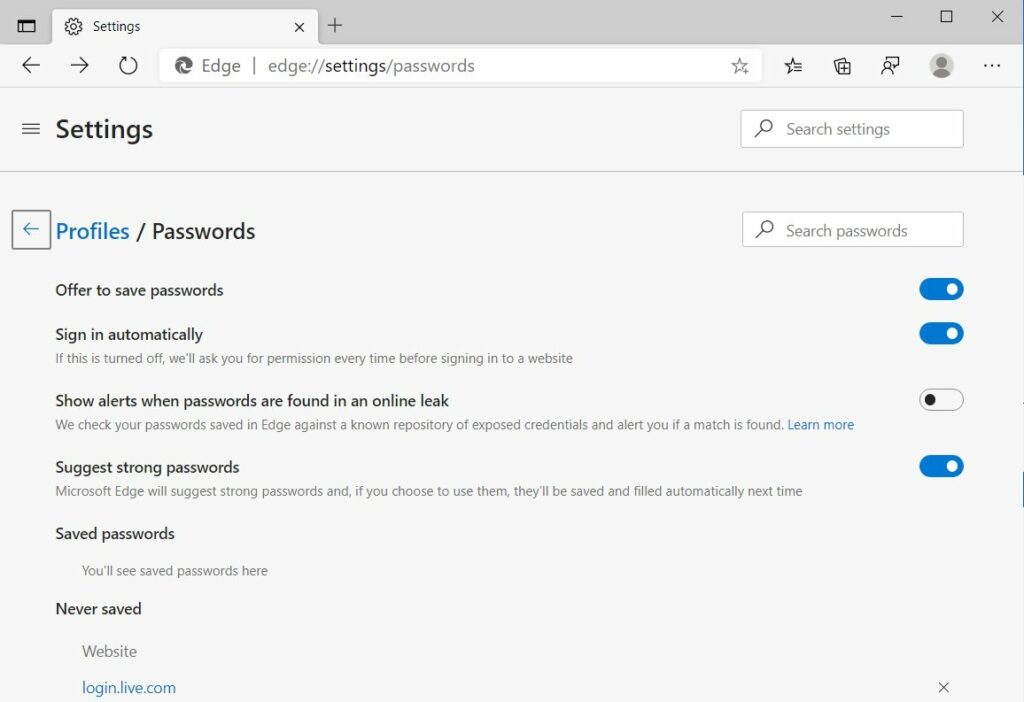
2.Enable the “Suggest strong passwords” setting.
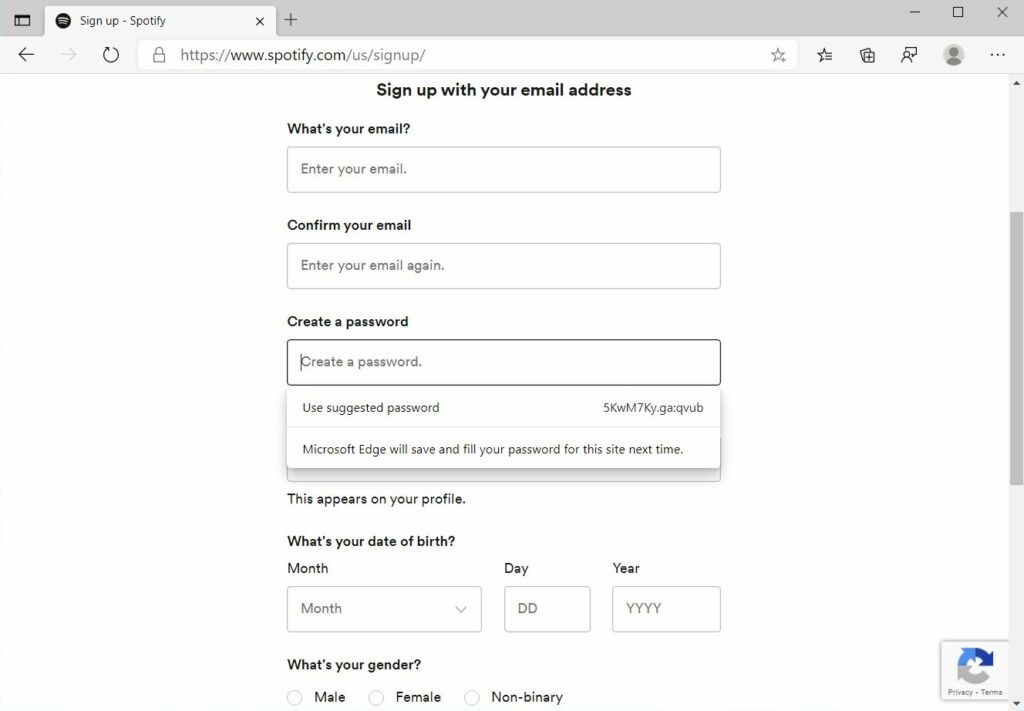
Once enabled, if Edge recognizes a password field and you click on the field, the browser will automatically generate the password for you. You will also be able to view it.
In BleepingComputer's test, Microsoft Edge had difficulty distinguishing some password fields and displaying the password creation prompt.
For example, it worked well on Google, Facebook, Target, Spotify , and Instagram, but failed to display the password generator on Amazon, Twitter, or even Microsoft.com.
Unfortunately, if you want to use Edge's new password generator, you'll first need to enable syncing by signing in to your Microsoft account.
Here you can find additional tips that you should always keep in mind when creating a password without using a password generator.
