

File Converter is a free, open-source program for Windows that converts a variety of file formats through the Windows Explorer right-click menu.
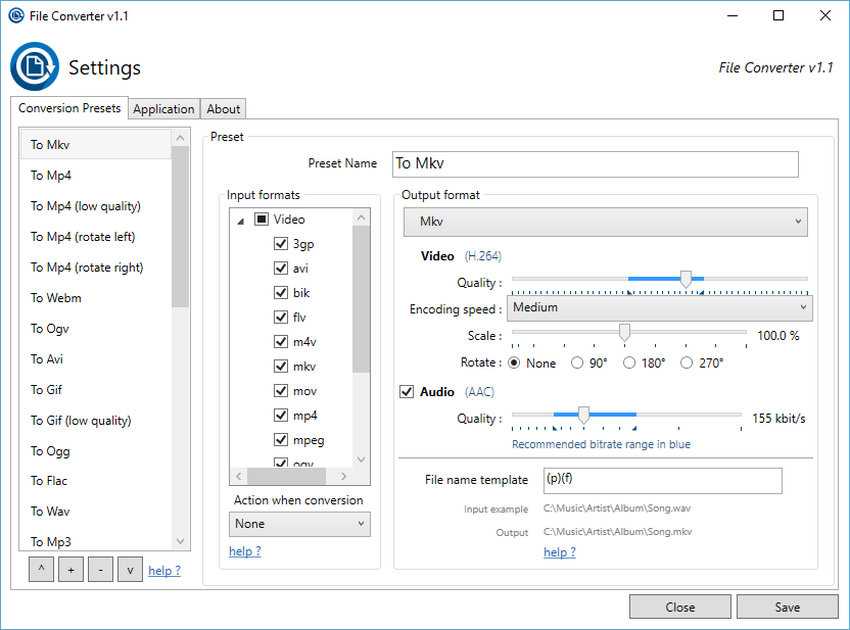
There are many file converters available both online and offline. File Converteris one of them, but it also offers the convenience of directly converting files by right-clicking on a file and choosing what conversion you want to do.
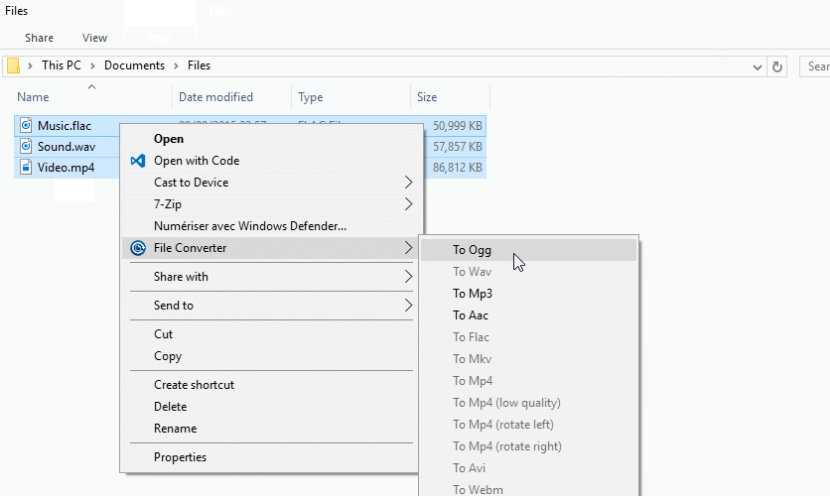
It's very easy to use. You right-click on a file (or multiple files) in Windows File Explorer, select File Converter, and from the submenu that opens, select the file format you want. A window opens that shows the progress of the conversion and closes when it's complete. Of course, registry editors can add whatever commands and menus they want to the Explorer menu, but here it's all done automatically.
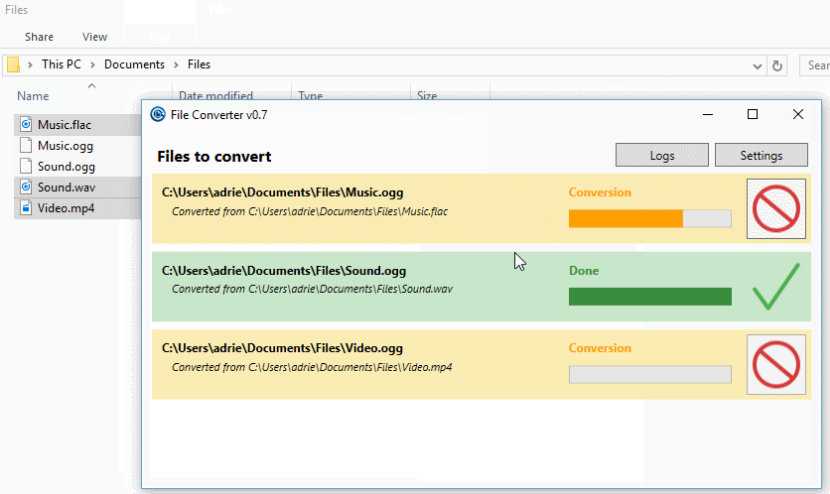
Converted files are saved in the same folder as the source file and have the same name with a different extension. The File Converter will not appear in the context menu if you right-click on an unsupported file, which keeps the context menu clean of unnecessary items.
File Converter works with audio, video, image, and document files and supports these formats:
Formats
: flac, aac, ogg, mp3, wav
Input Formats: 3gp, aiff, ape, avi, bik, cda, flac, flv, m4a, mkv, wma, wmv
Video
Output formats: WebM, mkv, mp4, OGV, avi, gif
Input formats: 3gp, avi, BIK, flv, gif, m4v, mkv, mp4, mpeg, mov, OGV, WebM, WMV
Image
Output formats: png, jpg, ico, webp
Input formats: bmp, exr, ico, jpg, jpeg, png, psd, svg, tiff, tga, webp, pdf, doc*, docx*, odt*, odp*, ods*, ppt*, pptx*, xls*, xlsx*
(Microsoft Office must be installed for Office to work)
Documents
Output format: pdf
Input formats: doc*, docx*, odt*, odp*, ods*, ppt*, pptx*, xls*, xlsx*, bmp, exr, ico, jpg, jpeg, png, psd, svg, tiff, tga
The file converter can be customized using the Windows programs menu, although the defaults shouldn't be a problem for most users. It's lightweight, fast, and very useful.
It runs on Windows Vista/7/8 and 10, in both 32-bit and 64-bit installations. The installation files (.msi) are clean according to VirusTotal. The source code can be viewed on GitHub.
Download File Converter from here
