

The next release of WordPress CMS 5.1 will add a new (controversial) feature to the popular platform. It is called WSOD Protection from the white-screen-of-death.
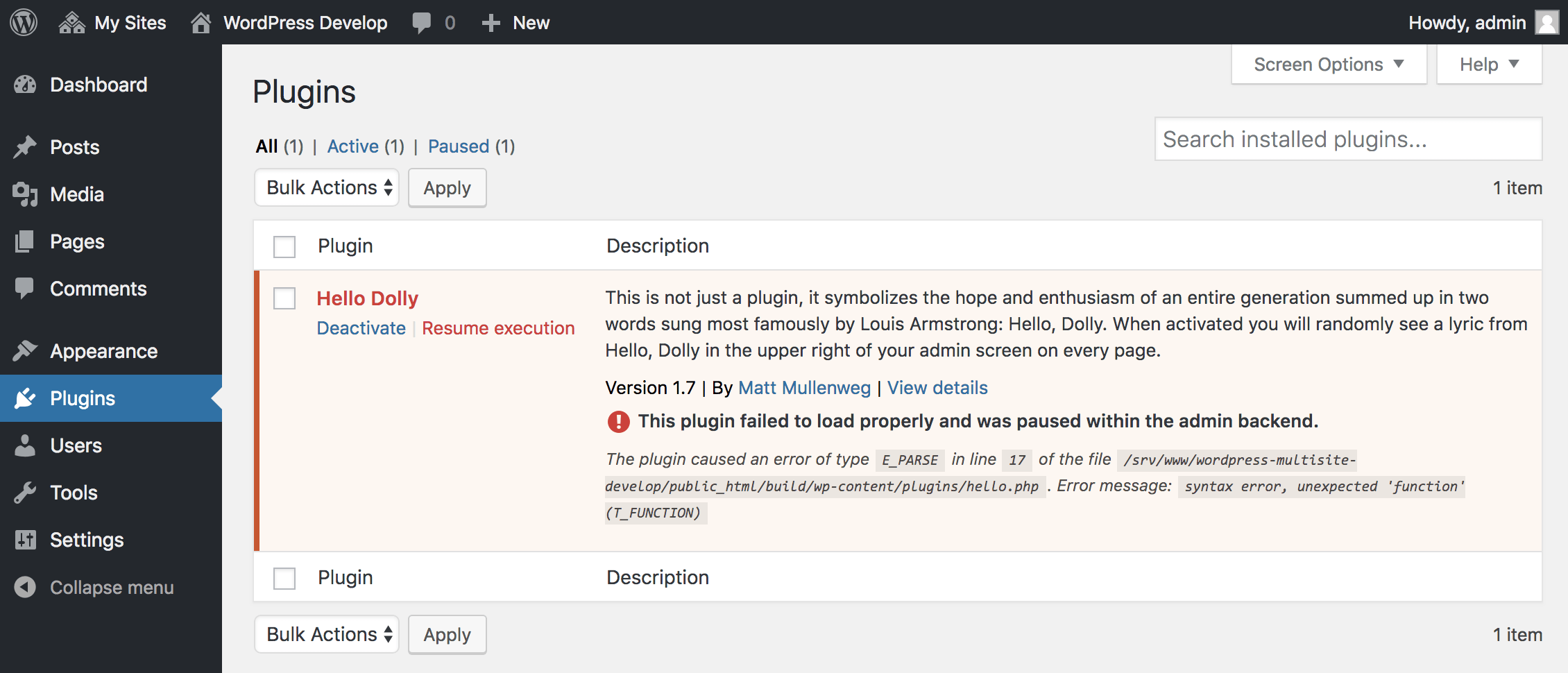
As described by WordPress developer Felix Arntz, the feature will allow WordPress to recognize what causes errors in PHP and which plugin or theme is the cause of the WSOD appearance.
The WSOD protection feature will stop the code of the plugin or theme that causes the error and will allow the administrator to gain access to the dashboard, to investigate, deactivate or delete the plugin that causes the errors.
The WordPress development team started working on the WSOD Protection feature a few months ago. The feature is part of a large overall plan aimed at helping with the upcoming updates of PHP 5.x for using newer versions (7.x).
WSOD Protection was originally created to allow website owners to recover from an error after upgrading to PHP 7.x, but WordPress developers realized that the feature could be used to detect errors after updates to plugins or themes of WordPress.
However, the new feature is not that secure.
Bug hunter Slavco Mihajloski reports that attackers could use low-end and sometimes harmless exploits in WordPress plugins to trigger a PHP error to cause WSOD.
The WSOD feature has been designed to interrupt the execution of the plugin that causes errors, and Mihajloski argues that attackers could use this behavior to disable security plugins, such as software firewalls, two-factor authentication, brute force protection, and other add‑ons that focus on security.
The WordPress development team, in response, added a new option to the wp-config.php settings file that will allow administrators to disable WSOD protection. The new option is called WP_DISABLE_FATAL_ERROR_HANDLER.
At present we do not know whether WSOD Protection will be enabled by default or not when WordPress 5.1 is released, but the feature remains dangerous, regardless of the addition of the new option to wp-config.php.
Security experts recommend that for now administrators would be well advised to use WSOD Protection only temporarily when upgrading PHP, the WordPress core, or themes and plugins.
________________
- WordPress Learn the history of the most popular CMS
- WordPress the biggest risk to our users
- Facebook: deletions of pages that violate regulations
