

Windows 10 RAM slots: Every computer, desktop or laptop, has a motherboard. This board determines what hardware can be installed in your computer. Think of it as a circuit board that you can connect multiple devices to.
For example, if your computer's motherboard only has three slots, you can only connect three devices. On each motherboard, there are specific slots, or slots, for the different hardware components that you can connect.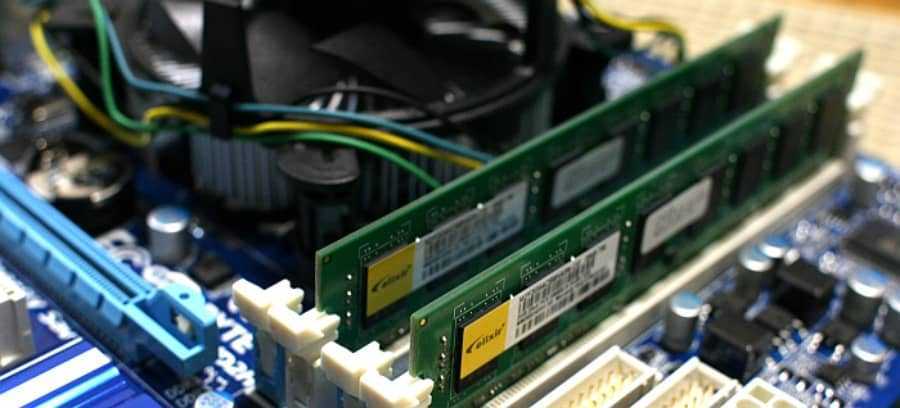
RAM slots are another example. When you buy a computer, some or all of the RAM slots may be used. Below we will see how you can check if your computer has empty RAM slots without opening the box. Windows 10 must be installed, and we will see this from the Task Manager.
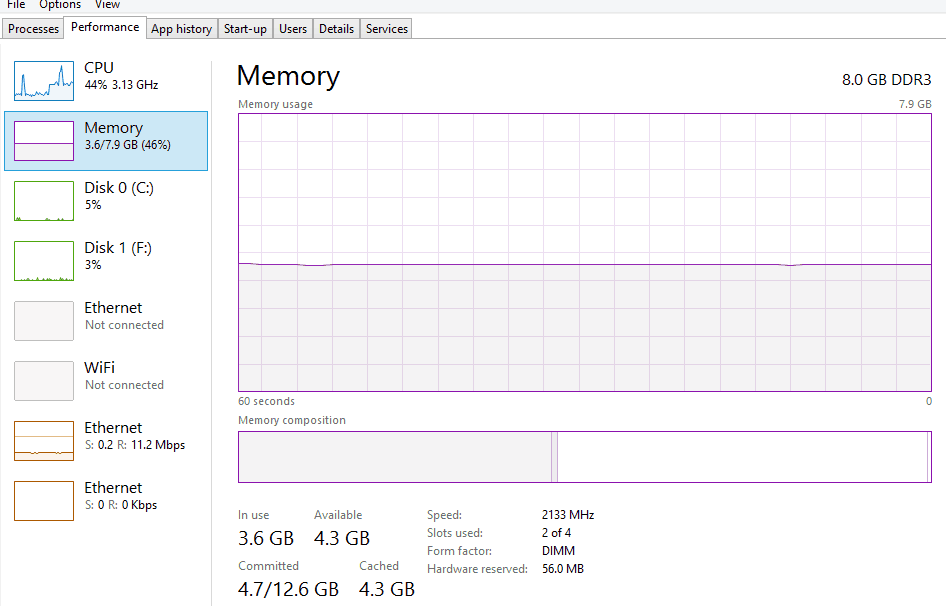
Open Task Manager and look at the Performance tab. Select “Memory” and under the memory graph, look for the Slots used field.
This section shows how many of the total available slots are in use. In the image below, the system has a total of 4 slots and 2 of them are in use.
Now that you know how many RAM slots your computer has, you can decide if you want to add more RAM.
Normally, if you have an empty slot, it will be able to support as much RAM as is already in your system. For example, in the screenshot above, the system has 8GB (4×2) of RAM and two empty slots. We could add another 4GBx2 of RAM to this system.
One thing you need to pay attention to is the specifications of the RAM you want to add. For example, if the RAM in your system is DDR3, do not install DDR4 RAM with it. You will experience performance issues or your system may not work at all.
____________
