

Microsoft is starting to retire Skype Classic today, but two different versions of Skype 8 remain. Windows 10 comes with an “App Store” version of Skype. This version has fewer features than Skype for desktop, which is available for download from Microsoft’s website.
Thus there are two versions of Skype for Windows:
- The “Skype for Windows 10” is included in Windows 10 and comes from the Windows Store. It is a UWP app, which means it has various restrictions.
- The “Skype for Windows” (excluding 10) is available for download from the Skype website of Microsoft. If you have installed Skype Classic, the system will automatically install this version of Skype on your system very soon. It offers additional features, as it does not have the sandbox restrictions of UWP. This particular version is called “desktop.”
Both Skype applications use the code of the new Skype 8 and are similar. However, the desktop version has more features. You can install both on your system, and you can run both applications simultaneously.
How to download Skype from the Microsoft website
Microsoft hides this version! To find it, you need to visit the Skype download page.
The default option “Get Skype for Windows 10” downloads the Skype 8 version from the Store. To get the desktop version of Skype 8, you need to click the down arrow next to the download button and select “Get Skype for Windows” (without the 10) under the download options for Linux.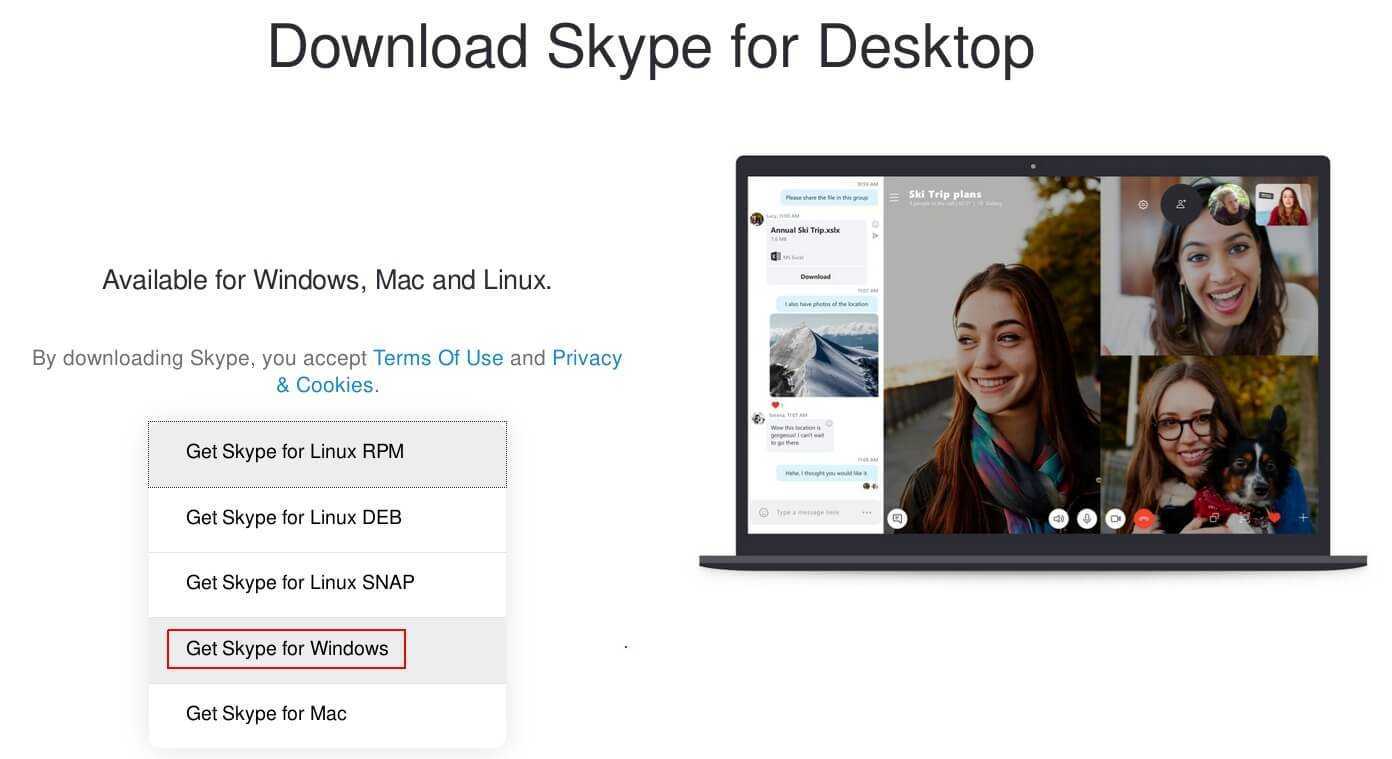
What is the difference?
At first glance, the applications appear to be the same. Both are based on Skype 8, but if you look you will find differences.
For example, the desktop version of Skype in the Settings > General area allows you to start Skype automatically at Windows startup and the app will continue running in the notification area. The Store version of Skype does not have these options.
The desktop version also includes Cortana features. You can enable replies, emoticons, and actions in Cortana for Skype. The Store version of Skype does not include these options.
If you upgrade from Skype Classic, the desktop version of Skype 8 can import your conversation history. There is also an option “Export conversation history from Skype 7.x” in the Settings – Messages area. This option is only available in Skype for desktop.
In Settings – Messages there is also an option that allows you to control the size of the conversation text, while the Skype Store version does not have it.
Only the desktop version of Skype 8 supports inputs from a DirectShow camera, which are required for applications such as Open Broadcaster Software (OBS) and Xsplit.
The Store version only supports camera inputs using the latest platform “Microsoft Media Foundation”. Therefore, if the Store version cannot find the camera you need, try downloading Skype for desktop.
Desktop Skype also supports NDI, while Skype from the Store does not appear to be able to pull video from a network camera and use it as a video source in Skype.
___________________________
