

As Microsoft revealed, only users who clicked “Check for updates” encountered the file deletion error during the upgrade to the Windows 10 October 2018 Update.
With a click on “Check for updates”, Microsoft provides you updates early, bypassing a large part of the testing process.
Here's how Microsoft defended deleting files during the Windows 10 October 2018 Update:
Initially, we start each feature upgrade installation slowly, carefully monitoring the feedback before we roll out the update more broadly. In this case, the update was available only to those who updated manually by clicking “check for updates” in the Windows settings.
In other words, Microsoft deliberately releases large updates slowly, checking for problems. However, if you proceed to the Settings – Windows Update path and click on “Check for Updates”, Microsoft bypasses this careful process and installs the latest update on your computer without further testing.
Here's how Microsoft put it when it released the April 2018 Update:
Although we recommend that you wait until the update is offered to your device, if you are an advanced user on an active serviced version of Windows 10 and want to install the Windows 10 April 2018 Update now, you can do so manually from Updates.
Got it?
Microsoft essentially states that “We encourage you not to click “Check for Updates” unless you are an advanced user who wants to update sooner.”
Clicking the “Check for Updates” button automatically makes you one of the company’s testers.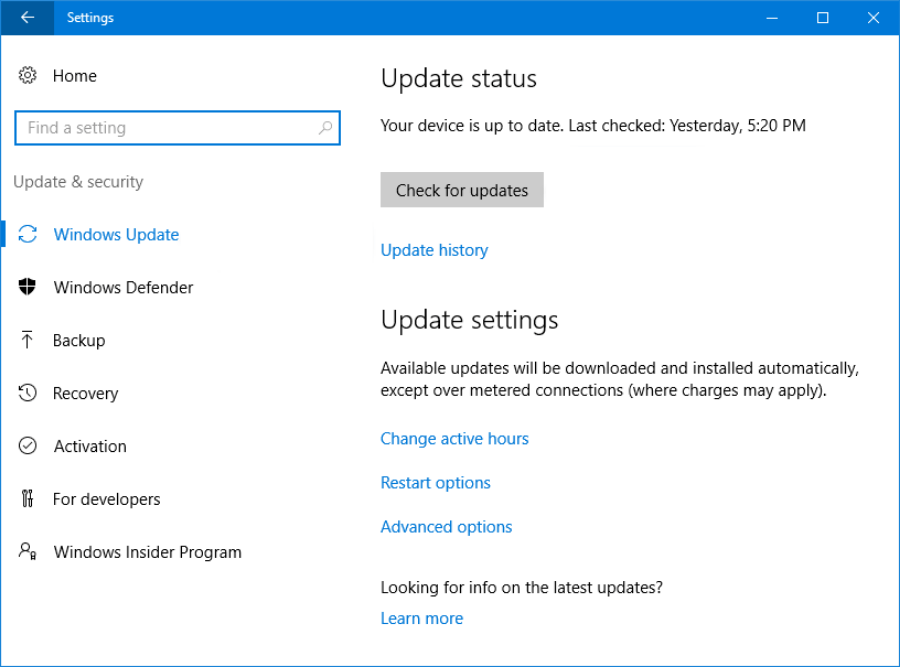
Normally the Windows 10 testing process follows the steps below:
Initially it passes through the “Fast” and “Slow” rings of the Windows Insider testing process, where eager beta users test the operating system throughout the development process and provide feedback to Microsoft about what is not working well.
Then the update passes through the final testing ring “Release Preview” before being released as a stable version. (Microsoft is said to have skipped this step so that Windows 10 October 2018 could be announced with the new Surface.).
Later, once the update is declared stable, only people who choose the manual method can install it. When Microsoft releases these updates, it continues to patch the system, using Windows 10 telemetry.
When all the above steps are completed, the company makes the update available to all Windows users, ensuring that it is compatible with the hardware and software of their systems.
For greater security, businesses receive the update last.
All of this sounds wonderful, but does it work?
They appear to work except for the part with the click on “Check for updates” since that particular process skips the proper and secure checking procedure. Even up to the release of Windows 10 October 2018 most Windows 10 users did not consider it a problem.
The change in the behavior of the “Check for Updates” button was implemented for the first time in the Windows 10 April 2018 Update and continued with the October 2018 Update. Previously you had to download the Update Assistant tool if you wanted to upgrade early. Now the “Check for Updates” button does exactly the same thing.
We should note that for now, this odd thing with the “Check for updates” button occurs only once every six months, when a new significant update for Windows 10 is released.
_______________________
- Windows 10 Beware Disk Cleanup also deletes downloads
- Windows 10 October 2018 fix sound
- How to see the weather in your Outlook calendar
