

As we reported in a morning post, Google added a new login mechanism to Chrome 69, for all of the company's services (YouTube, Drive, Gmail, or Docs).
We don't know what Google's intentions are, but we know from some of the company's developers that the synchronization service is enabled to allow the browser to send data to Google's servers.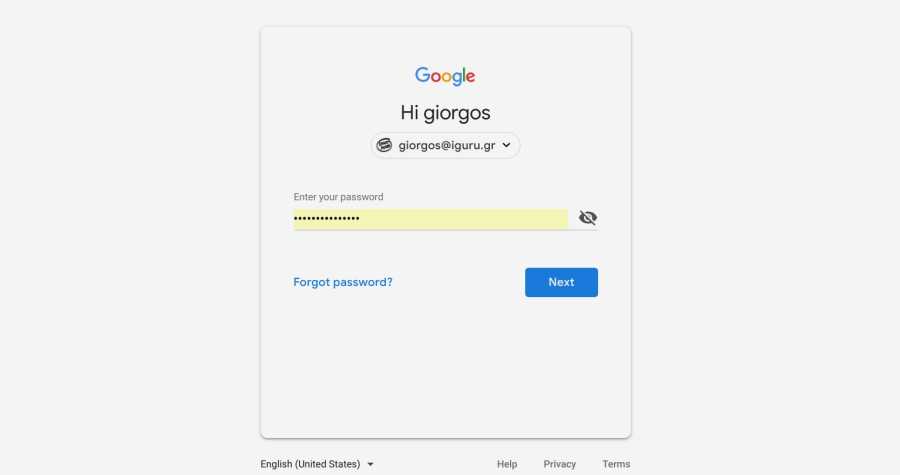
The automatic login change in Chrome was released as a means of distinguishing between multiple users using the same installation of the Chrome browser to prevent data leakage between accounts, according to Google engineers.
Regardless of the motivation for this decision by Google, there are several users who have expressed dissatisfaction with this particular feature.
If you are one of them and you don't want to connect to Chrome, below we will see a simple solution to your problem.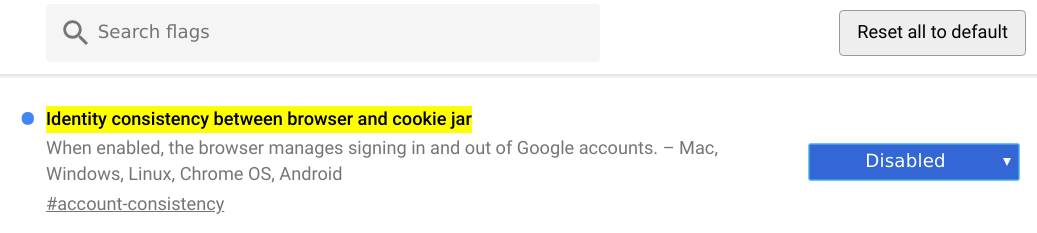
We will see how you can disable automatic login from Chrome's flags.
Open the internal address:
chrome://flags/#account-consistency
and disable the flag “Identity consistency between browser and cookie jar”
According to the flag description “When enabled, the browser manages to log in and out of Google accounts – Mac, Windows, Linux, Chrome OS, Android”.
Once the flag is disabled, you will be asked to restart Chrome for the changes to take effect. Chrome will return to its previous mode, and will not log in to your account if you do not choose to do so.
Warning: The above tweak will not be valid forever as Google tests countless flags from time to time. So you should be prepared because the company can remove this flag at any time.
Of course, another much safer solution is to leave Chrome and use the Mozilla foundation’s browser. Firefox will not disappoint you…
