

VLC Media Player is a very worthy free application. The Windows version (only) has been downloaded 50 million times. Perhaps the secret to the application's success is its design that gives a lot of features in one package.
Today, we will look at two of these features that you may not use.
Use VLC as a video downloader
Although there are many free applications to download online videos, VLC has this feature built in. It is not a one-click downloader, but you can download whatever you want with the help of the browser you are using.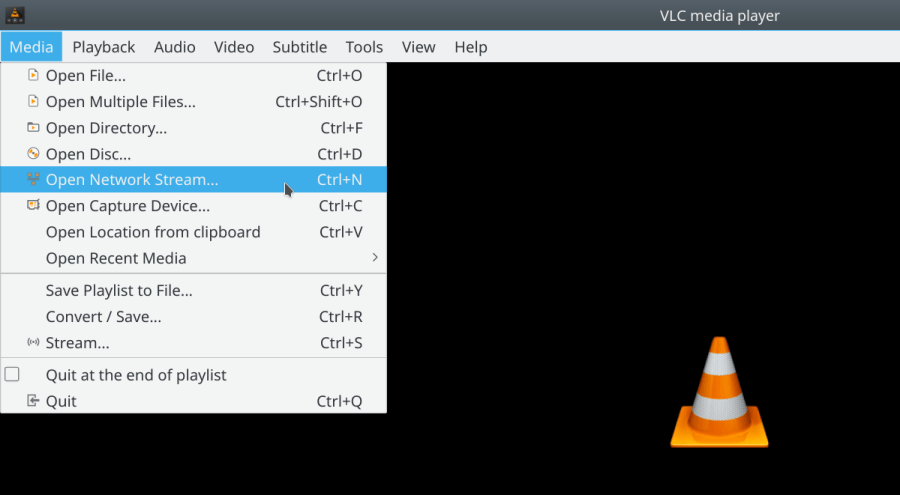
Let's see how you can download a video from YouTube
Click Media – Open Network Stream
Type, or copy and paste the video URL and click the Play button.
VLC Media Player will start streaming the video. While the video is playing, click Tools > Codec Information and at the bottom you will see a Location box.
Copy and paste the address into your browser’s address bar. The browser will start playing the video. 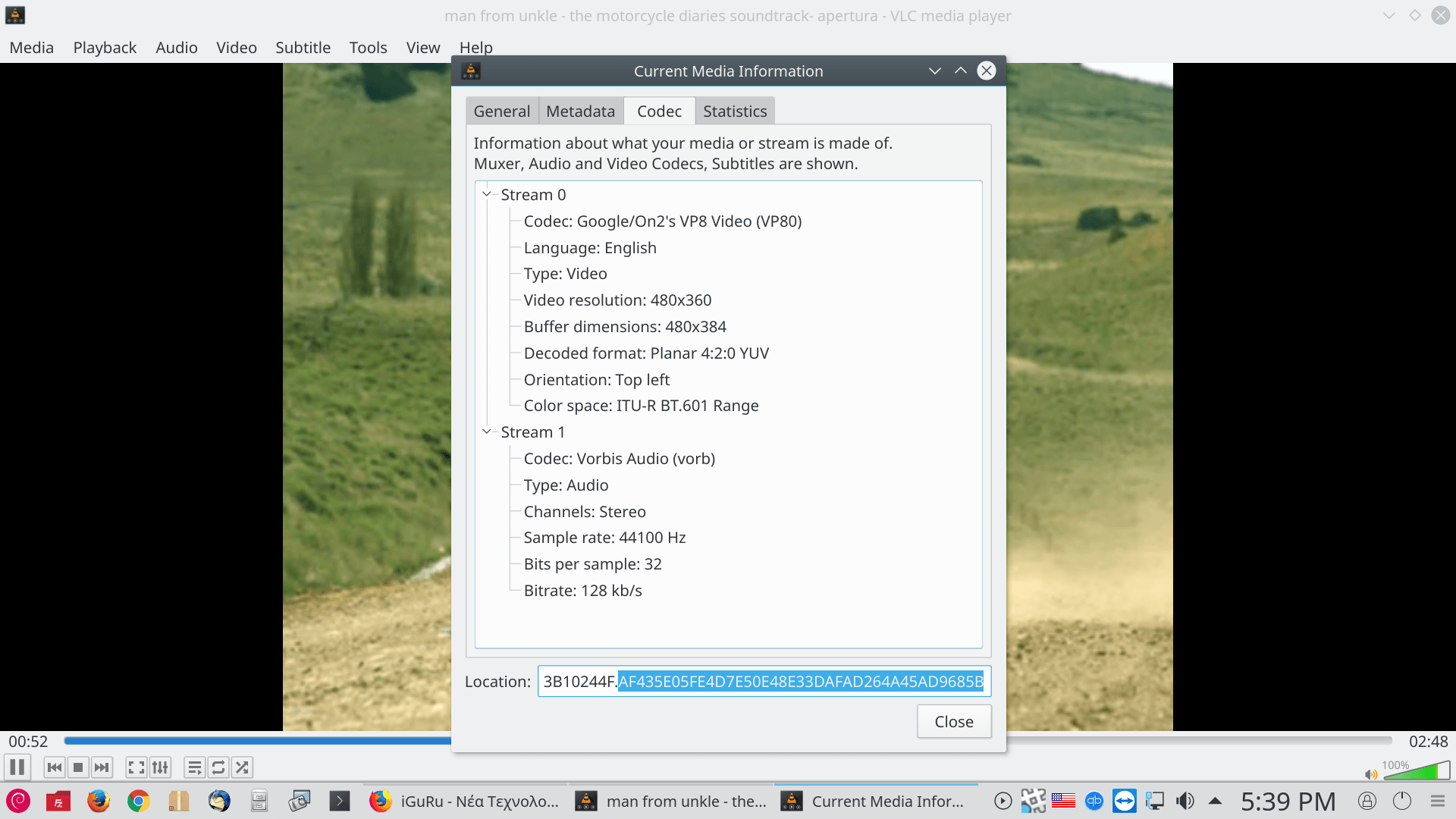
You can download the video to your computer by right-clicking on the video and selecting Save As.
Convert Videos to Any Format
Once you have downloaded the video, you can convert it to another format.
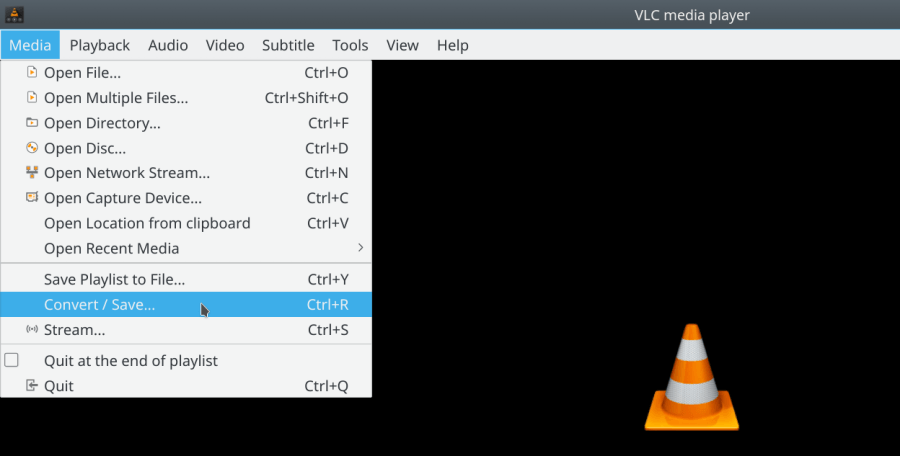
From the toolbar, click Media > Convert / Save.
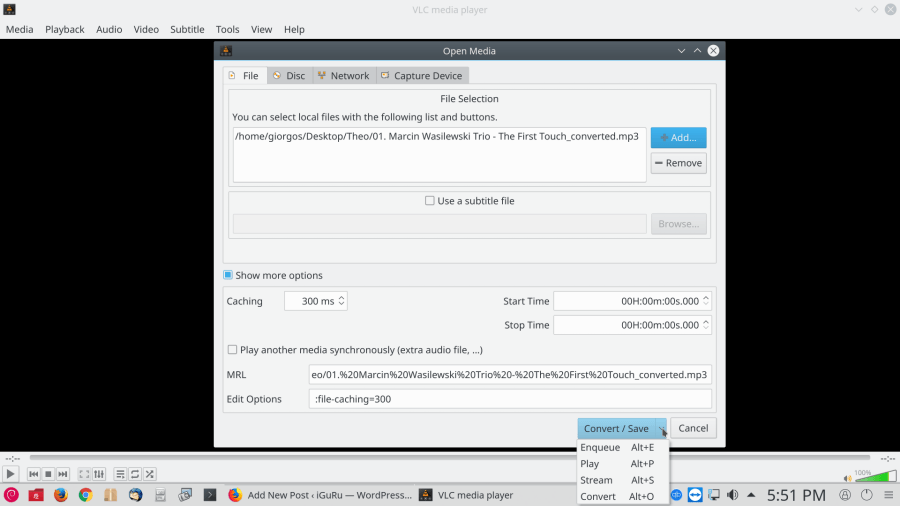
In the window that opens, click the Add button and select the file you want to convert. Then, click the Convert / Save drop-down menu – Convert
Open the drop-down menu and select the file format you want to convert your file to. You can also click the gear icon next to it and edit the selected profile.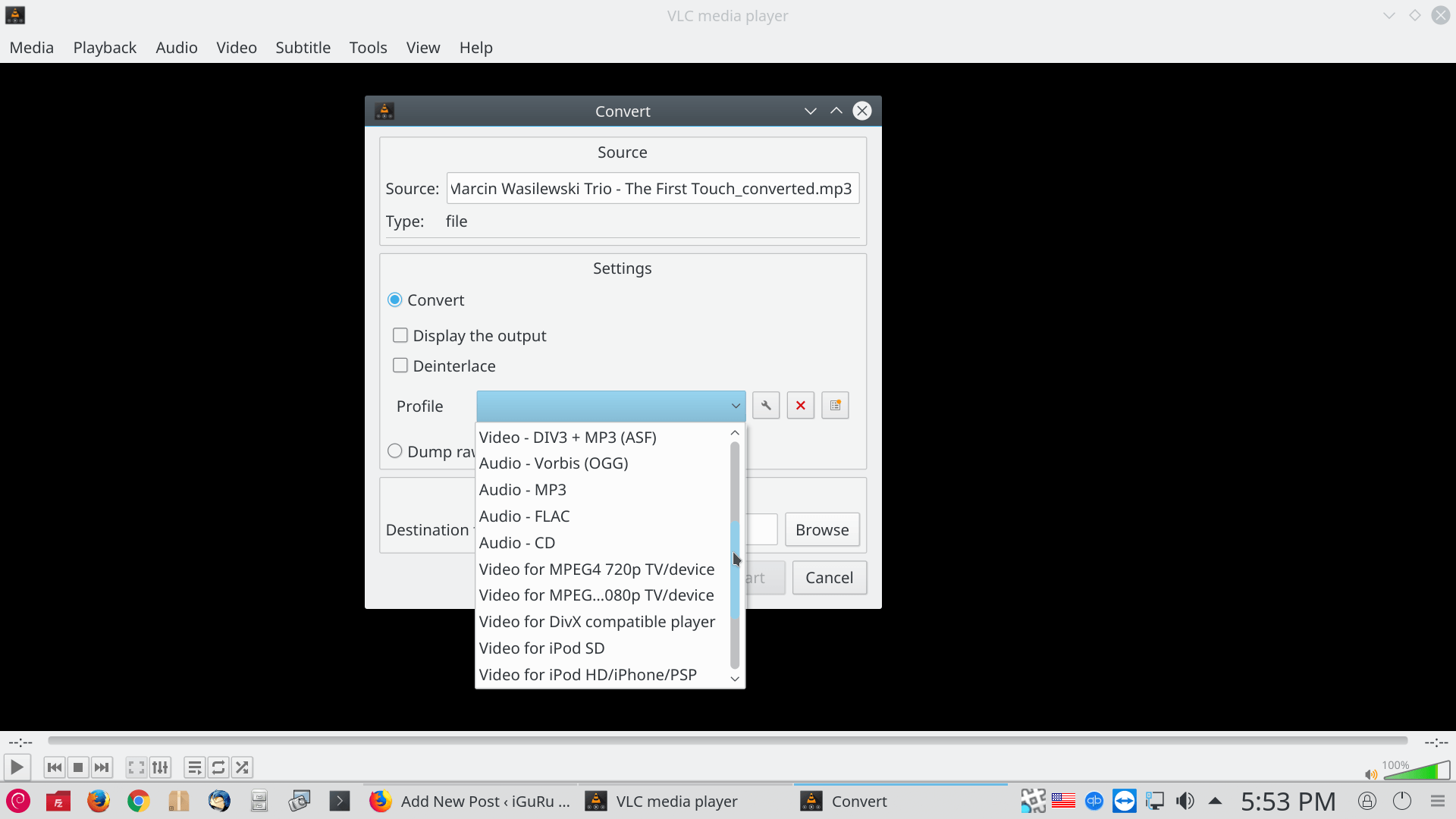
Click Browse and choose where you want to save the converted file. Then click Start to start the conversion. You can monitor the progress of the conversion.
__________________________________
- PDF files free online editing
- Add Parallax scrolling effects to your website, without plugins
- How to hide certain file types in Windows 10
