

Spammers: Google is not just a search tool, but many services used by billions of people every day: Gmail, Calendar, Google Drive, Google Photos, Google Translate, etc.and they are all integrated with each other. Calendar is connected to Gmail, Gmail to Google Drive, Google Drive to Google Photos, and so on.
It's also very convenient – sign up once and you're good to go. Google does everything for you. The downside is that online scammers have learned to exploit the convenience of Google to send spam messages.
Spam via Google services: Calendar, Photos, Drive, Storage, Analytics and Forms
The spammer's main task is to bypass the spam filter and deliver emails to your inbox. As it happens, Google services often send notifications to your Gmail inbox, and antispam does not reject its own notifications. With that in mind, let's look at which Google services spammers use and how.
- Spam in Google Calendar
Of course, if someone uses Google Calendar to arrange a meeting with you, you will receive notifications.
Because Google Calendar is designed to invite someone to a meeting, it makes perfect sense for both Calendar and Gmail (which receives the notification) to work together.
Spammers use the location and subject fields to convey the details to you. Typically, their spam items consist of a short piece of text stating that you are entitled to a cash payment for some reason and a link that supposedly allows you to receive it.
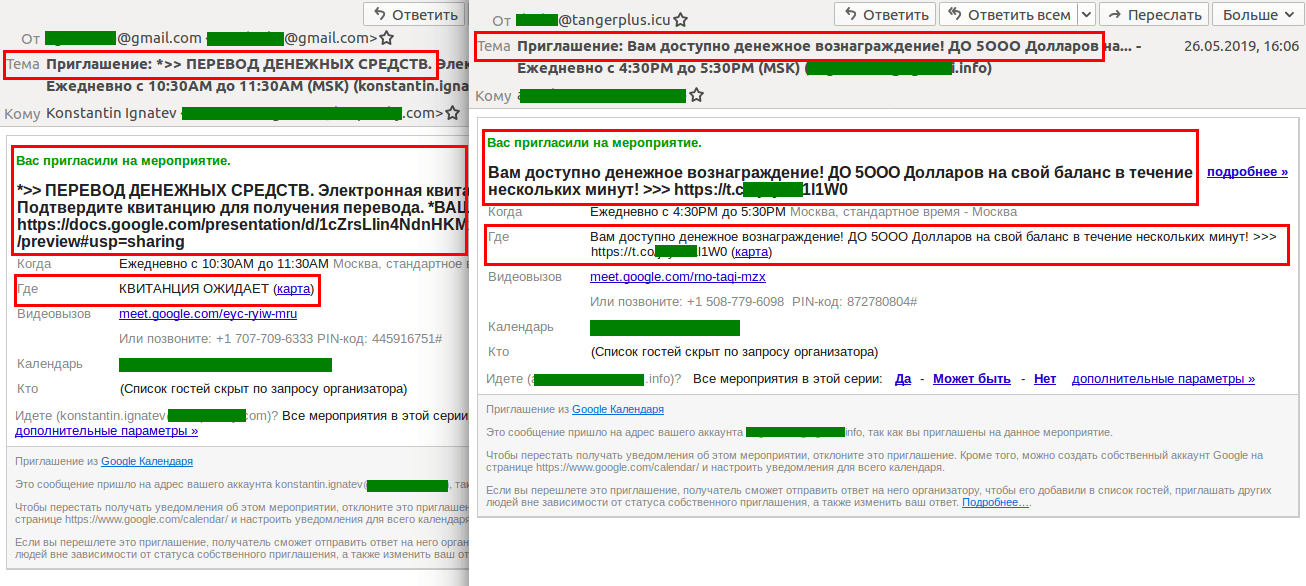
After that, most of you know the process – whether it's a phishing email from which hackers try to get your bank card details or they ask for some kind of transfer fee that must be paid before the money is sent.
Attackers are also adept at using Google Calendar to create fake polls for which rewards are offered. And there's nothing stopping them from using the same loophole to distribute other types of spam or phishing, as well as malware.
- Spam in Google Photos
Hackers are using Google Photos to share photos that include comments about large transfers that can be obtained by replying to the email offering. To the recipient, it looks like a harmless email from Google Photos with the header “… shared a photo with you.”.
A photo of a non-existent check that, upon payment of a commission, will unlock a much larger amount. After the victim pays, the scammers simply disappear into thin air.
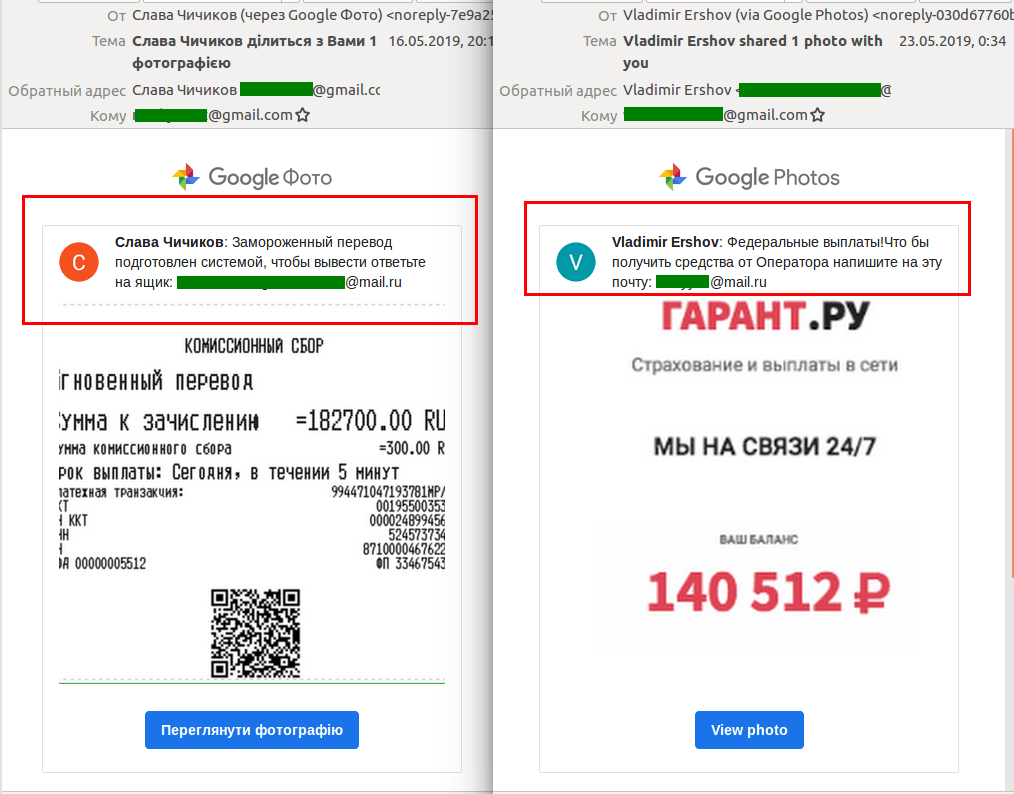
Google Photos is perfect for hackers precisely because it allows an image and text comment to be placed in an email notification with such an innocuous header that you're almost certain to open it.
- Spam in Google Forms
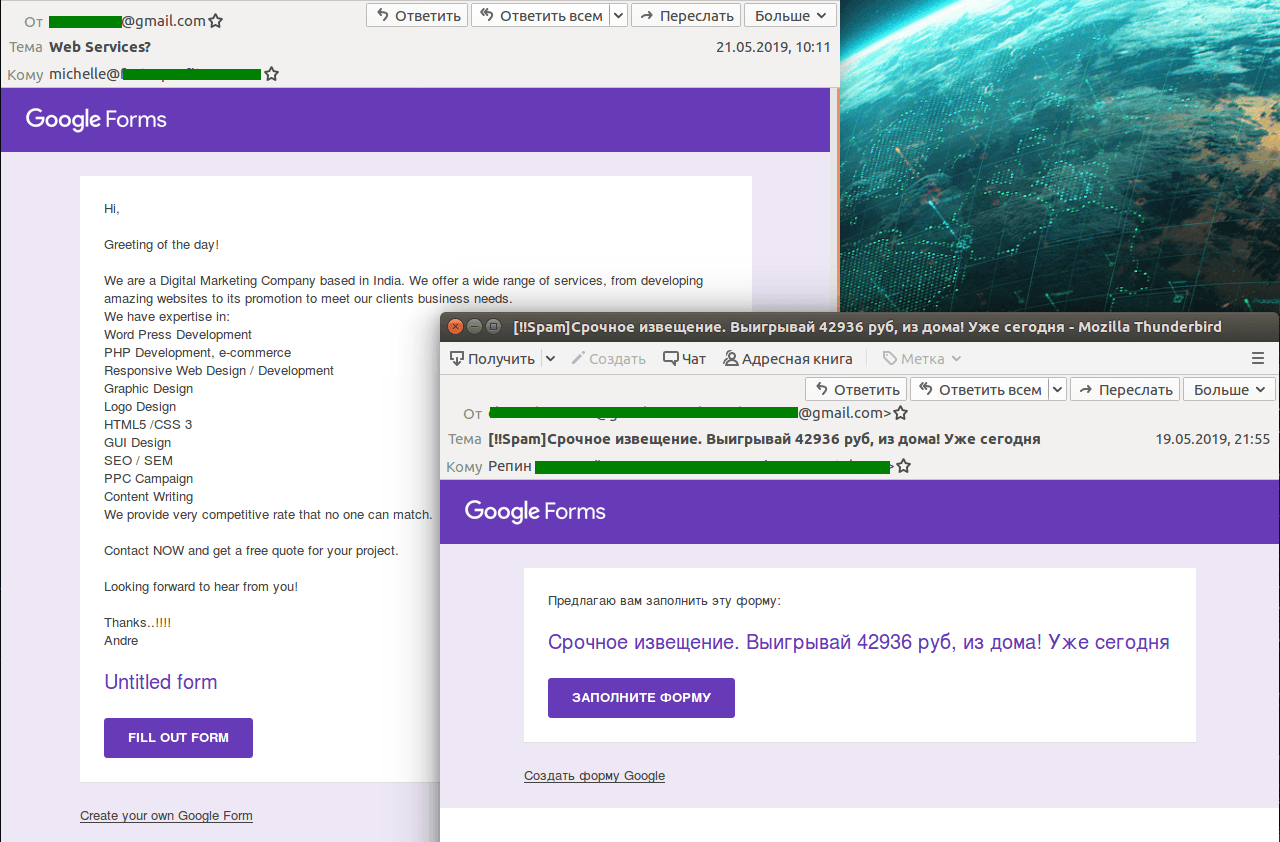
Fraudsters actively use Google's tool to create forms and surveys to collect users' personal data and send unwanted commercial offers.
The convincing data collection forms made Google Forms popular with phishers. Victims are forced to fill out the forms with personal data, card details, etc.
- Spam in Google Drive and Google Storage
Quarterly spam and phishing reports repeatedly warn users that cybercriminals have long used cloud storage to hide their illicit content. After all, it is extremely difficult for spam filters to determine whether an email is fraudulent based on a single link within it consisting of a random set of symbols.
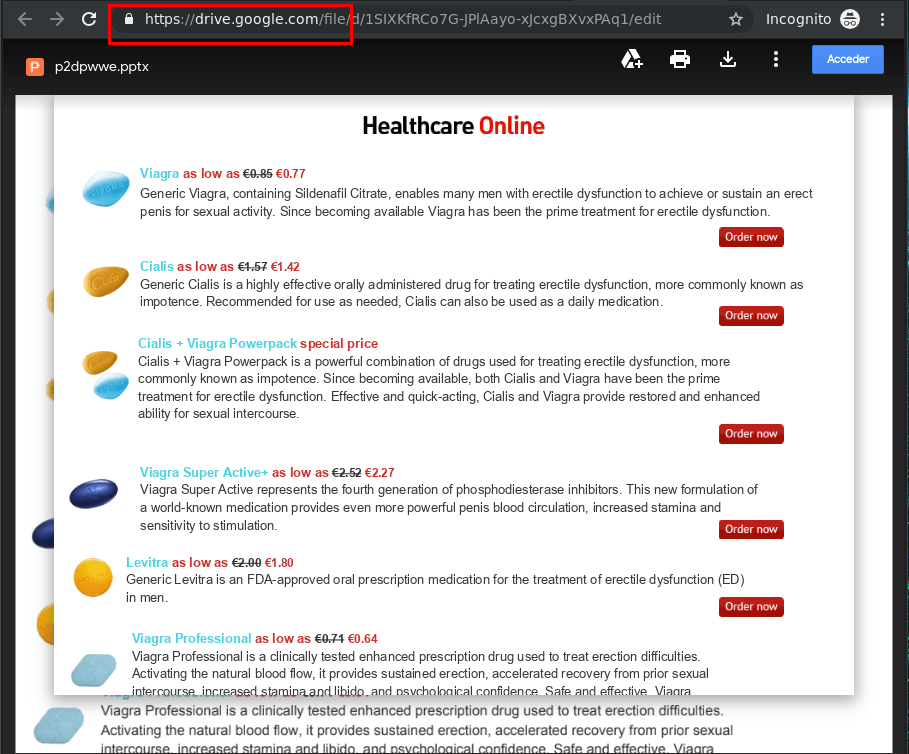
In this way, almost anything can be delivered to the recipient, including malware, phishing pages with data collection forms, and annoying ads. Most often, such links point to cloud documents (text files, spreadsheets, presentations) with a more detailed description and new links to the “final product”.
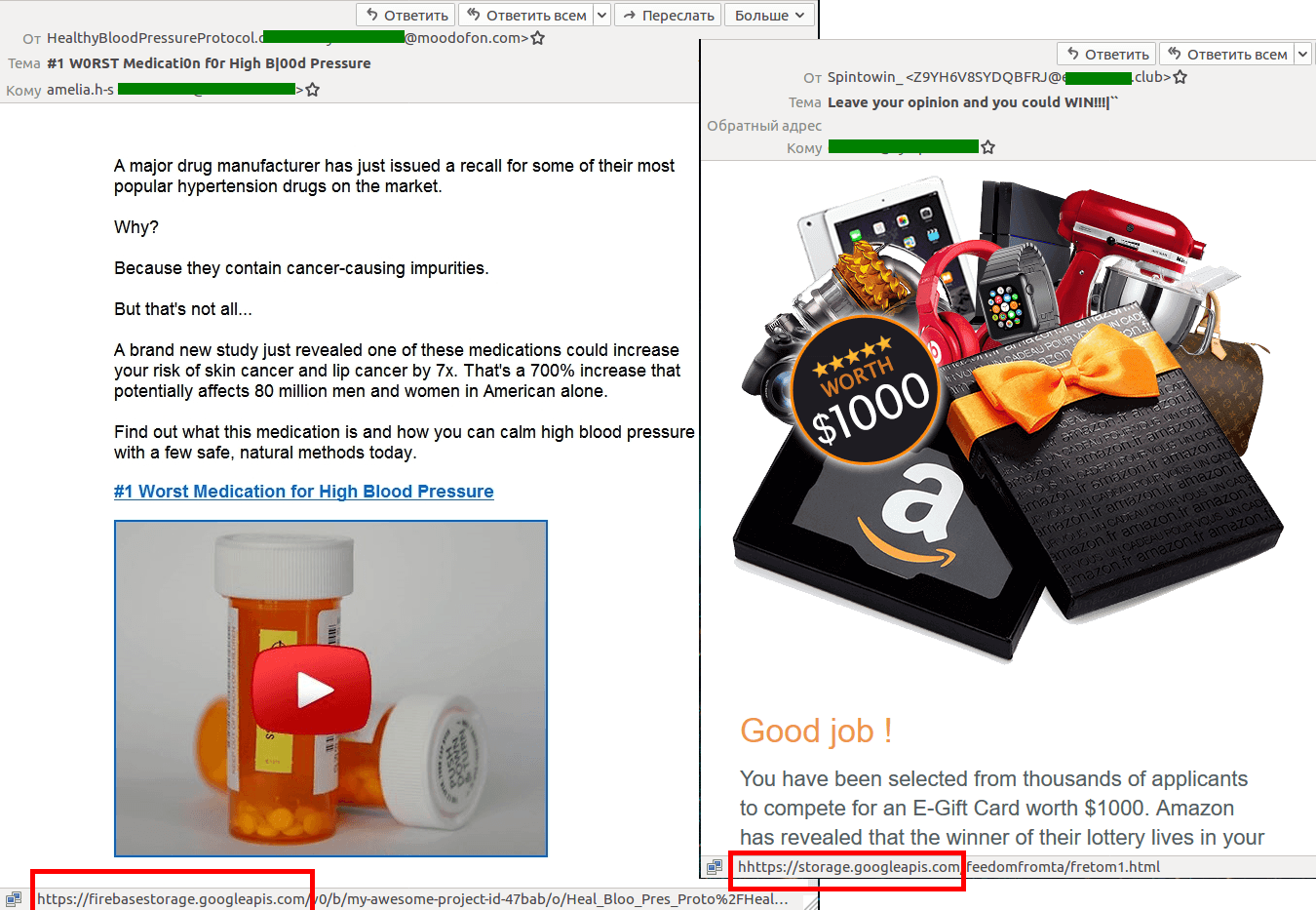
Google Storage is another repository of spam resources. It concerns links with redirects to fake landing pages and various images for use in spam messages.
- Spam in Google Analytics
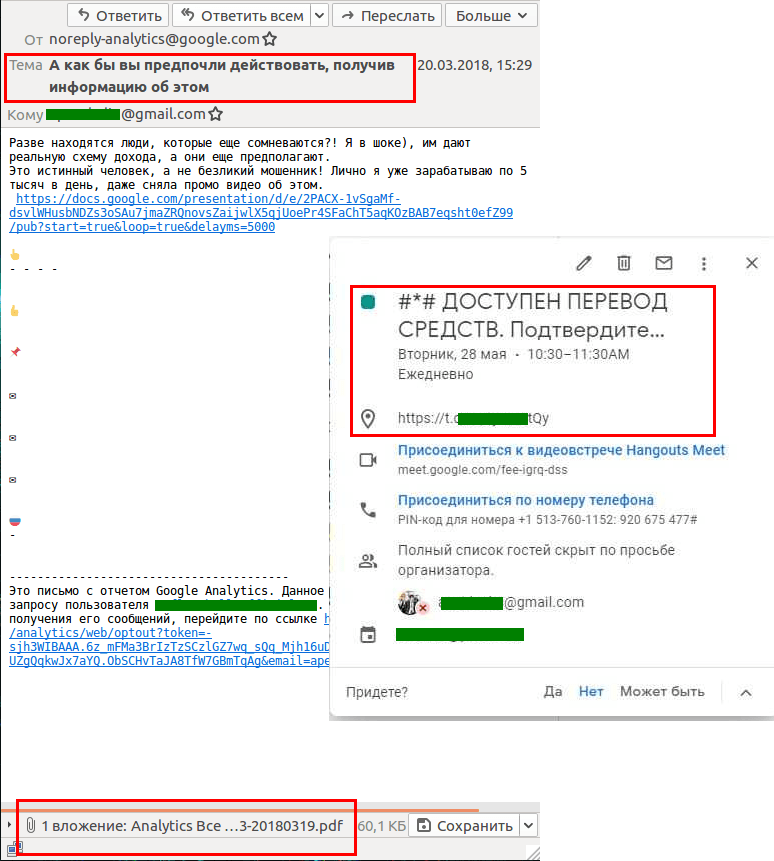
This type of spam is also found in other popular Google services. These include Google Hangouts and even notifications from Google Ads and Google Analytics. In the latter case, users receive a message with an attached statistics PDF report for an unknown website.
Analytics allows this file to be accompanied by text and a link, which cybercriminals. Here they can target business users, as these services are actively used by website owners.
How to avoid spam distribution through Google and other popular services.
Unfortunately, there is no cure for this type of spam. The required settings depend on the service and restricting some will, in most cases, reduce usability.
For example, in Google Calendar, it is possible to disable automatic event addition until invitations are accepted, but this also affects events that are of real interest. However, spam in this tool is perhaps the most annoying, so it makes sense to risk it.
To be fair, Google does a lot to combat spam and keep hackers at bay. But the fight against spam never ends.
The most important thing is to be careful.
- Do not open messages from unknown senders.
- Never accept invitations from people you don't know.
- Don't touch or click on links in messages you're not expecting.
- Install a reliable security solution with a backup sending module to filter out at least some of the spam sent through Google's filter.
Source: kaspersky.com
