

Following on from our article on RAID, today we will analyze what tools we can use to create a RAID.
Because we suspect that the previous guide for beginners, which referred to what RAID is, was probably too much for you, in this article we will be more concise, but without falling short in analysis, of what Software and Hardware RAID are.
But for a better understanding of this article you should have first read “What is RAID”, since this is a continuation of it. Take a deep breath and let's go.
What is Software RAID?
This is a program that uses computer resources, such as part of the CPU, memory, etc., to handle all the calculations required for RAID operations. The more complex the RAID configuration, the more processing power is required. In addition, RAID disks are connected to your motherboard, so you must have a motherboard that has enough slots for SATA disks.
Of course, it is also the most economical way to create a RAID. There are several programs on the market that can do this job for you, for all operating systems. Whether you have Linux, Mac OS, or Windows.
Especially for Windows, from 8.1 onwards you do not need to install any software since the ability to create even RAID5 has been integrated into the Microsoft operating system, within the disk management. You will of course find many more features in the Windows Servers. In Linux the most common RAID software is the free mdadm.
Ultra:
- Software RAID, if not free, is at least cheaper than Hardware RAID, at its initial purchase. It gives you the ability to implement all types of RAID, even combinations of them, such as RAID10, 50, 60 or 100.
- Today's computers are so powerful, processors can easily handle RAID 0 and 1 without a noticeable performance hit. And you generally won't have any problems with non-parity RAIDs, such as 0, 1, 10, and 01.
- Software RAID allows us to take the disk array from one computer and install it on another.
Against:
- Our motherboard should have enough SATA ports so that we can create large RAID combinations, such as 60 and 100, which require 8 disks each.
- RAID software “runs” on a specific operating system and a second operating system cannot see these disks. That is, if we are running both Windows and Linux on our computer, and we have set up RAID on Linux, then Windows cannot see these disks.
- The performance of the computer decreases if you use the more complex RAID configurations. For RAID5 it would be good to have at least an i5 machine. In general, RAID5 and above work well on machines made for servers, where the processing power is high.
- Replacing a failed disk in software RAID is a bit more complicated. You first have to tell your system to stop using the disk and then replace the disk. So it's not as easy as replacing a disk in hardware RAID, where you simply take out the disk and put in a new one.
What is Hardware RAID?
Hardware RAID is an internal card, such as a graphics card, or a card with extra USB ports, that is placed on a slot on the motherboard.
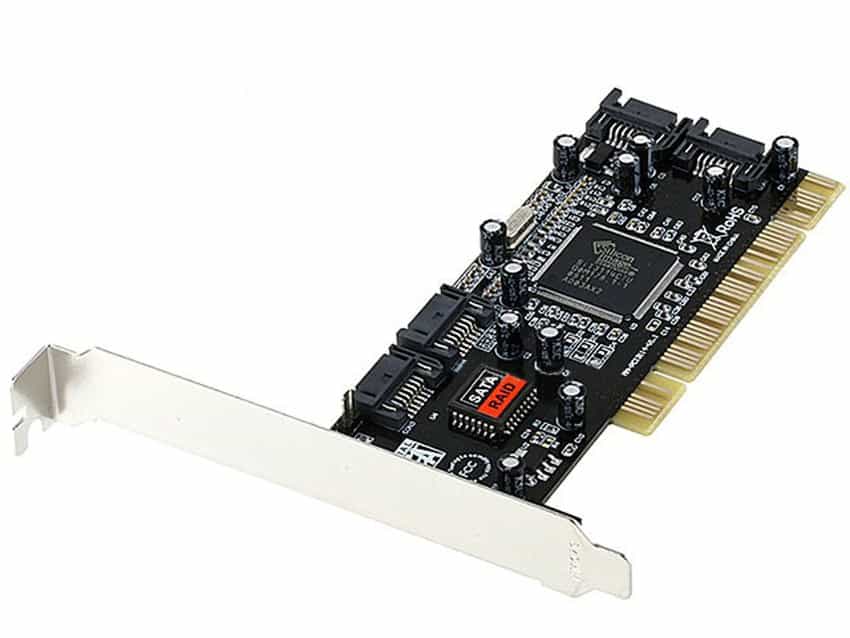
In a Hardware RAID setup, the drives are connected to a RAID card, which is usually connected to the motherboard via a PCI or PCI-Express (PCI-e) slot. This internal card, in addition to the ports, also contains the RAID controller and works equally well for large servers as for desktop computers.
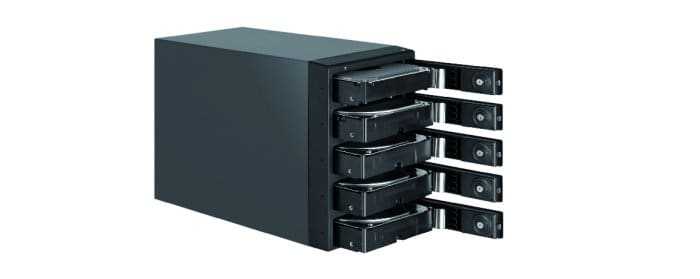
There are also external RAID drive systems that have a built-in controller card internally in their system.
Ultra:
- Hardware RAID has its own processor and memory, so it does not consume resources from our computer.
- Better performance, especially in more complex RAID configurations. Processing is done by the dedicated RAID processor, instead of the computer's main processor, which translates to less stress on the system during backup and less downtime during data restoration.
- It has more RAID configuration options, including RAID combinations, which may not be available with some RAID software.
- Compatible with various operating systems. This is crucial if you plan to access the RAID system from different operating systems running on your computer, for example, from both Linux and Windows. The RAID hardware would be recognized by any system.
- Really easy to set up. Most RAID controllers will come with a menu wizard assuming you are not an expert to create the RAID array. At best, some are able to set up the RAID automatically and correctly.
Against:
- It's not free! The card costs from 25 to 600 euros, depending on the quality and level you want to work. RAID cards that support 0, 1 or 10 are relatively cheap, while if you want RAID 5 and above, prices start at 150 euros.
- In case the controller burns out, special software will be needed to recover the data, and it is not enough to simply replace it.
- For best monitoring of RAID system health and performance, you must rely on specific software provided only by the card vendor.
What is Motherboard RAID?
There is a third type of RAID. This is the ready-made RAID that some motherboards offer. Although it sounds like hardware RAID, it is actually Software RAID or as we usually call it FakeRAID .
FakeRAID is a software that is located in the BIOS. The motherboard does not have any special chipset for RAID and the BIOS simply uses the computing power and memory of the motherboard to do all the RAID calculations, just like in Software RAID. Windows drivers also come into play that, together with the BIOS, do the job of the controller.
Furthermore, because this type of RAID is set up by the motherboard, if it burns out then we will lose all our data, and only if we replace it with an identical one will we recover it again. So after 5 years when there is a chance that your motherboard will burn out, pray that there is at least one in stock.
Finally, because it uses Windows drivers, it can only be set up on a Windows operating system. In general, it only offers the disadvantages of Software RAID with additional hiccups, so it would be best not to use it.
The only good thing about FakeRAID is that if you have it on your motherboard then your motherboard is probably of good quality!!!!
Find which RAID is right for you
Difficult decision! There are 3-4 basic selection criteria, but usually everyone moves with their personal choices.
For the majority of our readers, who have a simple home computer, you usually don't need to spend money on hardware and you are clearly stuck with the free Software RAID solution. If you only have two disks then you create a RAID1 and if you have three then RAID5 is what suits you.
Finally, if you want to play, then there is RAID0 for you, where with two small SSDs you can write ONLY your operating system and see your computer skyrocket in speed. Be careful, however, we repeat that your data should be outside of RAID0. Because SSDs also fail.
