

Windows Update: Keeping your computer properly updated is the responsibility of each of us, especially now that more and more vulnerabilities and security problems are emerging.
However, almost always to ensure the security of our system, preventive measures we take are important.
Cumulative updates for Windows 10 rarely provide flawless performance and more often cause other issues that prove more annoying for users.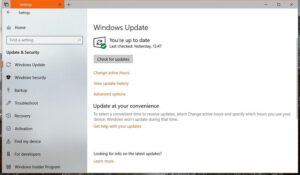
Some decide to disable Windows Update, even though this means that code updates will not be sent to their computers. The problem is that Windows 10 occasionally display restart notifications from Windows Update, asking users to restart their computers to restore the systems.
Fortunately, there's an easy way to block these restart notifications, from Settings.
Method one: Settings app
Settings> Update and Security> Windows Update> Restart options> Show more notifications
Essentially, you go to the setting and turn it off.
Method two: Windows Registry
This time, enabling the restart of updates from Windows Update involves changing a registry key, so we recommend everyone to create backups before anything else. Also, an administrator account is required to make changes to the registry, so if you are using a standard account, you will not be able to use this method.
Start the Windows Registry Editor by typing regedit in the Start menu and press Enter. Then follow the path below (note that in the updated Windows 10 Fall Creators edition, there is an address bar and you can easily navigate to any path, just by pasting it):
HKEY_LOCAL_MACHINE \ SOFTWARE \ Microsoft \ WindowsUpdate \ UX \ Settings
Search for a DWORD entry named RestartNotificationsAllowed and double‑click it – if this specific entry does not exist, simply create it. Change the value to 0 and you’re done.
If you want to re-enable notifications, all you need to do is reopen the same registry entry and change the value to 1. Close the registry editor, restart the system and apply the changes. Again, don’t forget to create a backup, because this way you can revert to the previous configuration if something goes wrong.
