

Today, Apple will launch the macOS 10.13 High Sierra operating system for Mac, a version that adds many improvements and new features to your favorite computer, increasing overall performance, security, and compatibility.
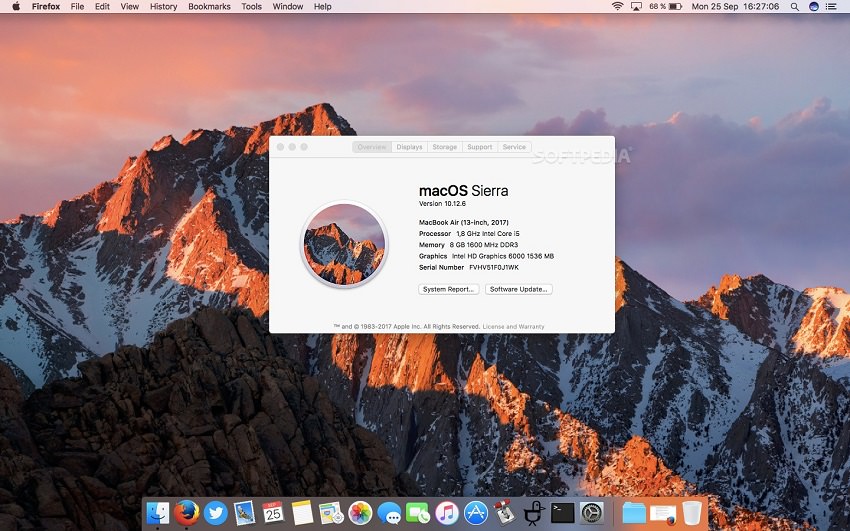
Speaking of compatibility, if you have an older Mac, you should check whether you can update it to macOS High Sierra 10.13 or not. Basically, if you are running macOS 10.12 Sierra right now, you can be sure that your Mac will also support macOS 10.13 High Sierra.
In any case, before you attempt to install macOS 10.13 High Sierra today, you should first check if your Mac is supported. Apple says that all Macs released in mid-2010 or later are compatible with High Sierra, as are all MacBooks and iMacs released in late 2009.
It's very easy to check your Mac model, just click on the Apple on the far left side of the top panel, then click on “About This Mac”. In the About This Mac window, you will see your Mac model and when it was manufactured (e.g. MacBook Air (13-inch 2017 or MacBook Pro Retina Mid 2012).
If your Mac is supported, it's a good idea to create a backup using Time Machine so you have a copy of your most important files in case the upgrade process goes wrong, although that's not the case. Apple also says you'll need to have your Apple ID credentials before updating to macOS 10.13 High Sierra.
If your Mac is compatible with macOS 10.13 High Sierra, you should know that you'll benefit from all its amazing features, like the all-new Apple File System (APFS), a revamped Photos app with built-in editing capabilities, a faster and smarter Safari browser, Metal 2 for next-generation gaming and VR , and more.
