

That's it. Say goodbye to sending JavaScript attachments via Gmail, because the mail service has turned its back on it for good.
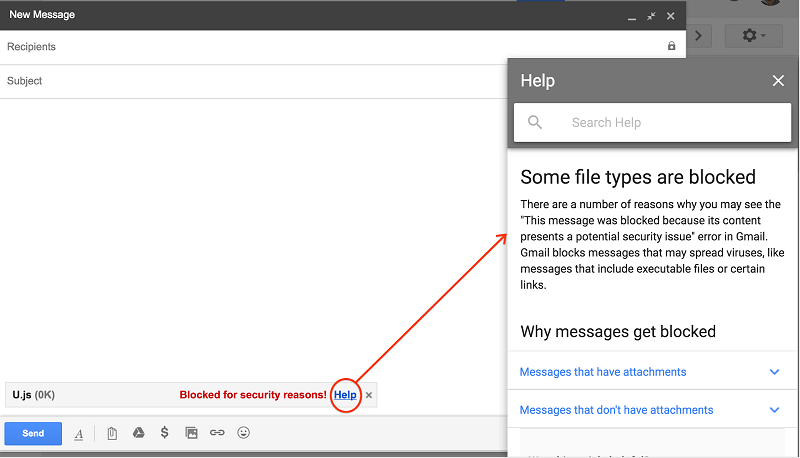
This move was announced a few weeks ago and is simply a security measure among the many malware hidden in JavaScript in recent years, with the situation escalating over the past months.
Now, if you try to send a Javascript attachment using Gmail or if you want to download such an attachment from an older email message, you will receive a new warning saying «Blocked for security reasons». Alternatively you will find the message “1 attachment contains a virus or blocked file. Downloading this attachment is disabled.”
There is a long list of file types that have been blocked by Gmail over the years for security reasons, including .exe, .jar, or .pif, to name a few.
«For the avoidance of potential viruses, Gmail does not allow you to attach certain file types, including: certain file types (mentioned above), including their compressed forms (such as .gz or .bz2 files) or when they are inside files (such as .zip or .tgz files)» says Google's blog about the situation.
There are some workarounds that Google implements if we really want to send a JavaScript attachment, namely by linking it via Google Drive, Google Cloud Storage or any other storage solution. This is mainly because the moment you upload the file to a cloud, like Google Drive, it will automatically scan for viruses and malware, which works even if the file is archived in a .zip or .rar, for example.
