

Android malware uses old techniques, but new tricks!
A sneaky Android malware disguises itself as a file Microsoft Word to trick users into opening it and triggering malicious code.
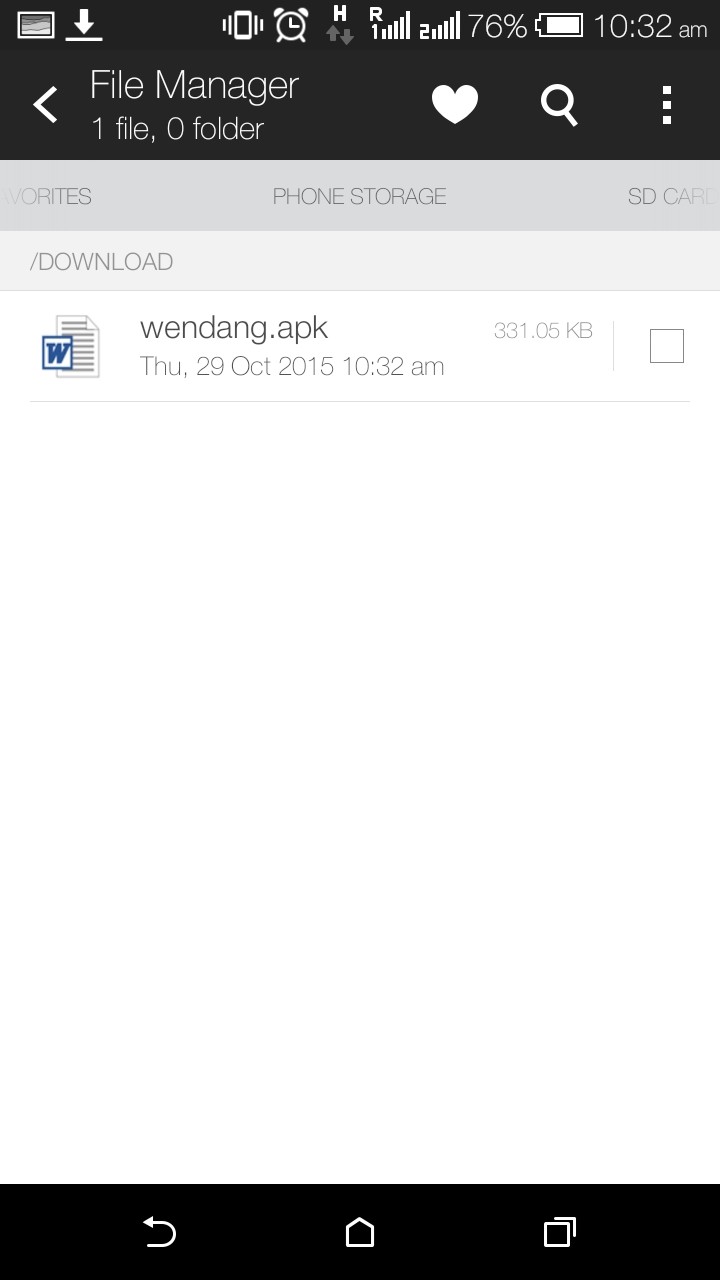
The application mimics the early Windows malware , using a common and fairly well-known file icon to trick users into believing that it is safe to interact with it.
As usual, malware arrives on the phone when users install applications from unofficial sources. If the user is careless and clicks on a Word file that appears out of nowhere on their screen, the malware makes them believe that nothing has happened by displaying an error message stating that the installation has not been completed: “Installation errors, this software is not compatible with the phone.”
While this error pop-up, the malware proceeds covertly with its dirty work, launching some hidden functions that could allow it to exploit various data repos on the phone, extract information, and control SMS and email functions.
The malware is actually an Android infostealer, which exfiltrates SMS messages and contact lists. Zscaler analyzed its source code and found that the malware comes hardcoded with a phone number to which an SMS with the phone's IMEI code is sent.
In addition, an e-mail address was also identified along with its password, where the malware sends e-mails with the victim user's contact list and SMS messages.
By accessing this email account, Zscaler researchers found that around 300+ victims had been infected and had their information stolen. The first emails date back to October 10th of this year. Also included is an additional calling feature. When attackers send a specially crafted SMS to the victim’s mobile phone, the malware receives it and makes a call to a number contained in the SMS. This feature can be used for real-time spying
Because the app requests administrator privileges when installed, users can remove it by booting their phone into safe mode, disabling the app from settings, and then uninstalling it.
