

HWiNFO is a free program that can display real‑time, comprehensive information about the individual components of your computer as well as information about its overall health status.
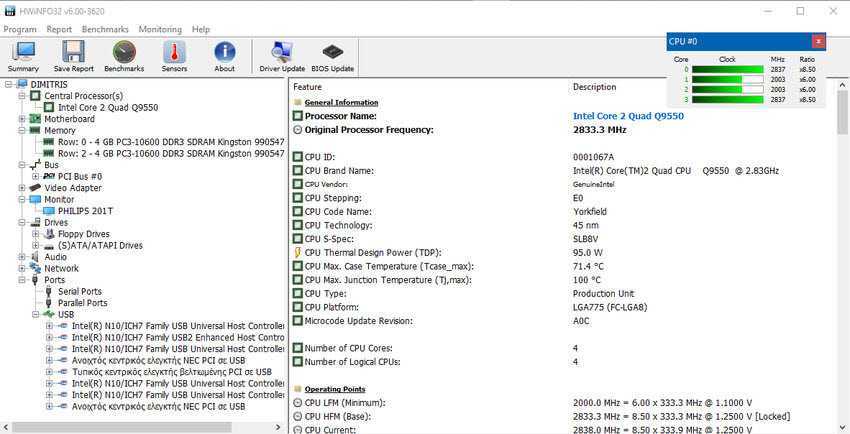
HWiNFO is a portable application which means it can be launched from an external device, without installation. Of course, it also has a version with a full installation. Yesterday, the company responsible for it, released version 6.0 with several changes, improvements and monitoring options, compared to the previous 5.6. It works for Windows 32/64 bit and for DOS
HWiNFO displays on startup a main analysis window with your system components and a second real-time monitoring window with the basic components of your computer (system summary), such as CPU, GPU, memory, motherboard, etc.
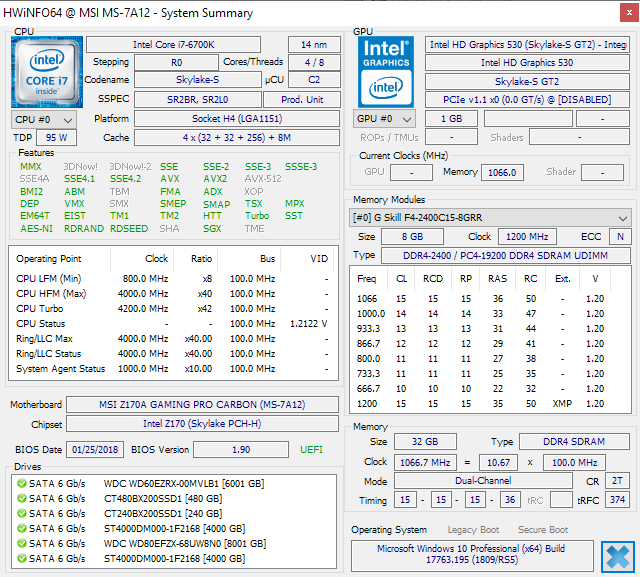
This information can help you see if there are firmware updates for the BIOS version or driver updates for the graphics card. Although it is not possible to search for these within the application, online finding of the correct driver information is facilitated, as you can perform a detailed search of these updates.
The main analysis window with your system components lists the hardware groups on the left and detailed information about the devices in that group on the right. The level of detail goes beyond the level of Windows Device Manager and Bios device registration. You can view information from various sensors, including temperature readings, CPU, PCH, motherboard, video card and hard drive values, fan speeds and core voltage information.
The program provides the ability to save a detailed report of your hardware, in various formats, to the local computer.
HWiNFO also monitors the maximum and minimum values for as long as it runs in the background. Useful for evaluating temperature levels or voltages over time, for example to determine if crashes or freezes are caused by critical temperature levels.
The program provides notifications that can be configured to alert you if values reach critical levels. The program supports a wide variety of notification options, from sound playback to the operation of a selected program.
HWiNFO32 comes with a comparative evaluation tool for benchmarking the CPU, memory, and disk. The developers have included an automatic update check in the application so it is always up to date.
In conclusion.
HWiNFO 6.0 is a free, important program for monitoring your computer, whose features and functions exceed the corresponding Windows Device Manager program. It has just released the new version 6.0, which means that it is supported by its manufacturers. Of course, there are other such free programs on the Internet, but HWiNFO is worth a try.
You can download it from here.
