

While most Apple users install updates immediately, there is always an exception. If you are one of those who do not update their devices, you should know that the letter “d” is not always the letter “d” when it appears in the Safari address bar.
It may not sound serious to you, but it is a very important problem because it can lead you to adventures according to various security researchers.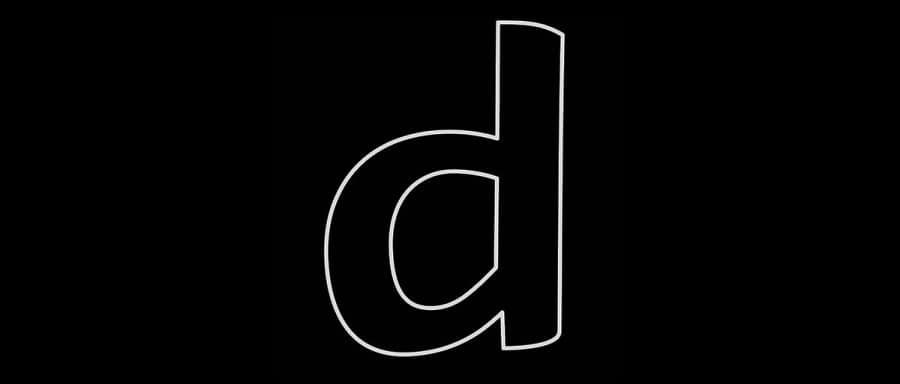
IDN homography attacks can be carried out if you write a domain name with Unicode characters that look like standard Latin letters, but are not.
These domains are used for phishing, tricking users into thinking they are accessing a regular site instead of a cleverly crafted clone.
Xisigr, a security researcher at Tencent Security Xuanwu Lab, recently discovered how Apple products handle Unicode characters.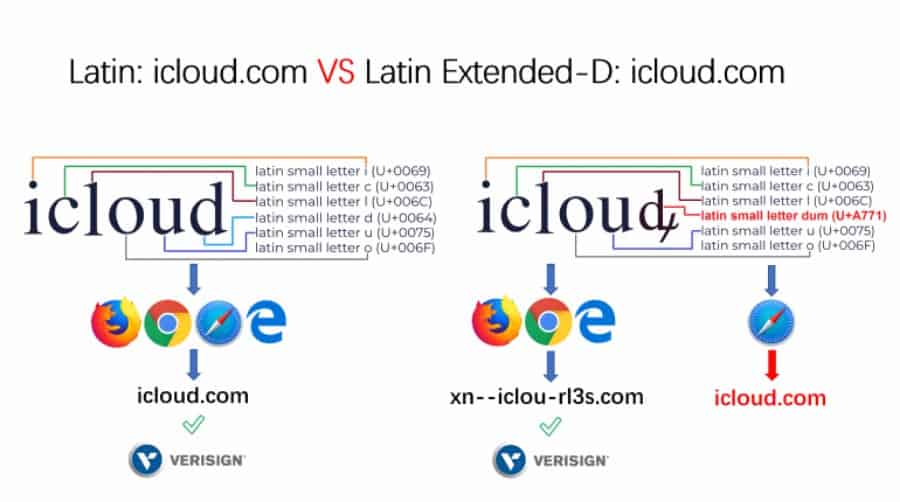
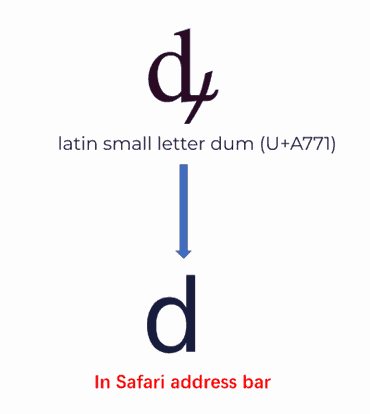
What found is that Apple has done a good job with most Unicode characters, except for one which is the letter dum (ꝱ) (U+A771).
The character looks like a regular 'd', except it has a lower apostrophe. So xisigr discovered that Safari wasn't displaying the apostrophe, but was showing the letter dum as the Latin letter d.
The researcher reported his findings to Apple, which released security updates in July for the Safari app, and software for iOS, macOS, tvOS and watchOS.
______________________
- Turkey's Vestel Venus Z20 the desperate boycott
- iPhone sales drop, Xiaomi's impressive growth
- Microsoft: lock on Hotfix service
