

The flashlight function on Android devices is very useful. It will help you find your keys in dark corners of your home, avoid hitting walls during a power outage, and in many other situations. There are many ways to activate the flashlight, but you probably only use one.
There are many ways to activate the flashlight, with some of them being quite inventive. You can turn it on by shaking your phone, pressing the power button, using the volume keys, or simply speaking to it. And perhaps some of the methods below may be easier for you than the method you already use. Let’s see them…
Through the quick menu
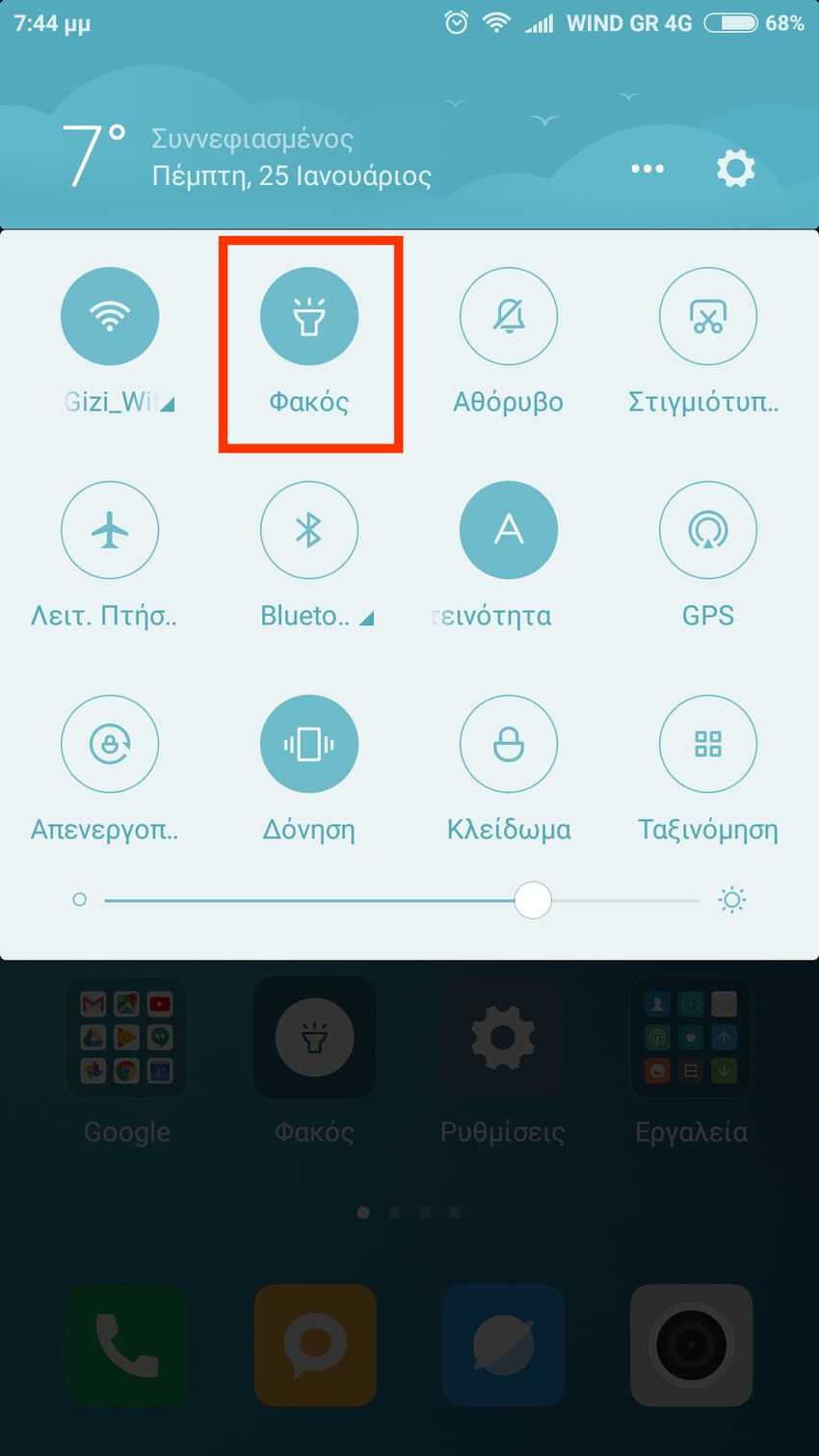
If you swipe your finger from the top of your screen downwards, you will see the quick settings menu. There are 12 quick commands there and you can choose which ones you want to see from a range of 20 total commands. One of these is the flashlight, which you can activate simply by tapping the corresponding command. If you don’t see the flashlight, you need to go to Settings > Notifications and status bar > Position toggle and from there select the flashlight in place of another command you don’t need. The above applies to Android 6.0 and above. Note that some older phones come with a dedicated flashlight app that you can use to activate it.
With the volume buttons
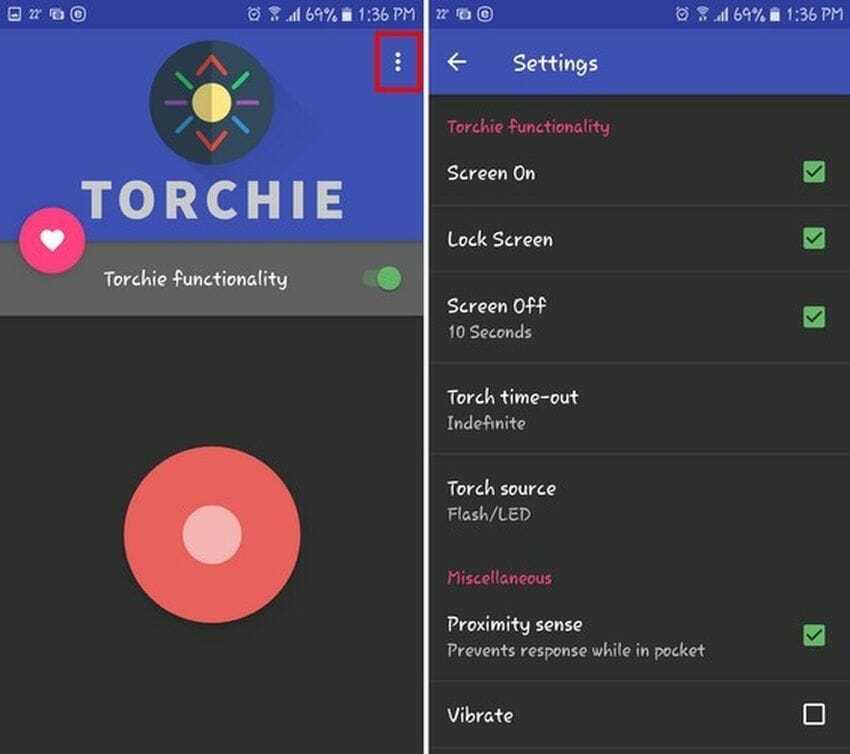
To activate the flashlight with the volume buttons on any Android device, you need to install the Torchie – Volume Button Torch. The app requires 4MB of space and will not bombard you with ads. To make the app work in the background, you need to grant it permission to “run in background”.
You can turn on the flashlight even from the lock screen, but you need to go to the app settings to allow it. To go to the settings, simply open the app and tap the three vertical dots in the top right corner of your screen.
Shaking the phone

If you are experiencing problems with your phone's buttons, instead of pressing the volume buttons, you can simply shake your phone to activate the flash.
To do this, you need to install an app called Shake Flashlight. Once you've finished installing it, the app is ready to use. Just shake your phone (like you're making a frappe), and the flashlight will turn on. You can turn on the flashlight even if your Android device's screen is off.
If you think it requires a strong shake, you can change the sensitivity in the app settings. Tap the three vertical dots in the top right corner and then tap on «Shake Sensitivity». The app will warn you that if you set the sensitivity too high, the flash may be triggered accidentally.
From a Widget
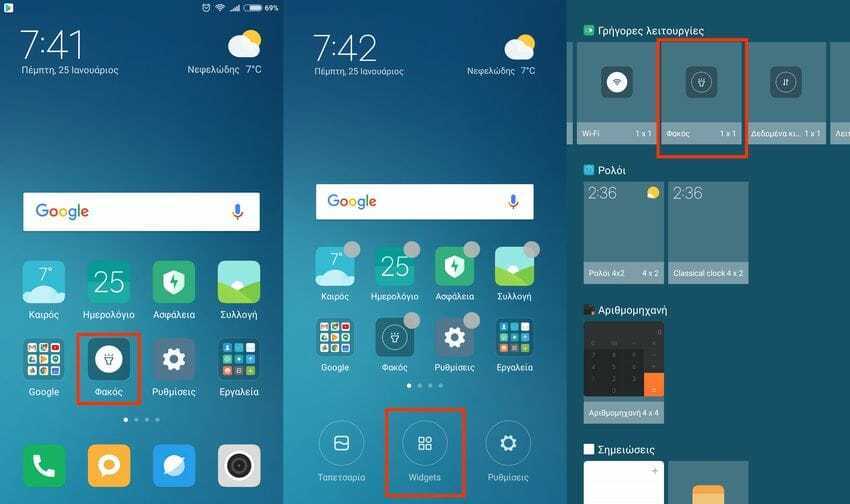
In Android software there is a corresponding command within the Widgets. The graphical flash control element does not appear on its own, so you will need to make some initial moves. First, press and hold the three horizontal lines at the bottom left on your phone to see the Widgets menu.
Click on the Widgets option at the bottom. The corresponding lens widget should be on the first page. Once you find it, keep it pressed continuously and drag it to an empty space on your screen. The application has no settings.
Tell it to Google
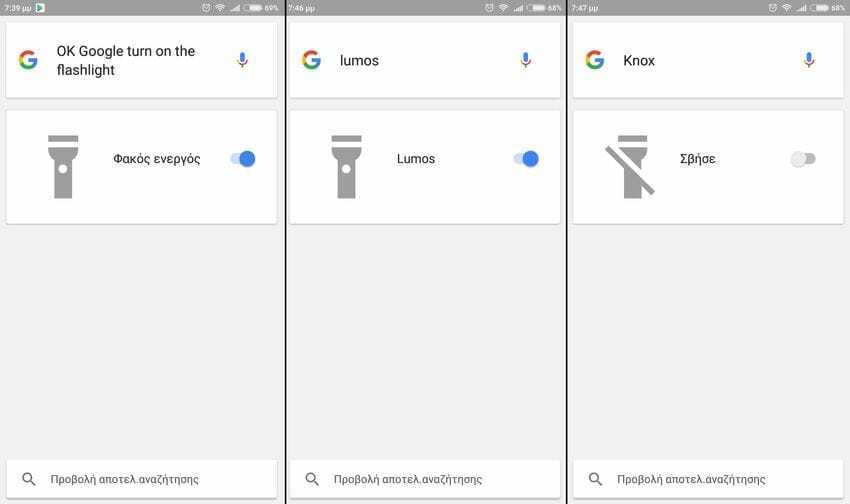
The last way is to simply give a voice command to Google. Press the microphone icon in Google and tell the Google Assistant “OK Google, turn on the flashlight”. You will see the flashlight turn on. If you want to turn it off, simply say “turn off the flashlight”.
On the other hand, if you want to be in the youth fashion or if you want to impress one of your nephews, you can give the corresponding voice commands from the Harry Potter movies. With the word “Lumos” the flashlight turns on and with the word “Knox” the flashlight turns off.
Conclusion
Although the original purpose of the flashlight is to work as a flash on the camera, it has evolved into a handy and useful tool. Thanks to the above apps and tricks, you now have several ways to quickly turn on the flashlight when you need it. If you know of any additional ways, we would be happy to share them with us by leaving a comment.
