

MX Linux is a Linux distribution based on Debian stable. The distribution originated from a collaboration between the antiX and MEPIS Linux communities, which have since ceased development.
It uses Xfce as the default desktop, and is an operating system that combines an elegant and efficient desktop with simple settings, high stability, consistent performance and a minimal footprint. In short, it is a fairly light distribution that does not sacrifice anything in quality.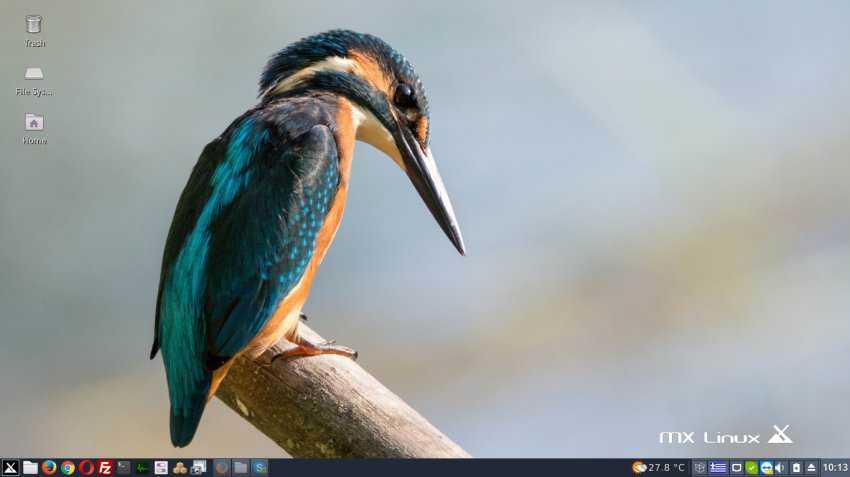
I had tried MX before, but because “you can't teach an old dog new tricks” I left it in a partition of my disk and continued using the distributions that have completely won me over (aka CentOS and Debian). There are also other Linux distributions on the same disk, more for testing new features when they are added. So there are the OpenSUSE, Arch, Fedora and MX distributions, which I rarely use.
Read also: Converting MX Linux core to Debian GNU/Linux 9 Stretch
Today was MX day. I should mention that this particular distribution has been pleasantly surprising me since I installed it.
The distribution offers a feature that allows you to create ISO snapshots. What is this?
Adding your operating system along with all its settings to an ISO image that can be burned to a DVD or USB drive for reinstalling that system!
Yes, another kind of backup.
Below we will see some images of the MX Snapshoot application and what features it offers to the end user:
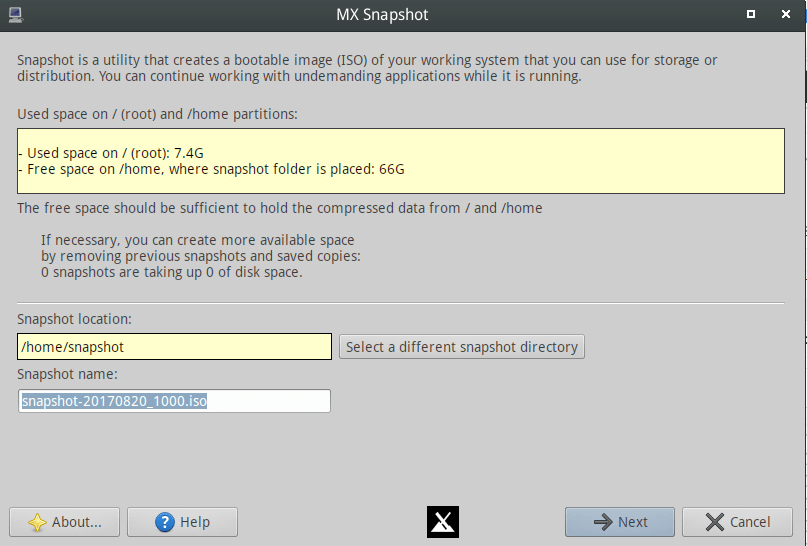
First, as you can see in the image above, you can choose the storage location and name of the .ISO file.
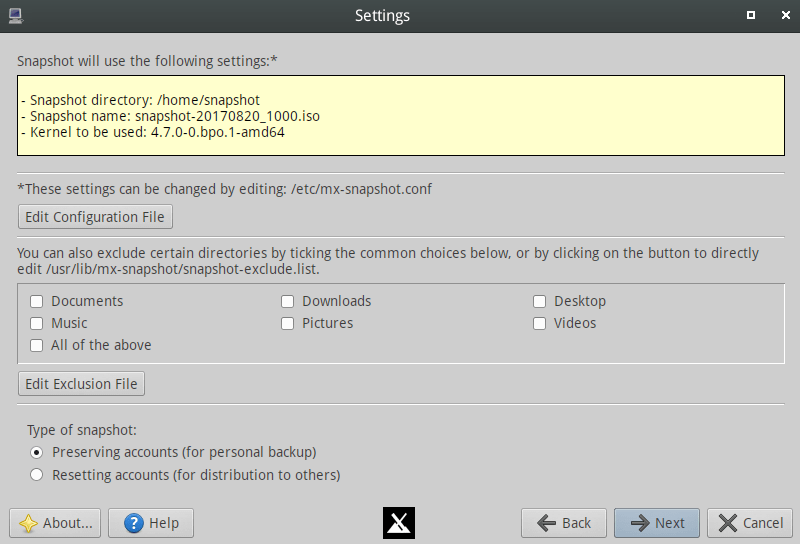
In the image below you can see that there are options for what you want the ISO to contain, from /home folders, to your settings, and the users on your system. You are given the option to not add any users so that you can share the ISO with your friends.
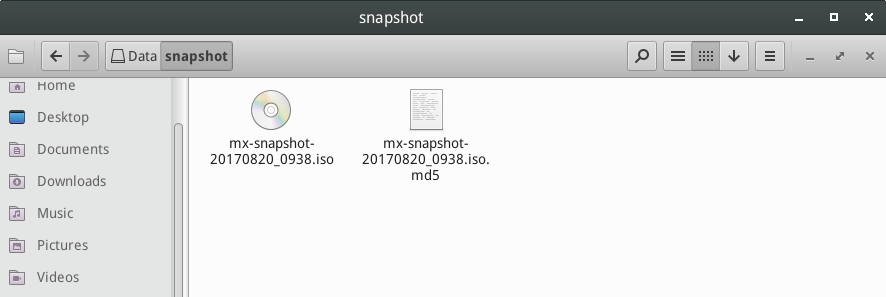
After about 2 to 3 minutes (the time depends on the speed of your system and the size of the files contained in the ISO) the installation image was ready, along with the .md5 verification file.
If you find all of the above interesting, you can try MX for yourself. I should mention that the same feature is also available in OpenSUSE.
The image below is the first boot from the USB I burned with the image I created. Nothing has changed, all the settings are there. The only thing that has been added is the Installer icon on the desktop, for obvious reasons. 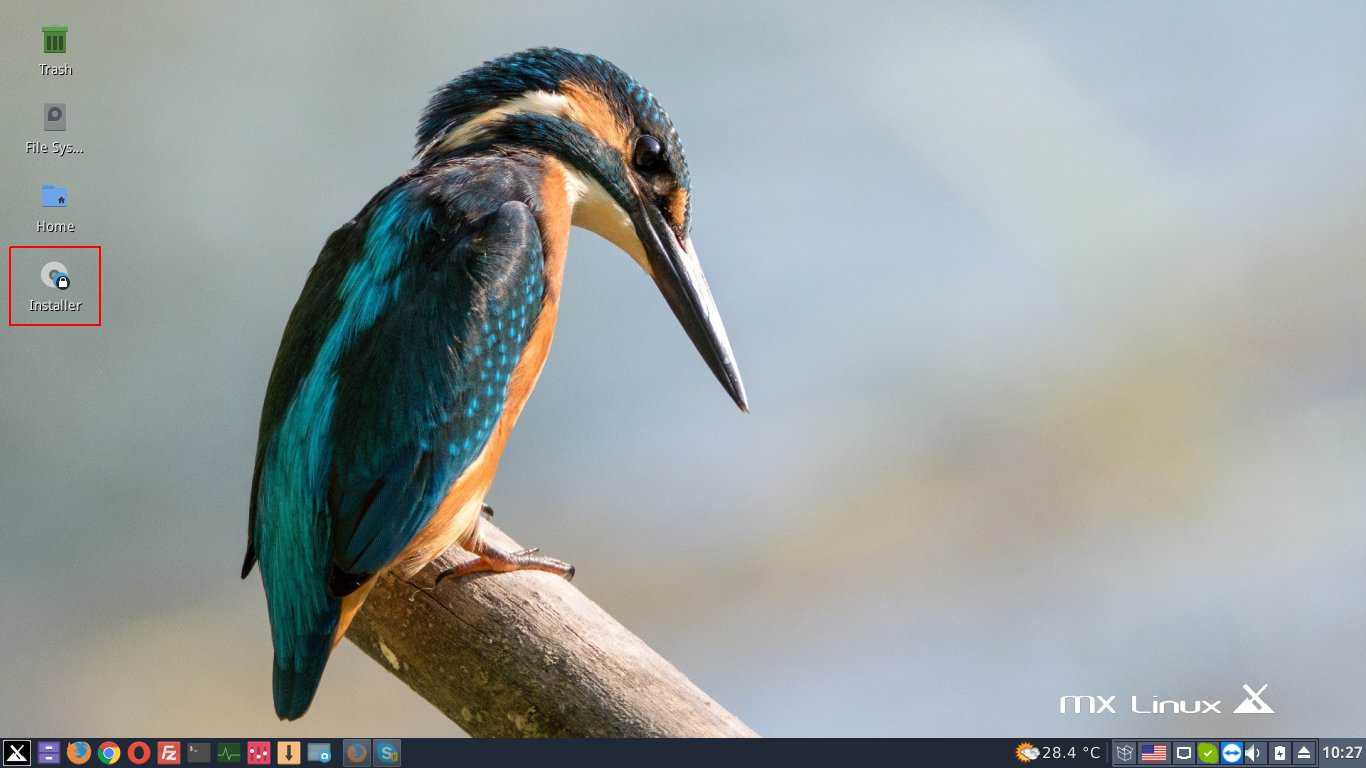
More details about MX Linux can be found in the latest release announcement .
Download:
https://mxlinux.org/download-links
