

After announcing the feature last fall, WhatsApp is ready to roll out two-factor authentication to its 1.2 billion users on iOS, Android, and Windows devices.
So if you are one of the 1.2 billion users of the platform, by updating the application you use you will have the option to activate the security feature. 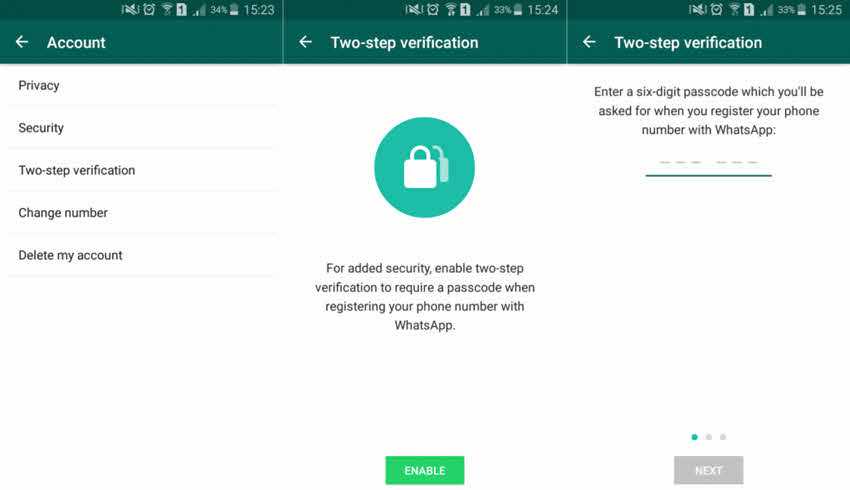
If you're not familiar with the feature, two-step verification adds extra security to your account by requiring a second authentication method in addition to your username and password.
To enable the feature, open WhatsApp > Settings – Account – Two-step verification – Enable, or WhatsApp – Settings – Account – Two-step verification – Enable.
It should be noted that every seven days, you will be asked to enter your passcode to log in to the app. However, you won't have to enter it every time..
