

Seven years after adding HTTPS to its products, Google has now turned its attention to Blogger (or Blogspot).

The blogging platform will finally get HTTPS support, as part of the company's effort to make HTTPS everywhere. So far, HTTPS is available in Google's search engine, Gmail, Drive, Calendar, and most recently AdWords.
The company took this measure primarily to protect users living in countries with strict censorship laws, allowing HTTPS bloggers to write articles and opinions without being hindered by ISPs.
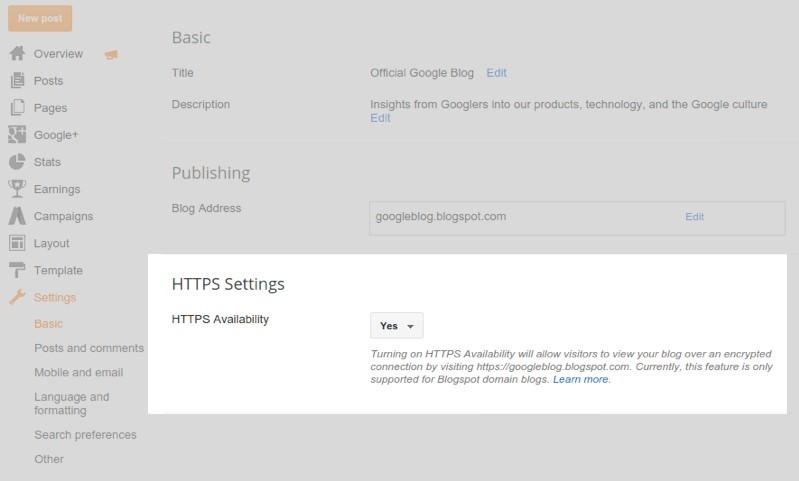
The change to HTTPS will not be rolled out to all users at once, and is currently opt-in only. If you would like to enable it, follow these simple steps:
Step 1: Log in to your Blogger.
Step 2: Click on the blog you want to add HTTPS support to.
Step 3: Go to the “Settings” section.
Step 4: Find the “HTTPS settings” option and select “Yes” from the drop-down that appears next to “HTTPS Availability”.
That's it.
Unfortunately, as Google explains, blogs running on a custom domain will not be supported at this early stage, and some blog gadgets and templates may give you “mixed content errors.” The error prevents the green lock from appearing in your browser because the gadgets you are using do not contain secure connections.
To get the green padlock in the address bar, you will need to remove the unsafe links from your home page one by one (at least).
