

ESET Smart Security is a complete suite. It provides Antivirus, Antimalware, Antispam, Anti-Theft Firewall, Parental Controls, Anti-Phishing, and rootkit removal. It has spam filters, and scores very high in scanning efficiency.
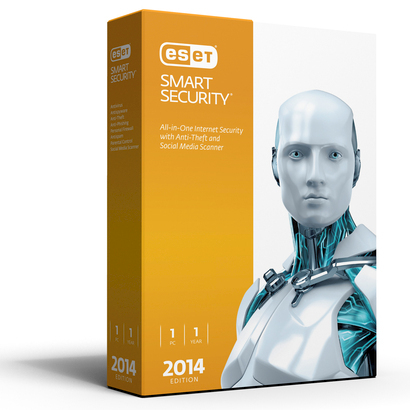
In addition to the services we already know, the new version brings us three new features:
• Exploit Blocker, a brand new feature that targets the very method of exploiting applications with security gaps, therefore its action is general and does not depend on the payload/malware family that ultimately infects the system. It offers protection against new and unknown malware, also known as zero day threats.
• Advanced Memory Scanner, a method that acts after execution, aiming to detect malware that has not been detected by other technologies. Its contribution lies in protecting mainly against malware that actively tries to evade detection by using various hiding techniques.
• Vulnerability Shield, which is the improved version of the Personal Firewall in ESET Smart Security, offers strong protection against attempts to exploit known network vulnerabilities.
Starting this review, I thought, just like in the previous one, that I should filter each suggestion to be objective as I have been using (both myself and the rest of iGuRu.gr) the application for many years. We use ESET because it is “lightweight”. Because we know that the computer it is installed on is safe, without affecting its performance. No, it will not crash your system, and if you ever think about removing it, it will not leave a pile of garbage like other “big” programs do.
System Resources
Immediately after installing on a system with Windows 8.1 (fully updated) I couldn't help myself. The older suites were really "light" and hardly put any strain on the system when scanning the computer. Is this the same?
Once again ESET did not disappoint me. See the results
Before starting the scan
 During scanning

 As you can see, the impact on the system was negligible, since it required 14-28% CPU and around 100MB RAM to accomplish what I had assigned it.
Protection
The list of malicious software types that ESET can actually protect your computer from is very long: viruses, spyware, adware, spam, rootkits, keyloggers, phishers, Trojans, browser hijackers and almost everything else that hackers develop every day. Using cloud-based ThreastSense , the company seems to show amazing results in tests.
NOD32 Antivirus offers three types of scans. Smart Scan is an automatic process that checks all files locally, without any configuration required. After finding a threat, it immediately cleans or deletes it.
Custom Scan allows application owners to specify what they want to scan. It is a highly flexible feature in terms of parameters and scanning methods. The specific scanning settings you make can be saved in a profile for future use.
Removable media scanning is the third type of scan. It is only triggered when you connect a device to your computer.

The three new features of the application Exploit Blocker, Advanced Memory Scanner and Vulnerability Shield shield the system. Think of the three new services in collaboration with the already known from the older version of the application (security suite 6). Anti-phishing as well as ESET's anti-theft system. The application needs settings to manage anti-theft protection. Your system should be secure for this, but once you are done with the basics (setting a password, creating a "ghost" account), the Anti-Theft will protect you in a possible theft of your machine. Later, from the ESET website (my.eset.com) you will be able to test the functionality of Anti-Theft for the first time. We saw with great surprise that the application (after the tests) took a photo of the desktop, using the camera it also took a picture of the person sitting in front of the computer and uploaded them to the ESET website (to the owner's account of course). The additional “ghost” account you created, if your computer is ever lost, will start sending data to my.eset.com as soon as it connects to the internet. This data {just like in our tests, is photos of the thief from your computer's camera, the exact location of the stolen machine, and a photo of what is happening on your computer screen at that moment.

The application protects you while browsing social networks like Facebook and Twitter.
Simply allow through the application panel at my.eset.com to connect to your social networks. Simple and easy to use feature for all users.

Upon installation, the application prompts you to use the Live Grid service. This feature allows for immediate detection of potentially unwanted applications (PUAs).

Our observations can be added to the easy management of the program even by a user without much computer skills. This does not mean that there are no management screens for the very demanding and experienced users.
Applications-Tools

The application's SysRescue is recommended for experienced users. With the service, you can create bootable media (CD/DVD) that will be equipped with the ESET application and can be used to scan infected machines. The operation is quite difficult even for the average user.
ESET SysInspector is another advanced application. It can “snapshot” all drivers and applications running on your system, network connections or important registry entries. The data is analyzed thoroughly in order to determine suspicious activities on your system. service
Security Features
- Antivirus (ThreatSense ® technology) for Windows, Mac and Linux, protection against viruses, worms, trojans, rootkits and other malicious programs.
- Antispyware protects your online privacy and identity
- Host-Based Intrusion Prevention System (HIPS) Blocks unauthorized changes to programs on your computer.
- Exploit Blocker, a brand new feature that targets the very method of exploiting applications with security vulnerabilities, therefore its action is general and does not depend on the payload/malware family that ultimately infects the system.
- Vulnerability Shield, which is the improved version of the Personal Firewall in ESET Smart Security, offers strong protection against attempts to exploit known network vulnerabilities.
- Advanced Memory Scanner, a post-execution method that aims to detect malware that has not been detected by other technologies. Its contribution lies mainly in protecting against malware that actively tries to evade detection by using various hiding techniques.
- Cloud-Enhanced Whitelisting (Cloud-Powered Reputation technology) enables faster and more accurate malware detection.
- Removable Media Control prevents malware from reaching USB flash drives, CDs, and DVDs. Allows locking of devices.
- AntiRootkit detects and removes types of malware that hide from the operating system.
- Antispam blocks unwanted emails and images. Spam filters are for POP3 and IMAP accounts.
- Intelligent Firewall shields from remote attacks with adaptive technology.
- Gamer Mode suspends pop-up notifications and scheduled scan tasks if someone is gaming.
- Parental control restricts access to websites by category or by URL. Protection also on
HTTPS - Internet Security Training teaches you techniques to make your online experience even more secure.
Help & Support
ESET provides extensive support through articles, video tutorials, news, forums, quick guides and regular user guides. Not to mention the very frequent updates of the malware database.
The company also provides telephone support from 09:00 to 17:00 weekdays at 210-7759270 as well as email support at support@esetgr.com.
More information is available at www.eset.com/gr which is the official Greek site or www.eset.com/gr-en which is the English version for Greece and Cyprus.
Many times they also provide remote support (e.g. with Teamviewer, Ammyy, ShowmYPC).
PDF aids
[box style=”black info rounded” ]The price of ESET Smart Security 7 or 2014 is €29.00 per user for one year.[/box]
Positively
- Lightweight. Does not affect the performance of the system that uses it. Works seamlessly with Windows Firewall.
- Impeccable protection and behavior.
- The impressive new Anti-Theft feature.
Negatives
- We noticed that the Antispam is not what we were used to using Google's Gmail, but perhaps it's a bit unfair to use this as a yardstick for comparison. In any case, the Antispam could use some improvement.
- A full scan takes a long time. (This of course also depends on how many files you have stored on your computer.
- It doesn't have sandboxing.
Summary
I have been using ESET since 2005. From 2005 until today I have not faced any problem with the security of my personal computer. The program is very simply made to work, quietly, discreetly and to provide security. Easy to use with a simple design that prioritizes security. The Anti-Theft function was something that was missing and is finally here. The set of features of the application can cover even the most demanding user.
[review]
