

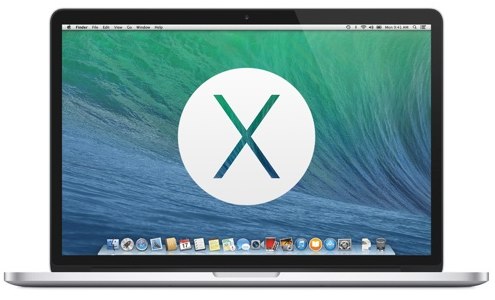
As has been rumored lately by Apple, the new OS operating system will include about 200 new features. We focused on the most important ones presented, but those who tried our beta version reveal some additional details that have not been mentioned.
OS X Mavericks is expected to be released in the fall and then we will be able to see all its new features, but it is worth giving a little space to an article that was published in Mac World and sheds light on some dark points of the presentation, revealing details about the new operating system that the beta testers discovered.
- Finder Full Screen: with OS X Mavericks you can view Finder windows in full screen, a feature that becomes easier thanks to the new tabbed browsing (inherited from Safari) and is already familiar to users who have installed alternative file managers, such as the excellent Path Finder.
- Window linking: In the case that in your haste you open an excessively large number of windows, you can merge all of them with a simple command inside a window (summarizing, one window for each tab and all together inside a Finder window).
- Full-screen windows: just as in Finder, you can automatically pre-select the setting of open windows to full screen.
- Drag & Drop: you can immediately move files from one tab to another (the actions that will be supported will probably be the classic ones of copying, pasting, cutting, creating shortcuts, etc.).
- Tag older files: Select the tags you want to assign to specific groups of files or folders and you can apply them even to older files, in a very simple way.
- Advanced features for systems with multiple monitors: With OS X Mavericks, on multi-monitor systems, you can move windows to any screen you wish and more. You can set the document and the menu bar for each screen, as if there were a special Mac feature.
- Data exchange between applications in full screen: using full-screen applications in multi-monitor setups, you can think of each as operating in separate sections and vice versa … it is possible, for example, to transfer an open photo from the iPhone to the first screen directly via a Keynote presentation that we run on the second screen.
- Mission Control and full screen applications: With Mountain Lion, Apple gave us only a small taste of Mission Control's capabilities. Now, however, with OS X Mavericks, it expands the capabilities, allowing immediate management of the current applications on each screen, in full-screen mode.
- iCloud brulock: on the stage of WWDC 2013 the new management of passwords and sensitive personal data related to credit cards, bank accounts, etc., for which iCloud is responsible and is distributed to all your «authorized» i-devices.
- Reader: is fully redesigned and with a new reading list feature, which allows you to «browse» articles across multiple pages continuously.
- Read more books simultaneously: you have multiple screens at your disposal and a plethora of iBooks, so you can read more, having a book open on each screen.
- The Calendar!: Apple has created for the Mac a calendar we never imagined it would create. It thought and acted differently and impressed us.
- Integration with social networks and online sharing services: Twitter, Facebook, YouTube, Vimeo and Flickr.
The only thing we have to do is wait to see these changes and many more that have not yet been published.
📧
Subscribe to the SecNews Newsletter
