

The Ring app has some of the best home security cameras as well as the best video doorbells (which connect to the home Wi-Fi network and send real-time notifications to smartphone or tablet when someone is at the door, while also alerting when someone rings the doorbell or when they detect movement around the door).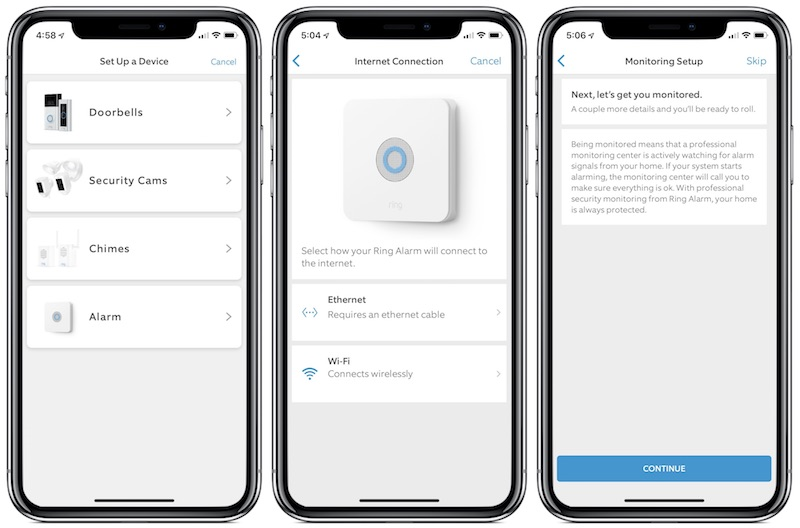
However, there are concerns about the security provided by Ring cameras and the privacy of the Neighbors program, which allows local police to request video recorded by Ring cameras if they believe the content could be useful evidence in solving a crime.
To address these concerns, the Ring app recently integrated a new “Control Center” for mobile phones, which allows users to have better visibility and manage their privacy and security settings, such as 2-factor authentication (2FA), video requests, and authorized users.
But let's take a closer look at how the application works.
To use the “Ring” app, open the app and select the “menu” icon that appears in the upper left of the screen. In the menu there is an option “Control Center”.
Regarding the activation of 2-factor authentication (2FA), new users of the application “Ring” will have 2FA by default. Instead, users who already have “Ring” installed will have to enable 2FA themselves.
Additionally, authorized devices include phones, tablets, and computers that have been authorized to access a user’s Ring account. Therefore, you can select “Remove All” so that no devices are authorized. However, you should keep in mind that you cannot remove a single device, so you must either remove all of them or none of them.
“Shared Users” shows the users you have granted access to and can therefore view and control the devices with the “Ring” app installed. You can select a user (Shared User) who will be able to view what the “Ring” camera has recorded as well as activate or deactivate the “Ring Alarm system”. You can also select a user (Guest User) who will only be able to activate or deactivate the “Alarm System”.
“Linked Accounts” shows third-party devices that you have authorized to connect to your “Ring Account”.
You also have the option to turn off video requests from the app sent by the police. Specifically, this section allows you to choose whether to receive a notification in case a local police department is looking for videos related to an investigation. That is, you will be notified if the authorities have sent a request to review video from your Ring security cameras.
First, you need to change the settings in the “Video Requests” section to “Off”. A second screen will then appear, confirming your decision to disable requests. Click “Yes, disable now” to disable requests. This will stop you from receiving notifications if authorities are looking for your footage.
However, even if you leave this feature enabled, you will have to explicitly grant the police permission to view any footage from your cameras. Similarly, the police will not know information such as your name, address or email unless you decide to share it upon request. But this does not apply to videos you have already made public on the “Neighbors” app, since they are considered public.
Finally, you can find out if your local police department has joined the “Ring Neighbors program.” Specifically, to see which agencies have partnered with “Ring,” select the “View Active Agency Map” option from within the “Control Center.” You can also click on this “Google Map” to see which agencies have joined the “Ring Neighbors program.”
