

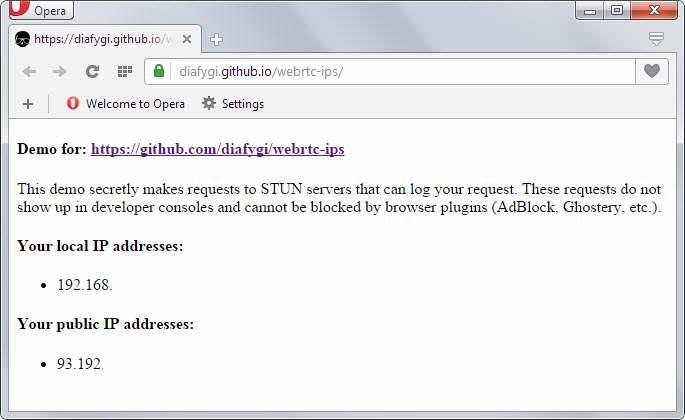
Every time you connect to sites on the internet, information about the connection and the underlying system becomes available to the website immediately and automatically, especially after the release of WebRTC.
This information includes the web browser and version used for the connection, the language, the operating system, and also the remote IP address. While there are ways to prevent the IP address from being disclosed by using proxies or virtual private networks, for example, an IP address is certain to be revealed in the end.
The local IP address was previously protected, which meant that sites couldn't use JavaScript to look it up. While plug-ins like Java allow sites to do this, users are usually notified when a plug-in is running when visiting various websites.
The recent integration of WebRTC into Firefox, Chrome, and other Chromium-based browsers, such as Opera, has implications for personal data protection, as sites use it to detect the user's local IP address.
The main issue is that the local IP address can be used to identify the system and is used in combination with other information-gathering techniques.
WebRTC allows requests to be made to STUN servers (Session Traversal Utilities for NAT), which return local and public IP addresses, for the system used by the user.
The results can be accessed using JavaScript, which means that the only requirements for this task are WebRTC support in the browser and, of course, some JavaScript.
The well-known ad-blockers, such as Adblock Plus or Ghostery, do not block these requests, as they are made outside the usual “XMLHttpRequest” process.
The only extensions that will prevent this are some JavaScript blocking extensions such as, for example, NoScript for Firefox. Of course, the user can disable JavaScript to prevent this from happening, but this makes many websites useless, since they will not be able to load in the browser.
