

Google is retiring the old gallery system. 7/19/2023 is the last day to save photos from Google Album Archive. Here's how to download and save your photos and videos before they're deleted forever.
If you've ever used Google Hangouts, Picasa , or any other Google service that's been discontinued, you should immediately check your Google Album Archive for photos and videos you may have shared and forgotten about. After today, those files may be gone forever.
Google Album Archive is a destination for older media you've shared across Google services that isn't stored elsewhere. Google informed users on June 18 that Album Archive will be shutting down on July 19, 2023. To save these photos and videos, you'll need to use Google Album Archive and export any files you want to keep.
See also: Activision Blizzard franchises that will belong to Microsoft
Not sure what media is in Google Album Archive or how to use Google Takeout? Don't worry – we'll show you everything you need to know so you don't lose your old photos and videos.
What is Google Album Archive?
Google Album Archive is a storage space for photos and videos you've shared on older Google services, like Hangouts (now Google Chat) or Google Plus. It can also include media from Blogger and Picasa Web Albums, old profile photos, YouTube channel covers, or automated backups.
Some of the images and videos in Album Archive are also available in Google Photos, Blogger, and Google Chat, but some are only available in Album Archive. On July 19, 2023, Google will retire Album Archive and delete the files in it.
How can I save my photos and videos from Google Album Archive?
To save your media from Google Album Archive before it's deleted, Google recommends using Google Takeout, the data export tool. A Google Takeout link will take you directly to a page to download your Album Archive data.
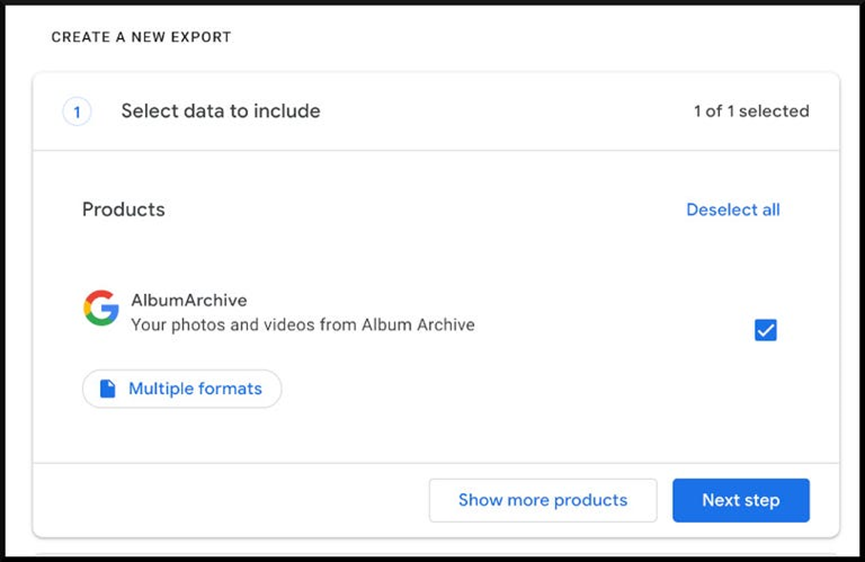
In Step 1, make sure the checkbox next to “AlbumArchive” is selected, and then click the blue “Next Step” button to proceed to Step 2.
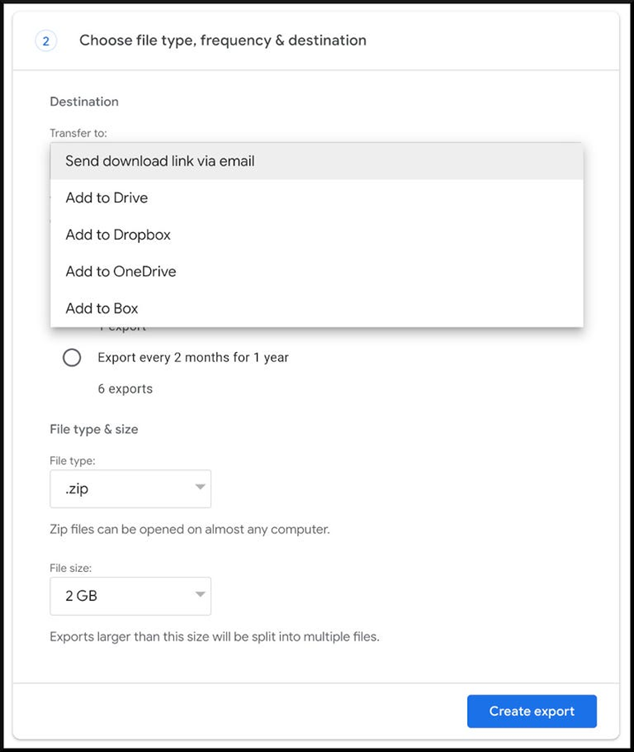
Now, you’ll need to decide where you want your files to go. You can either receive a ZIP or TGZ file via email, or upload your files directly to another storage service, such as Dropbox, Google Drive, Microsoft OneDrive , or Box. Once you’ve made your selections, click the blue “Create Extract” button to begin the download.
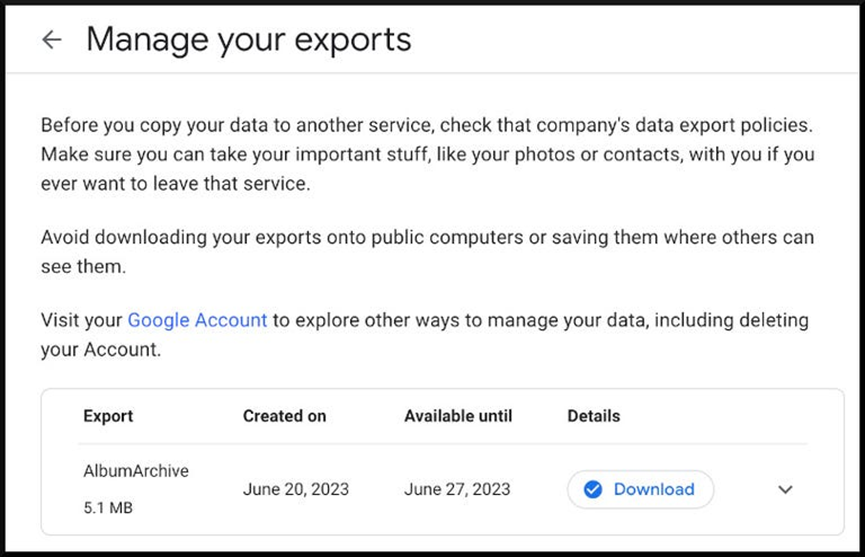
You will then receive an informational message that Google has started exporting your data and that “the process may take a long time (possibly hours or days) to complete.” When it is complete, you will also receive an email.
See also: Google restricts some employees' internet access to reduce risk of cyberattacks
You can then use Google Takeoutto download the ZIP or TGZ file directly, or manage your files in your chosen storage service.
Important note: The Google Takeout link to download your data will only work for 7 days. If that time expires, you will need to start the Removal process again.
Google 's emails to users differed slightly from its messages on the Album Archive page, so it's not entirely clear what photos and videos might be available in the future across Google's various services. Take a look at the files you have in Album Archive and download anything you want to keep by July 19, 2023, to make sure you don't miss out.
