

Search chips, a feature that's supposed to make it easier to search for files in Google Drive, is rolling out to all Workspace users, including G Suite Basic and Business users. It first launched as a beta in November and will let you narrow your search results by location, file type, date modified, people, tasks, and shared label.
See also: Google Drive: Warns about suspicious files used for phishing/malware
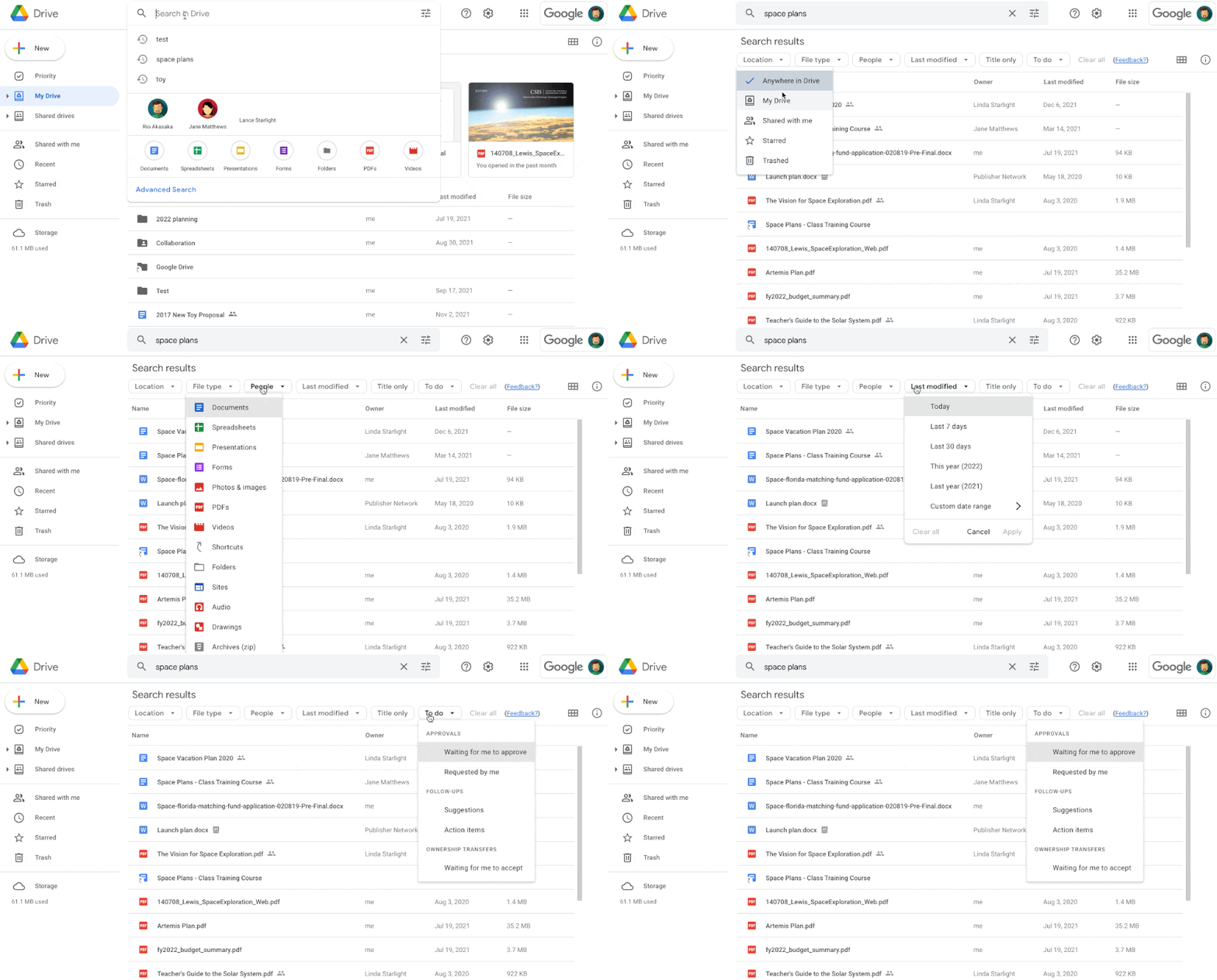
As Google shows in the GIF above, you can use search chips by entering a keyword into the Drive search bar as you normally would. Just below the search bar, you'll see six different drop-down menus for search chips: Location, File Type, People, Last Modified, Title only, and To do. Selecting from these menus will filter your search results — for example, click Location and you'll filter your results by Anywhere in Drive, My Drive, Shared with me, Starred, and Trashed.
See also: How to upload files and folders to Google Drive?
See also: Google Drive, Photos & Gmail: How to find and delete large files
Google previously hid Drive's more limited collection of search filters in a drop-down tab built into the search bar. Placing them right above your search results would make them easier to find and manage. Google introduced search chips to Gmail in 2020, which you can find below the search bar. After using search chips in Gmail, it's nice to see the feature being brought to Drive, where things can get pretty disorganized pretty quickly.
Source of information: theverge.com
