

Google recently released Chrome 90 to the stable channel, and it introduced some new features for both desktop and mobile users. After the update, the browser now loads HTTPS versions of websites by default, includes AV1 codec support, and gives you the option to share highlighted text from a page. Along with these features, Google also seems to be testing a new price tracking feature with real-time price drop alerts, which may be released in the future. However, Google has teased a few other features that will definitely be released with the next stable update of Chrome, namely Chrome 91.
See also: Google releases Chrome 90 with HTTPS by default
In a recent post on the Chromium Blog, the company detailed some of the new features and changes coming with Chrome 91. The update is currently available in beta and includes the following changes:
Clipboard support for desktop applications
Chrome 91 will give desktop apps read-only access to the clipboard. The feature will allow users to use clipboard keyboard shortcuts like Ctrl + C and Ctrl + V to attach files to an email, rather than relying solely on drag and drop. The feature is available in the beta version of Chrome 91, but it’s hidden behind a flag. If you want to try it out, you can go to chrome://flags and enable the “Clipboard filenames” flag.
After enabling the flag, click the “Relaunch” button in the bottom right corner. Once done, you will be able to copy files to your system using the Ctrl + C keyboard shortcut and attach them to an email with the Ctrl + V shortcut.
See also: Chrome 90: Will gain real-time price tracking capability
Updated form controls on Android
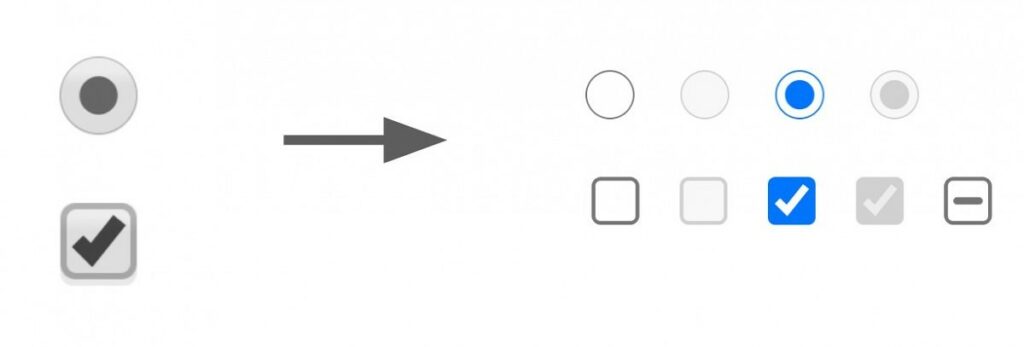
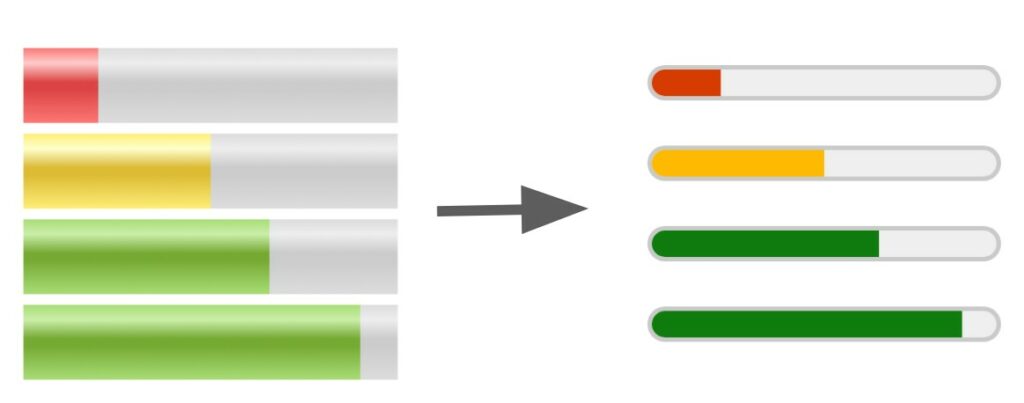
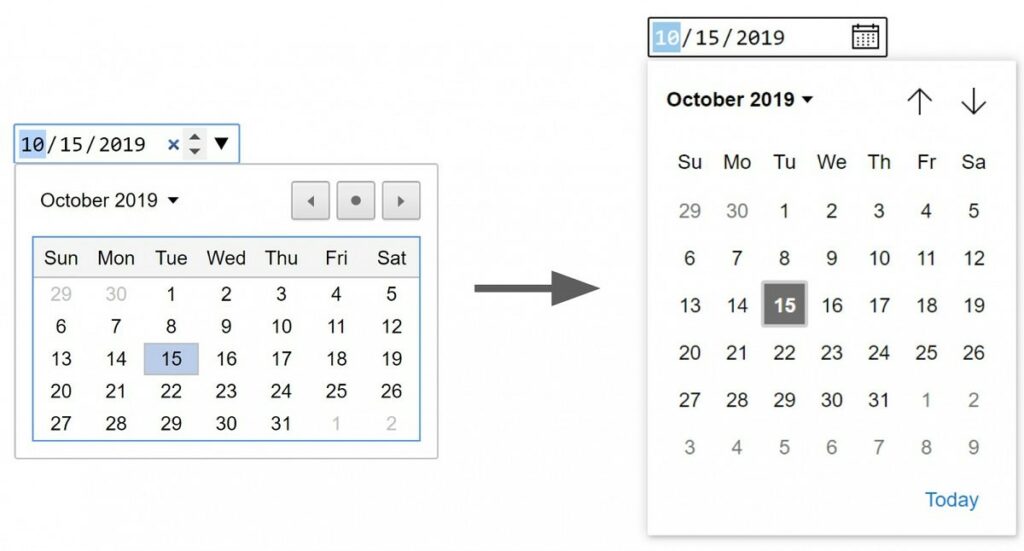
In January of last year, a post was spotted on the Chromium forums detailing a visual refresh for form controls in Google Chrome on Android. According to the new post, the updated form control UX will be rolling out to users with Chrome 91 for Android. The UX, which was developed in partnership with Microsoft, will offer better accessibility and touch support, better dark mode support, and more. The images below show the differences between the old and new form control UI.
See also: Chrome 90: You can share highlighted text from web pages
Various features/changes
Chrome 91 will also include Origin Trials to help web developers test new features and provide feedback on usability, practicality, and efficiency to the web standards community. The update also includes a new GravitySensor interface, SharedArrayBuffers on desktop platforms, suggested filename and location for the File System Access API, cross-origin iframe support for the WebOTP API, and more. For more information about these changes, head over to the Chromium blog.
Information source: xda-developers.com
