

Emoji are everywhere these days. In many apps — like Slack — you can't type a simple text-based emoticon like ":)" or ":D" without it automatically translating into a tiny emoji image. Luckily, Slack lets you disable this feature on the desktop or web client. Here's how to make the necessary settings.

First, you’ll need to open “Slack Preferences.” At the moment, it doesn’t appear that you can disable this feature in Slack for mobile, so we’ll only talk about the changes you need to make from the desktop or web client of Slack. In the Windows desktop app , click the button in the upper-left corner and select File > Preferences. Or you can press Ctrl + Comma.

In the Slack app for Mac or if you’re using the app in a web browser, click the workspace name in the top-left corner and select “Preferences.” You can also press Command + Comma on Mac to open “Preferences.”

In the “Preferences” menu, select “Messages & media” from the sidebar.
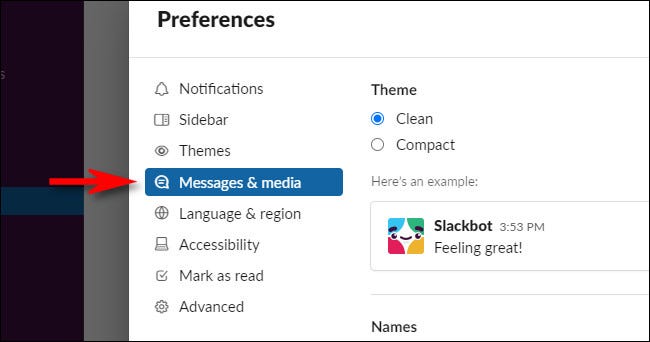
In the “Messages and media” preferences, scroll down to the “Emoji” section and uncheck the box next to “Convert my typed emoticons into emoji.”

After that, close “Preferences.” The next time you type a “:)” or “:D” or any other text emoticons in Slack, they won’t be translated into Emoji.

Old school won!
Information source: howtogeek.com
