

Because of smartphones and tablets, we often use Wifi hotspots. So if you need to create a Wifi hotspot on your laptop or computer, you can do it very simply.
Below we will see how you can use two commands to create a wireless connection to share with other devices. (Hotspot_(Wi-Fi))
First you need to open the command prompt as an administrator. To open a command prompt window, search for cmd in the Windows search and on the icon that appears, right-click and open as administrator.
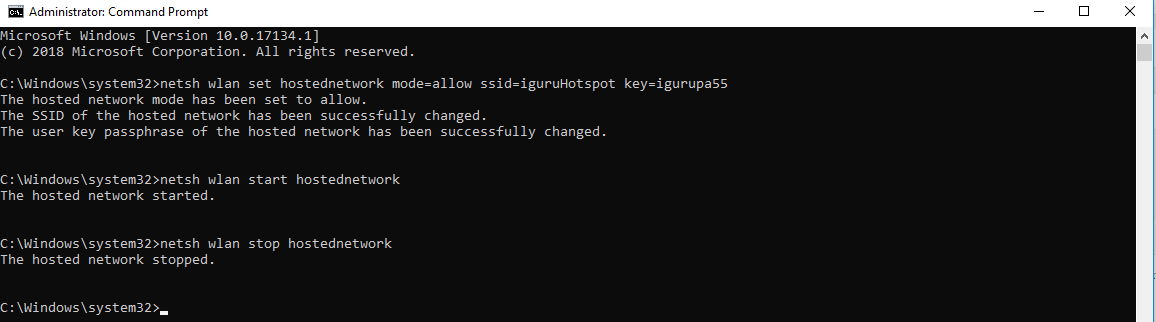
Then type the following command to add the Wi-Fi Hotspot.
netsh wlan set hostednetwork mode=allow ssid=iguruHotspot key=igurupa55
Change iguruHotspot and igurupa55 to your desired ssid name and password respectively.
To start the Hotspot, type the following command and then press Enter:
netsh wlan start hostednetwork
To stop the hotspot, type the following command and then press Enter:
netsh wlan stop hostednetwork
_____________________________
- Windows create hidden account
- Ethical Hacking 29 ebooks free for everyone
- Windows lock folders without third-party software
- Spectre and Meltdown testing in Linux distributions
- Google Assistant: multilingual speech recognition now available
