

Wi-Fi router and Wi-Fi: The days of using a modem to connect to the internet via phone are gone forever. Wireless is now the de facto standard for any internet connection, as smartphones completely reject wired connections.
So wherever we go we will find Wi-Fi networks. What do you know about specific networks and what should you know when you go to buy a Wi-Fi router for your home? Below you will find the answers you need.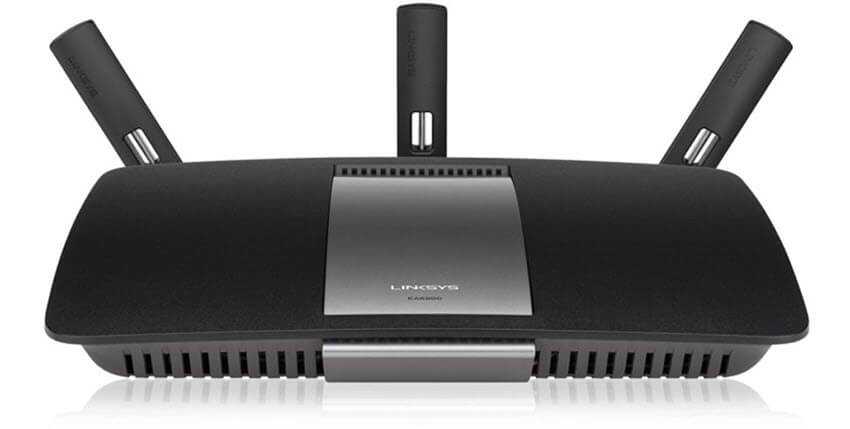
What is Wi-Fi?
The Wi-Fi Alliance first released Wi-Fi in 1998. But it took about a decade for it to become mainstream.
Contrary to popular belief, Wi-Fi does not stand for “wireless fidelity.” It is a trademark for a technology based on the IEEE 802.11b standard for wireless radio networking.
So all devices connected to a Wi-Fi network transmit data using radio signals that travel over the network. Wi-Fi radio frequencies operate at either 2.4GHz or 5GHz. Networks in the 2.4GHz band have a maximum speed of 450Mbps, while 5GHz networks can reach 1300Mbps.
These are theoretical speeds, but they vary depending on conditions.
What does a Wi-Fi router do?
The Internet is delivered to your home through a complex network of underground cables. (Those) Remember before the advent of Wi-Fi, the only option for connecting to the internet was to use a cable. With Wi-Fi, the connection that comes to our home with cables begins to circulate through the air. How is this done? With a router, our well-known router.
The router is the central hub of your home network. It connects directly to your network cable or via a modem. All incoming and outgoing traffic is transferred through the router.
The Wi-Fi radio frequencies are converted by the router into radio waves that are used to transmit and receive data from your connected devices. They often run on Linux-based operating systems. Most of them have a web page (with an internal IP) to manage the device's settings and to monitor your network activity.
Although they differ from each other, all routers have at least one CPU (Central Processing Unit). One or more microprocessors are responsible for executing operating system commands, initialization functions, packet routing, and network interface control.
Routers belong to layer 3 of the OSI (Open Systems Interconnection) model, the Network Layer.
Each router uses one or more routing protocols. Based on these protocols, the router determines which server or routers are the most suitable at any given time and routes data packets to them.
Some well-known routing protocols are:
RIP, OSPF, BGP, IS-IS
What kind of Wi-Fi router do you need?
Depending on the service provider (ISP) you use, you may need to purchase a device. It should be noted that many times the free devices that come with new internet connections are not the best. Almost all ISP providers in Greece currently use DSL (we hope for fiber soon). There are routers and separate modems or even router-modem devices. Most modern routers have built-in modems, so you only need one device.
There are hundreds of models to choose from. Before choosing, however, it would be a good idea to know which features of the device are important to you. Your requirements may be different if you plan to use Wi-Fi for online gaming or at work.
You can choose from big brand names in the field, essentially paying for quality and more security. However, you will not need Cisco devices for your home network.
Secure and optimize a Wi-Fi network
Once you have your router, you will need to set up your home network. This will vary depending on the device. However, common to all devices is finding the right location for your router. The location and direction of the antennas will ensure you get the best possible coverage. In case of a weak signal, Wi-Fi boosters can be used to boost your local network.
Your router is usually the entry point to your home network. As such, it should be the first line of defense for your network security. Most routers come with default usernames and passwords, which you should change immediately.
If your router supports it, you should change the default frequency to 5GHz. This will minimize interference as other devices, such as microwaves, use the 2.4GHz frequency.
Do you need Wi-Fi?
Our digital lives have become mobile, and Wi-Fi has become very popular. A wireless connection allows you to access the Internet no matter where you are. Of course, a Wi-Fi network is useful for a lot more than just watching movies in bed.
With a wireless network, you can set up a media server in your home, play streaming games, create networks for a lot of devices (printers, computers, mobiles, etc.) to share files, and much more.
_______________________________
- Password: does frequent change help with security?
- OpenPGP SigSpoof vulnerability in popular email applications
- SUSE sold (once again) to EQT Partners
- Wi-Fi's WPA3 security standard is ready
