

For the past nine years, Mozilla has been using an insufficiently strong encryption mechanism for Firefox’s “master password” feature (and beyond).
Both Firefox and Thunderbird allow users to create a “master password” via the application’s settings panel. 
This master password acts as an encryption key used to encrypt every string of passwords stored in the browser or email client.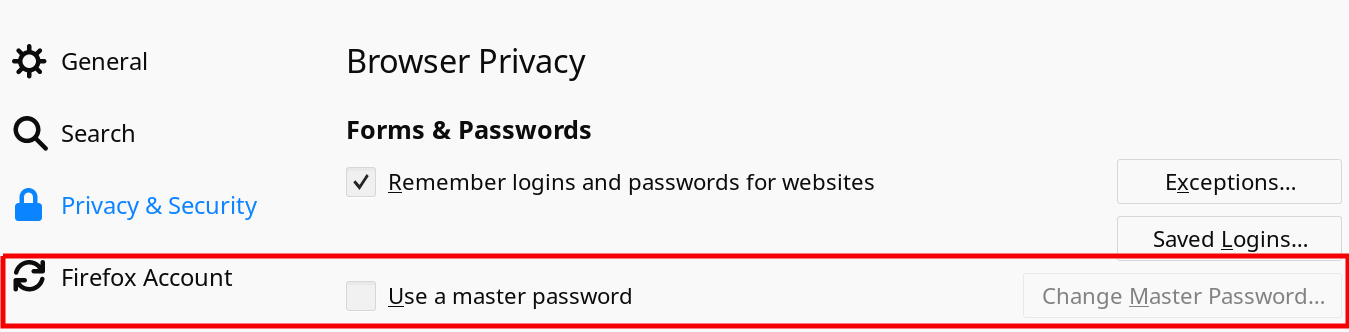
Experts initially praised the feature because at the time, all browsers stored passwords locally in plain text, leaving them vulnerable to any malware or anyone with physical access to a victim’s computer.
But Wladimir Palant, developer of the AdBlock Plus extension, says the encryption scheme used by Mozilla’s applications is weak and can be easily cracked.
“I dug through the source code,” Palant says, “and eventually found the sftkdb_passwordToKey() function, which converts a password into an encryption key by applying SHA-1 hashing to a ciphertext string consisting of a random salt and the actual master password.”
Palant points out that the SHA-1 function only does one iteration, meaning it’s only applied once, whereas you can safely say an encryption is secure if the iterations are applied at least 10,000 times. Apps like LastPass, for example, use 100,000 iterations.
This low number of iterations makes it incredibly easy for an attacker to crack the master password and later decrypt all the encrypted passwords stored within the Firefox or Thunderbird databases.
Palant points out that recent advances in GPU technology now allow attackers to read simple passwords in less than a minute.
It's worth noting that Palant wasn't the first to discover this vulnerability. A Mozilla bug report by Justin Dolske nine years ago mentioned the same issue, shortly after the master password feature was released.
Dolske also pointed out that the low repetition rate (once) is the main problem with the master password. However, despite reporting the bug, Mozilla didn't take any action for several years.
It wasn't until last week, when Palant re-reported the bug, that Mozilla officially responded, stating that the security gap would soon be fixed with the release of a new Firefox password manager called Lockbox , available as an extension.
For now, choosing longer and more complex master passwords can help you stay protected.
Of course, those who don't want middle-of-the-road solutions would be better off using a third-party password manager. Keepass is the one we use, it provides security and stores all passwords locally and not in the cloud.
