

Manjaro and you lost the Extract, Compress from the menu that opens on right click? Let's see what we can do. My problem appeared on a laptop with Manjaro with desktop environments Gnome and Cinnamon. I mention the desktop environments because they use Nemo as file browser.
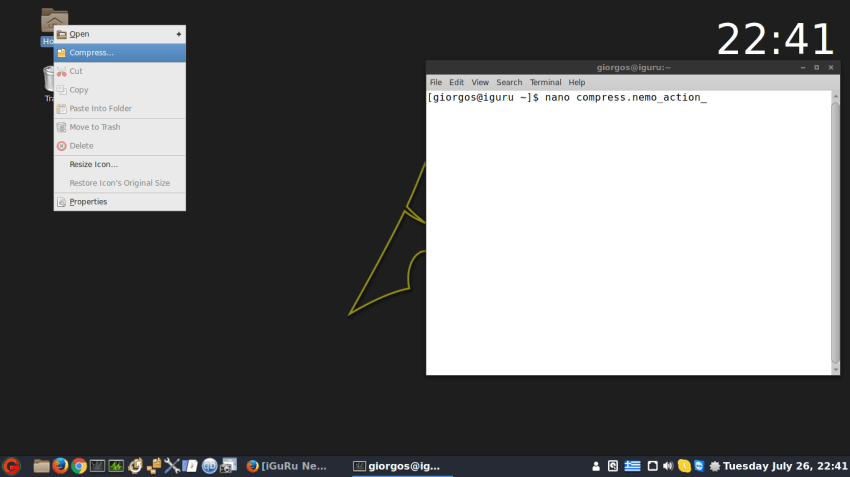
Before we begin, make sure you have installed software on your Manjaro that allows you to Compress and Extract. That is: file roller zip, unzip or whatever.
Open the terminal and type
cd ~/.local/share/nemo/actions/
Using nano we will create the files that are needed:
nano compress.nemo_action
In the window that opened, copy and paste the following:
[Nemo Action] Active=true Name=Compress... Comment=Compress "%f" Exec=file-roller --add %F --default-dir=%P Icon-Name=gnome-mime-application-x-compress Selection=notnone Extensions=any; EscapeSpaces=true Quote=double
Save and exit nano with Ctrl+X. Then Y and enter.
Let's also create the Extract Here.
nano extracthere.nemo_action
In the window that opened, copy and paste the following:
[Nemo Action] Active=true Name=Extract here Comment=Extract "%f" here Exec=file-roller --extract-here %F Icon-Name=gnome-mime-application-x-compress Selection=notnone Extensions=zip;7z;ar;cbz;cpio;exe;iso;jar;tar;tar.Z;tar.bz2;tar.gz;tar.lz;tar.lzma;tar.xz; EscapeSpaces=true Quote=double
Save and exit nano with Ctrl+X. Then Y and enter.
Let's also create an Extract to.
nano extract-to.nemo_action
In the window that opened, copy and paste the following:
[Nemo Action] Active=true Name=Extract to... Comment=Extract to a folder of your choice. Exec=file-roller --extract %F Icon-Name=gnome-mime-application-x-compress Selection=notnone Extensions=zip;7z;ar;cbz;cpio;exe;iso;jar;tar;tar.Z;tar.bz2;tar.gz;tar.lz;tar.lzma;tar.xz; EscapeSpaces=true Quote=double
Save and exit nano with Ctrl+X. Then Y and enter.
That was it, Log out or reboot and after your login check your right-click.
For those who find the above process difficult, they can install nemo-fileroller together with file roller, of course.
