

If you also use Google searches but want to protect your privacy, we will give you two different options.
You can use a search engine that uses Google results, but offers better privacy protection. Startpage uses proxy servers or virtual private networks (VPNs) to hide your identity.
A second option is the browser extension Blur, formerly known as Do Not Track. It lets you use Google Search as you normally would, but prevents the service from logging IP addresses or the clicks you make on the site, so Google can't associate them with you.
Note: To use Blur, you'll need to create an account on the company's website (Abine). The extension is available for Chrome or Firefox after you sign up for the service. (You can download the extensions directly from Mozilla or the Chrome extensions page , but at least on Mozilla's website, the latest version of Blur isn't offered.)
You may need to enable private browsing in Blur's environment before you can use it on Google.
To do this, click on the browser extension icon and select settings from the menu that opens. Click on settings for all websites and make sure that search protection is enabled.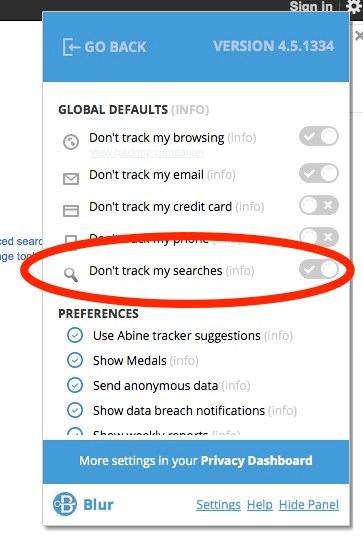
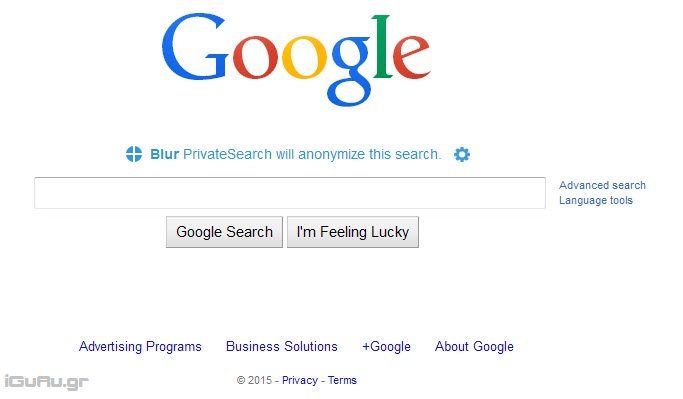
When you visit Google, Blur will subtly show you that it is enabled.
The application uses private servers like proxy servers to hide the IP addresses of those who use it.
Additionally, it changes cookies and user agents to stop information leakage.
Abine states that it does not collect data from its users, such as IP addresses.
Blur also offers secure password services, email obfuscation, and more .
Our choice, however, remains Startpage. If you prefer to see the actual Google page, then the Blur is for you.
