


Take advantage of all the capabilities they offer
You may «swear» on your Mac and declare «eternal faith» in Apple, yet however well you think you handle its machines, there are certainly some details that escape you.
See below some «hidden» features of Mac computers that will help you learn even more about the capabilities they offer:
1. Screenshot… «tailored to you»

To take a screenshot with exactly the dimensions you want and to avoid having to crop it later, you can, according to Business Insider, try the following trick: hold down the Command + Shift + 4 keys and after you select exactly the area you want to «photograph» press the Spacebar.
2. Hide the toolbar

If the toolbar at the bottom of the screen bothers you you can «hide»» and restore it to «life»» by pressing the keys Command + Option + D.
3. Invert the screen colors
 For those who have Mac OSX Lion models or earlier: You can easily invert and restore the colors of your computer screen by pressing the Command + Option + Control + 8 keys. This feature was originally created for those who have vision problems.
4. Quick tab management
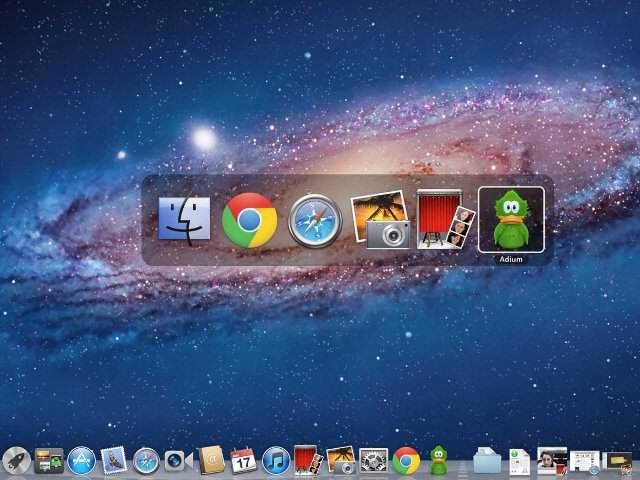
If you don't want to «run» many applications, hold down the command key and press the tab key to switch over them. Press «Q» to quit those you aren't interested in or «H» to minimize them.
5. Use Spotlight search as a calculator
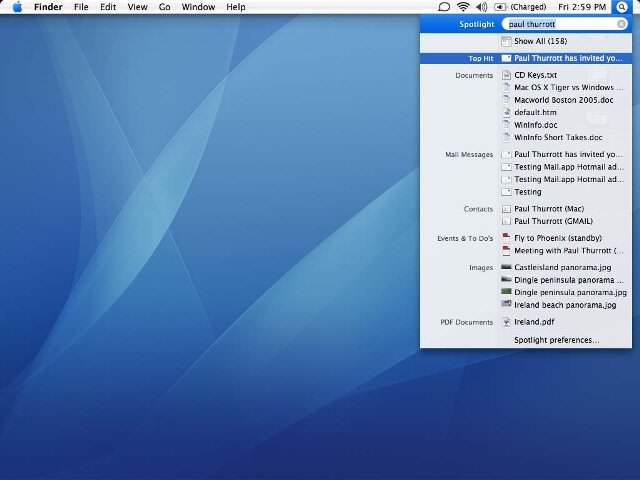
Pressing Command + Spacebar brings up the Spotlight search, which allows easy searching of files or music. Its “hidden» secret” is, however, that it can also perform… basic mathematical operations.
6. Easily group files into a folder
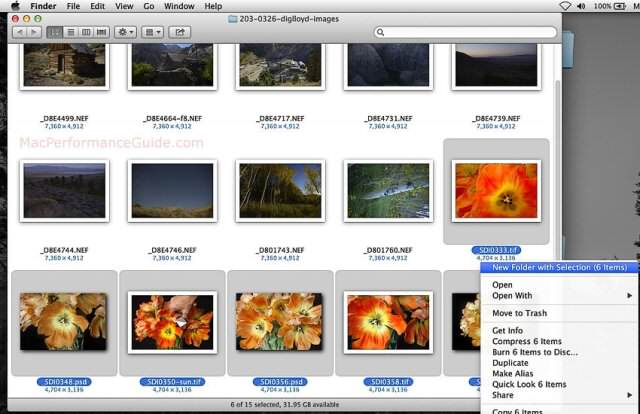
If your desktop has «filled» with file icons, you can with a very easy and quick trick to «organize» it. Select the files you want and after right-clicking press the option «New Folder With Selection».
Source: newsbeast.gr
