

Apple has been releasing the first beta of iOS 17.2 to developers and beta testers for about two weeks now.
The software update includes a lot of new features and changes for iPhones. Below, we've highlighted 10 of these new features and the changes they bring.
Journal App
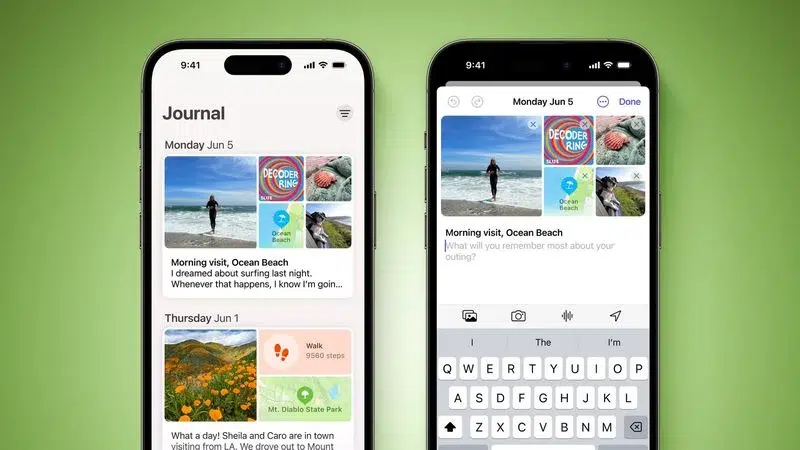
Apple's new Journal app lets iPhone users reminisce about their day and memories with text, photos, music, voice recordings, and more. This app offers personalized suggestions based on your recent device activity.
Translation option for Action Button
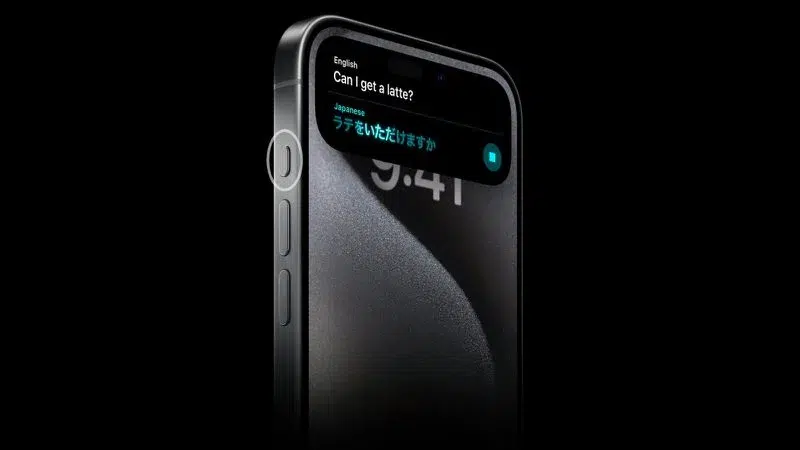
The iPhone 15 Pro and iPhone 15 Pro Max feature an Action Button that replaces the traditional mute switch on previous iPhone models. The button is set by default to toggle between Ring and Silent modes, but can also be customized for quick access to other features, such as the camera, flashlight, voice memos, and more.
See also: Tesla: Recalls more than 54,000 Model X for software update
New Widgets
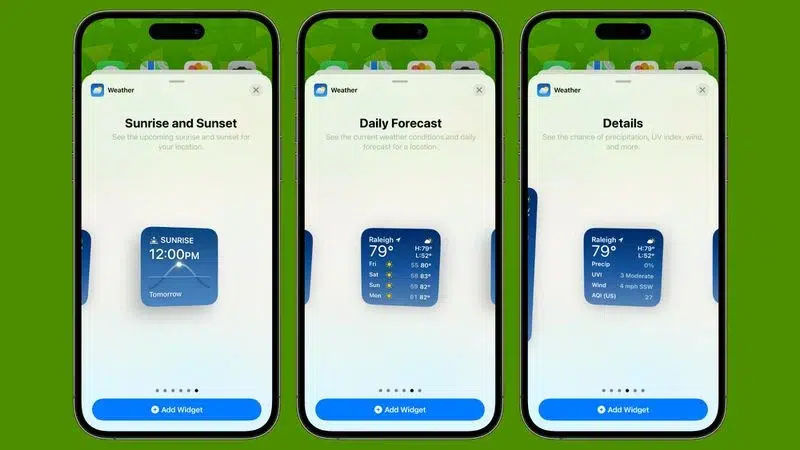
There are new widget options on the Home and Lock screen for the Weather and Clock apps in iOS 17.2. The new weather options include Daily Forecast and Sunrise and Sunset, while the app now offers a digital clock widget.
Apple Music: Collaborative Playlists
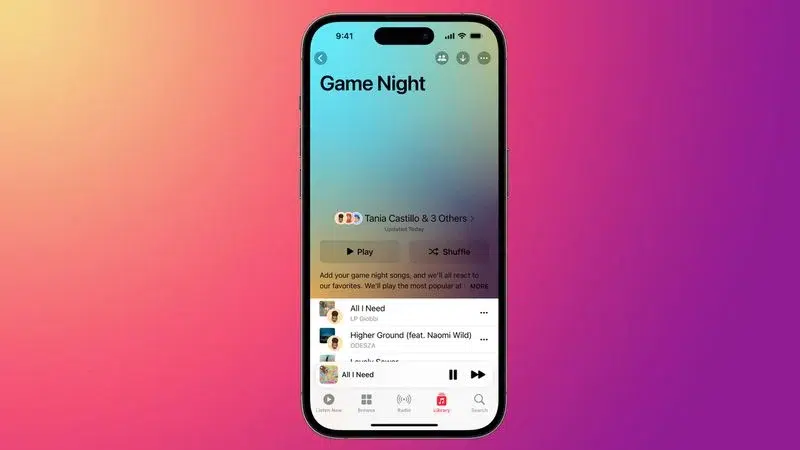
A new collaborative playlist feature has been added to Apple Music, allowing multiple people to contribute, rearrange, and remove songs from a shared playlist.
Apple Music: Favorite Songs List
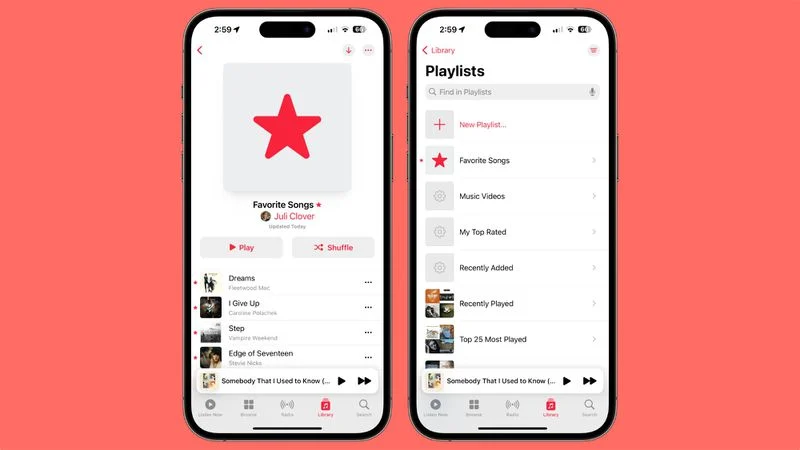
In the Apple Music app on iOS 17.1 and later, you can favorite songs you like by tapping the star icon.
Apple Music: Listening history focus filter
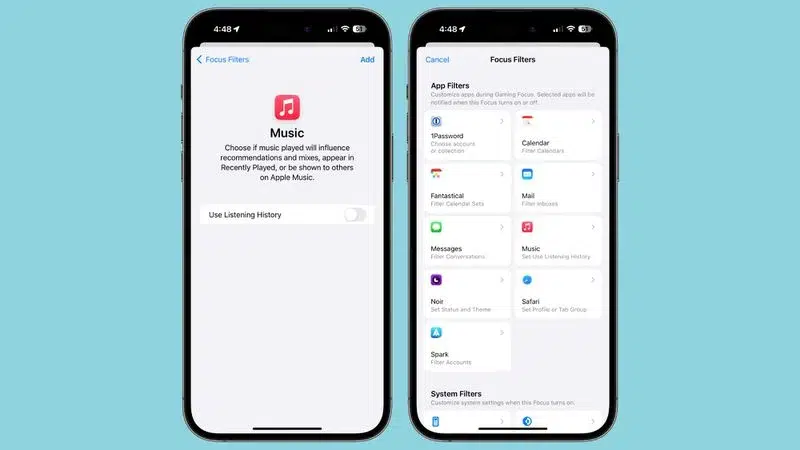
Tired of your kids or other people messing up your Apple Music recommendations while they borrow your iPhone to listen to music? The new release includes a focus filter for Apple Music listening history that addresses this issue. When this filter is enabled, other people's song choices won't affect your recommendations.
iMessage: Communication Key Verification
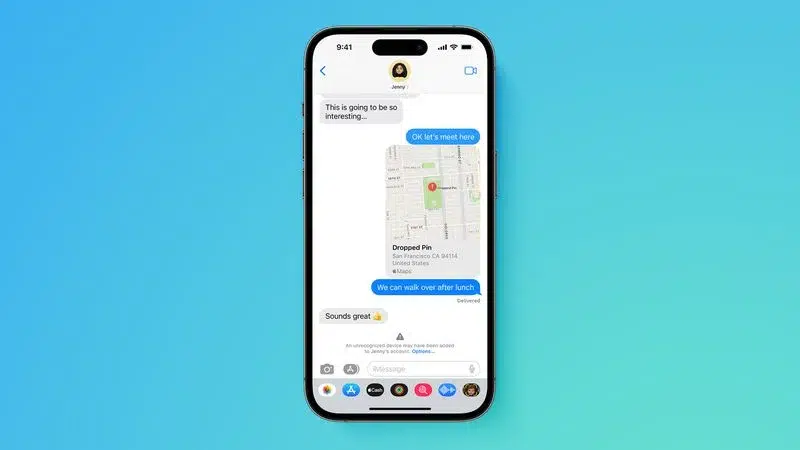
iMessage Contact Key Verification is an additional layer of security for users who face digital risks. It prevents conversations from being hacked and ensures the security of messages. Through notifications, users can be informed of potential attacks or breaches.
Users can verify the authenticity of their conversations by automatically comparing verification codes. This feature is available in iOS 17.2 and offers additional protection against digital threats.
iMessage: Sticker Reactions via Tapback Menu
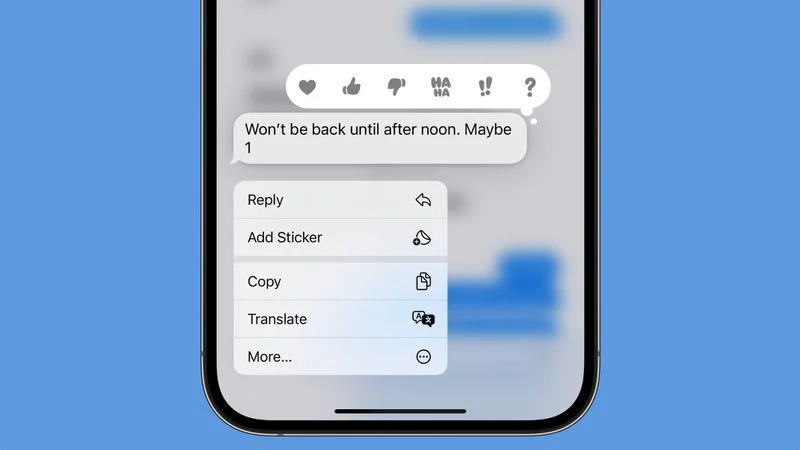
iOS 17.2 lets you respond to a message faster by adding any sticker with a simple tap on “Add Sticker” in the Tapback option of the Messages app.
Read more: We test the new Apple Pencil with USB-C
Memoji: New customization options
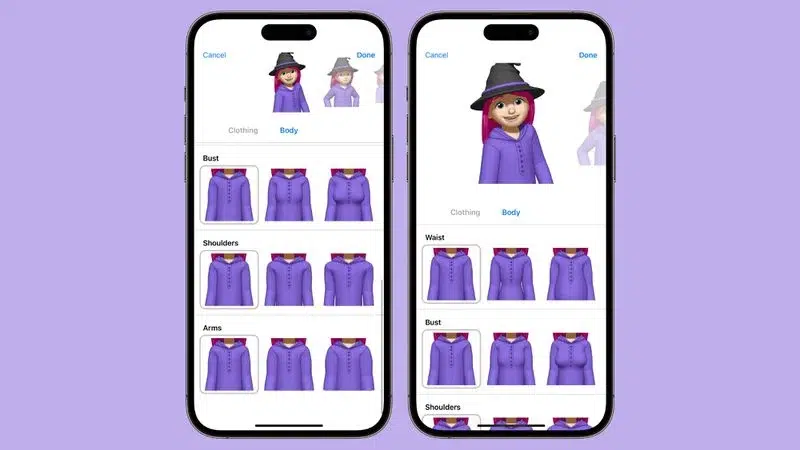
Apple has added a new option to Memoji, the “Body” section, which allows users to customize parts of their body as well as their character, offering more personalization to their Memoji.
Communication Posters: Rainbow Text
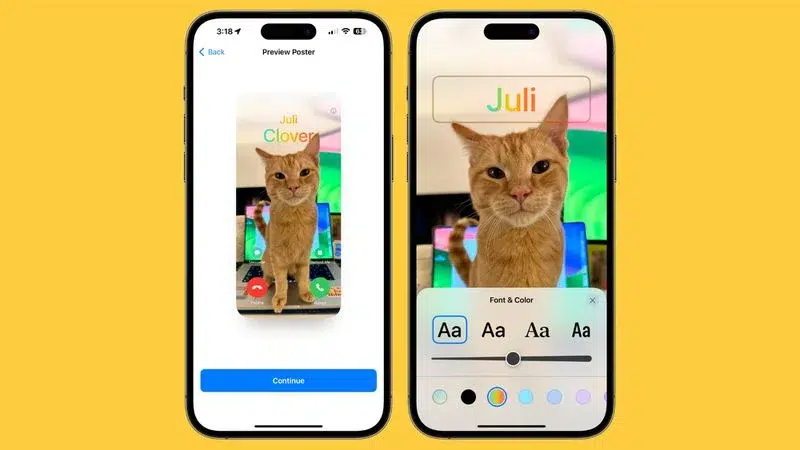
Starting with iOS 17.2, there's a new rainbow-colored option for your name when you set up Contact Posters in Contacts.
Source: macrumors.com
