

Restarting Discord isn't as simple as restarting any other app. This is because Discord continues to run in the background even after you've closed it. In this guide, we'll show you how to properly restart Discord on Windows, Mac, iPhone, iPad, and Android devices.
See also: Discord AutoMod: Detects and blocks offensive words before posting

See also: Discord: How to changeusername your
Restart Discord on Windows
On Windows, when you close Discord, the app continues to run in the background and is available for access in the system tray. You will need to close the app a second time to actually close it.
To do this, first, make sure you are inside the Discord app on your computer.
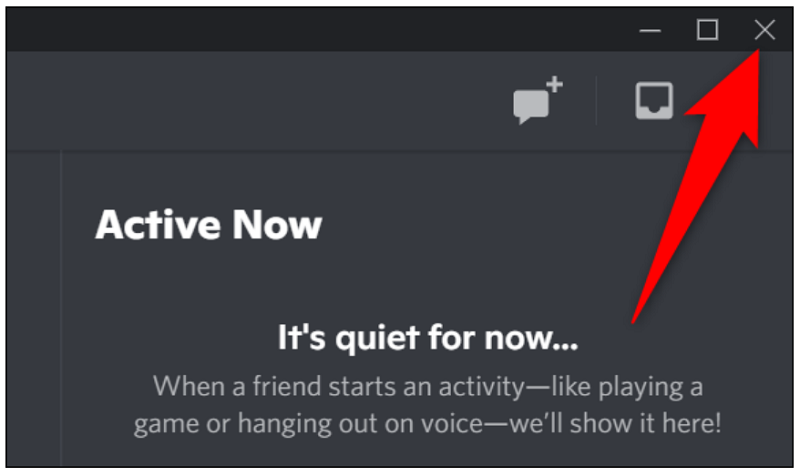
Then, in the top right corner of Discord, click the “X” to close the app. Keep in mind that this will not completely close the app.
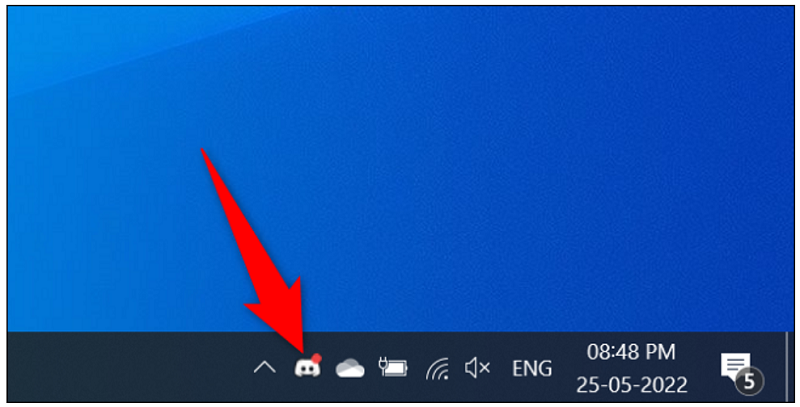
In your computer's system tray (the bar at the bottom of your screen), find Discord. If you don't see it, click the up arrow icon.
When you find Discord, right-click on it and select “Quit Discord”.
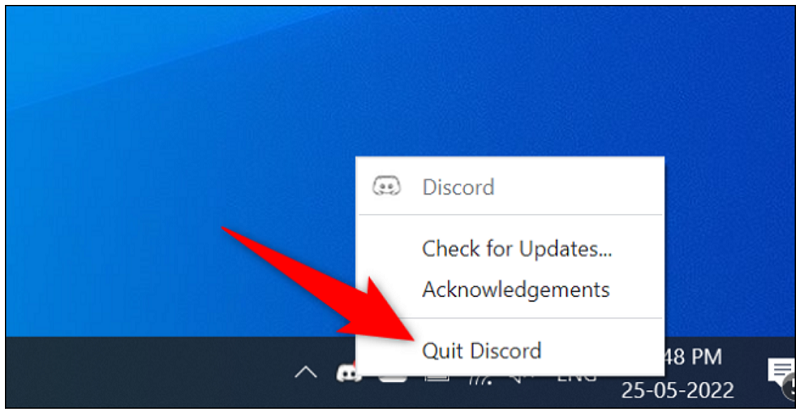
And now the Discord app is completely closed on your machine.
To restart it, open the “Start” menu, search for “Discord,” and select the app in the search results.
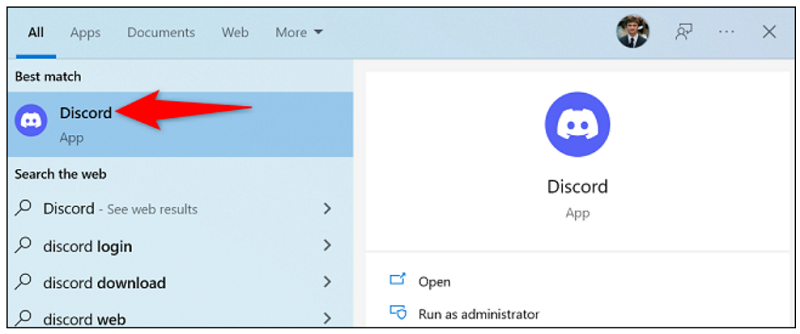
And you are ready.
See also: How to make someone an admin on Discord
Restart Discord on Mac
On Mac, you close Discord from the application's menu bar.
To do this, first, makesureyou are inside the Discord app on your Mac.
From the Discord menu bar at the top, select Discord > Quit Discord. This will close the app completely.
You can then restart the app by opening Spotlight (using Command+Spacebar), typing “Discord,” and selecting the app in the list.
And so, you can restart your Mac.
Restart Discord on Android
Simply closing Discord on Android can keep the app running in the background. To make sure the app is completely closed, stop it from your phone's settings menu.
To do this, first open Settings on your phone. Then, tap “Apps & Notifications.”
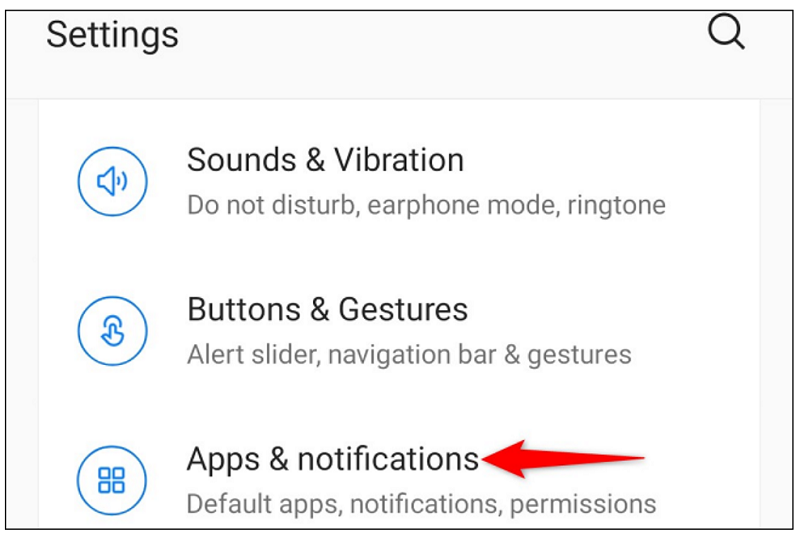
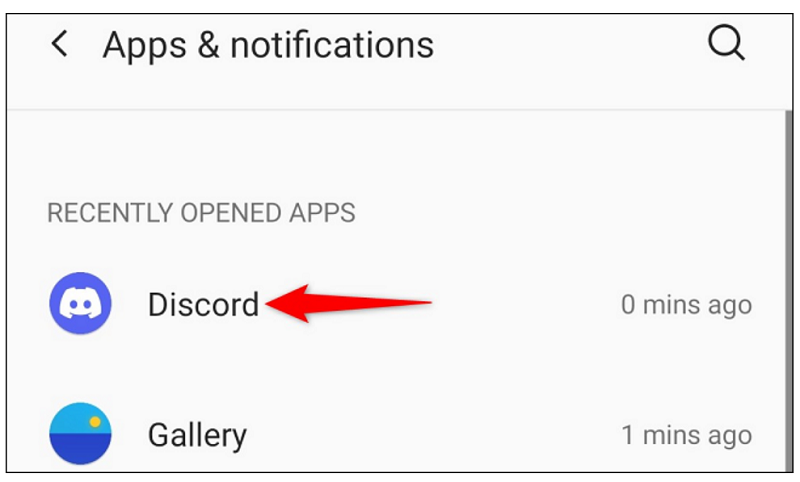
From the list of apps on your screen, select Discord.
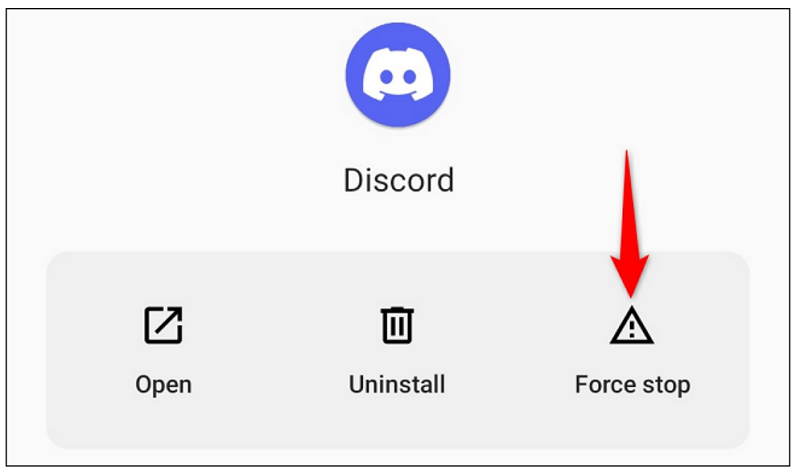
On the “App Info” page, select “Force Stop.”
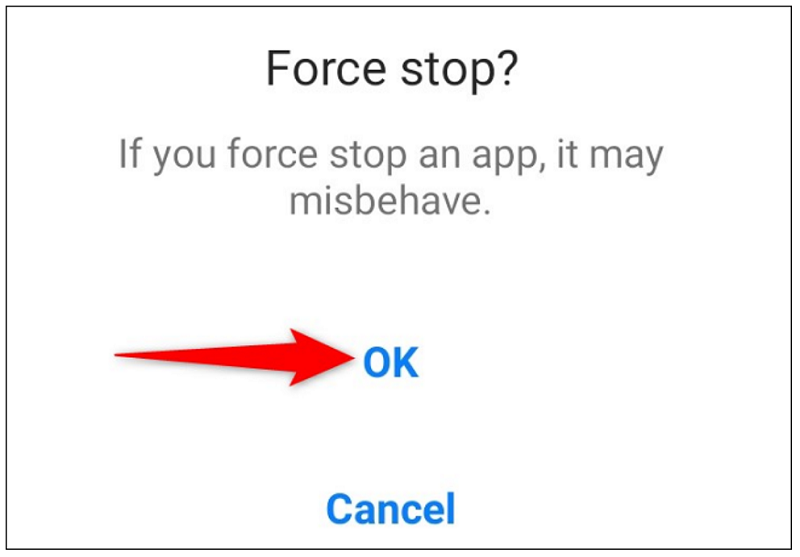
Select “OK” at the prompt.
And you're done! Discord is now completely closed on your Android phone.
You can restart the app by opening your phone's app drawer and tapping the Discord icon.
If you want to restart your Android phone, there is an easy way to do so.
Restart Discord on iPhone and iPad
Unlike Android, the iPhone and iPad don't have a force-quit option. Instead, you quit all your apps the normal way.
To close Discord on your phone, first, swipe up from the bottom of your phone's screen. This will bring up your open apps.
Find Discord in the apps list and swipe up on the app card.
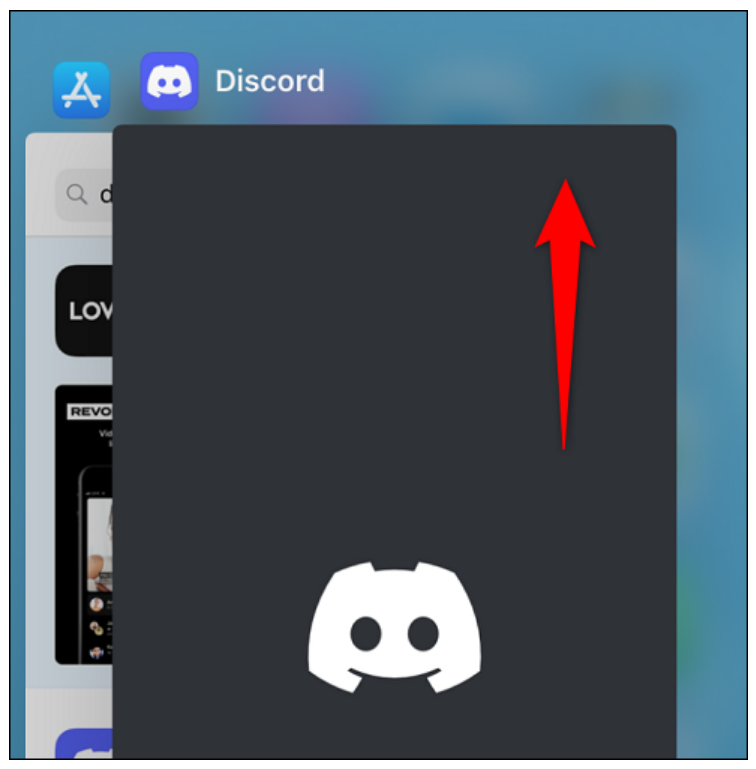
Discord is now completely closed on your Apple phone. To restart it, go to the home screen and tap the Discord icon. You can also restart your iPhone if necessary.
Information source: howtogeek.com
