

Amazon has saved all of your order reviews so you can quickly find, edit, and delete them if you want. You can access your Amazon feedback through the Amazon website and mobile app.
See also: Google Nest cameras now work with Amazon Alexa devices

See also: Amazon's Kindle will gain epub support
Access Amazon Feedback on desktop
On your desktop computer, such as Windows, Mac, Linux , or Chromebook, use the official Amazon website to view and edit your review history.
To get started, launch your favorite web browser on your computer and open the Your Profile page on Amazon. Log in to your account if you haven't already.
On your profile page, in the “Community Activity” section, you will find all your reviews. To edit or delete a review, click on the three dots in the upper right corner of that review.
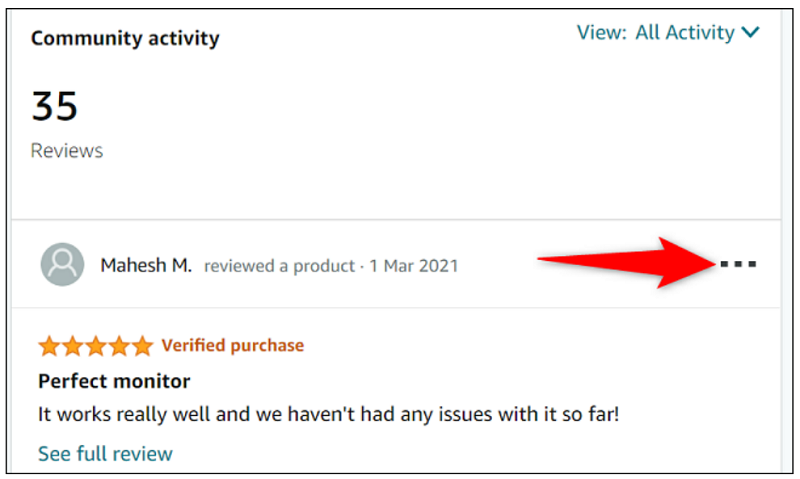
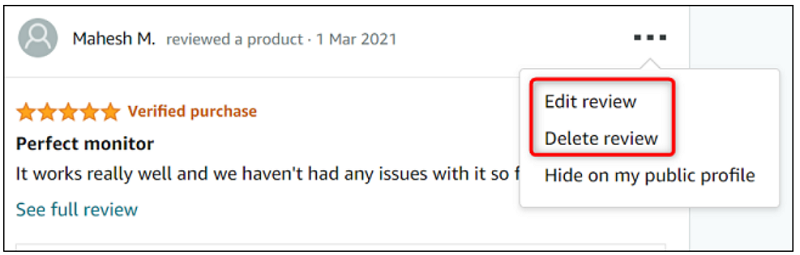
In the three-dot menu, to edit your review, click “Edit Review.” To remove your review, select “Delete Review.”
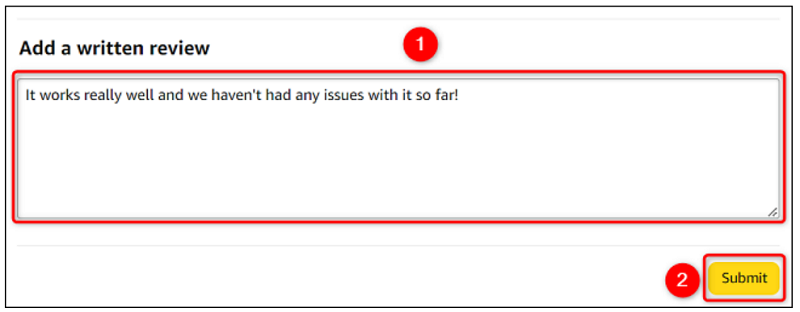
If you have selected the edit option, Amazon will take you to a “Create Review” page. Here, you can edit the contents of your review. Once you have done this, click “Submit” to resubmit the review.
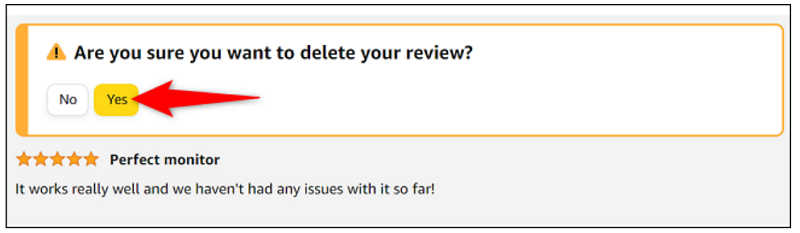
If you have selected the delete option, you will be taken to a confirmation page. Here, under “Are You Sure You Want to Delete Your Review?”, select “Yes” to confirm that you really want to delete the selected review.
Amazon will remove your order comments.
And you can make any changes you want to the comments you have left on the platform.
See also: Amazon warehouses: Employees suffer more injuries than employees of other companies
View your Amazon reviews on mobile
To access your reviews from your mobile phone, first launch the Amazon app on your phone. Log in to your account if you haven't already.
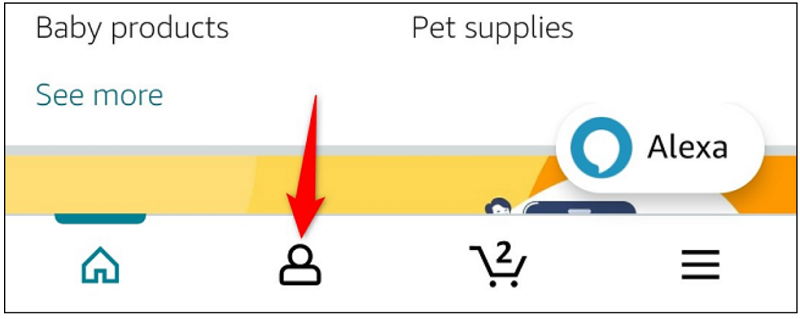
In the bottom bar of the Amazon app, tap the person icon.
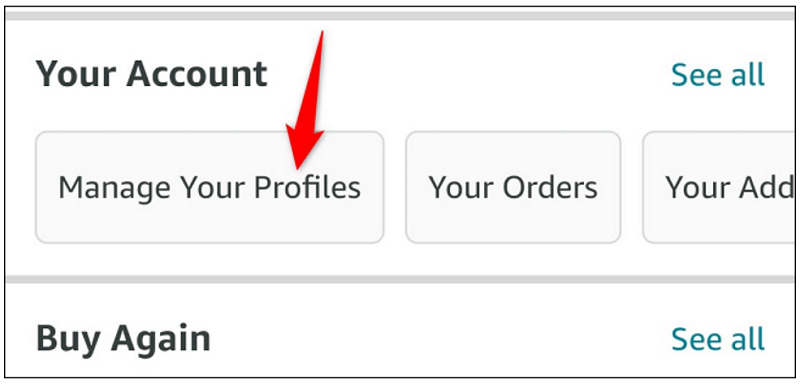
On the next page, scroll down to the “Your Account” section. Then, click “Manage Your Profiles.”
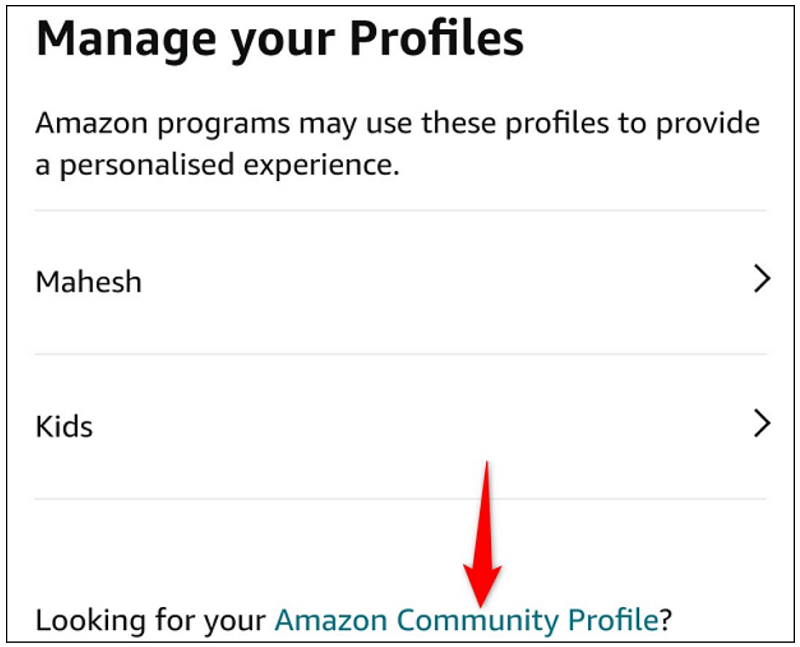
On the “Manage Your Profiles” page, select “Amazon Community Profile.”
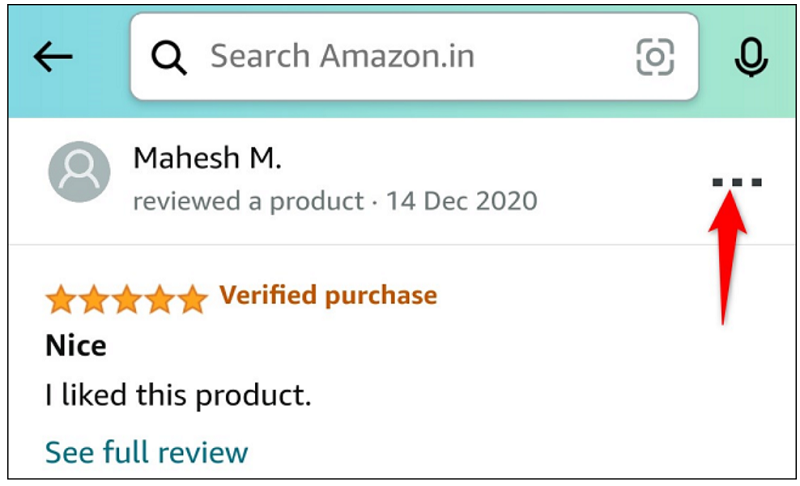
Your profile page will open. Here, under the “Community Activity” section, all of your Amazon reviews are listed. To edit or delete a review, in the top right corner of that review, tap the three dots.
In the menu that opens, to modify your review, select “Edit Review.” To get rid of the review, select “Delete Review.”
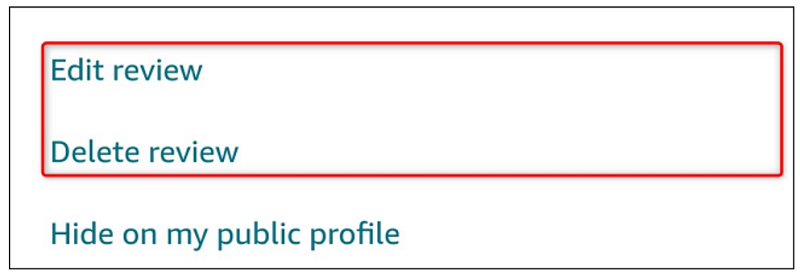
Depending on your choice, Amazon will allow you to edit or remove your selected comments.
The ability to edit your reviews on Amazon is really useful, as you can update your reviews to reflect your long-term experience with a product. This helps future buyers make better decisions about their future purchases.
Information source: howtogeek.com
