

Microsoft OneDrive users will find something more in the cloud today, with the announcement of the global availability of OneDrive Personal Vault.
The new feature brings a protected space to OneDrive that requires additional authentication to access.
The new feature works with OneDrive and Office 365 Home and Personal editions. It's not yet available in OneDrive for Business.
The new OneDrive Personal Vault folder is located in Microsoft's cloud along with the other folders, but it's distinguished by an icon that looks like a bank safe.
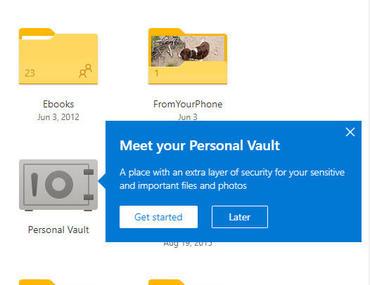
Technically, Personal Vault is just another folder, but as the icon indicates, it has additional authentication requirements.
Opening this folder from any device requires a second form of verification, such as biometric authentication or a code sent via SMS.
The goal, of course, is to hide sensitive files and photos from prying eyes, so even if you leave your computer on, your sensitive files will be protected.
The bad news: If you're using a free OneDrive account or one that's been updated to the new 100GB standalone plans, prepare to be disappointed.
You can store up to three files in Personal Vault. To avoid this limit, you'll need an Office 365 Personal or Home subscription .
________________________
- 5 websites to learn how to ethically hack
- Microsoft: Windows Virtual Desktop available to everyone
- Microsoft Flight Simulator will show you what it's like to fly!
