

[su_heading size=”18″ margin=”40″]Facebook seems to enjoy bringing up our old photos and posts with “On this day” and now another feature that not many people know about is proving to be just as annoying and embarrassing![/su_heading]

So there is a very simple way on Facebook to see every photo you have liked as well as those your friends have liked.
If you spend your time on social media liking photos of cute animals, then you have no reason to worry. If you're embarrassed about your like history and don't want your friends to see it, then it's probably time to start hitting the dislike button.
[su_button url=”https://www.secnews.gr/103549/pws-na-apothikeuseis-posts-sto-facebook-gia-na-ta-deis-argotera/” target=”blank” style=”glass” background=”#61e843″ color=”#1515157″ wide=”yes” center=”yes” radius=”20″ icon_color=”#ffffff”]Read more: How to save posts on Facebook to see them later![/su_button]
How does it work?
It's very simple and easy! All you need to do is go to the tool bar at the top of Facebook and search for “Photos liked by me.”
If you want to see the photos that a friend of yours has liked, then type “Photos liked by…” with the name of the person you wish to see.
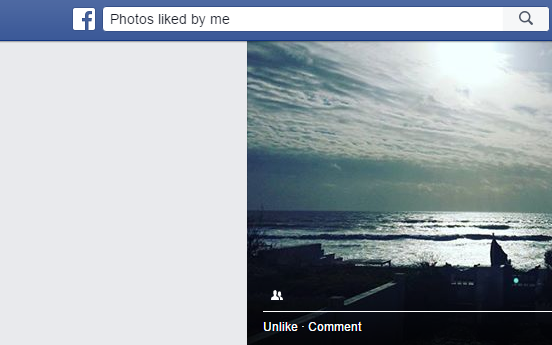
You can even filter photos by year, location, or who posted them. So you can spend your time seeing what you've liked since you joined the social network!
This feature is one of the many that most users don't know about, and when they learn about it, they are either delighted or terrified! We just hope we don't burn down houses with this revelation!
[su_button url=”https://www.secnews.gr/103510/h-prwth-dekada-tou-facebook-part1/” target=”blank” style=”bubbles” background=”#e87143″ color=”#1515157″ wide=”yes” center=”yes” radius=”20″ icon_color=”#ffffff”]Read more: Who are the top 10 on Facebook? [part 1][/su_button]
