

Are you bored with your TikTok username? If so, don't worry! You can easily change it to something you like more. In this guide, we'll walk you through the process on both the mobile and web versions of the app.

See also: USA: Universities block TikTok and students are outraged
About changing your TikTok username
Before you decide on a new TikTok username, keep the following tips in mind:
- You can only change your username once every 30 days.
- You must choose a unique username that contains only letters, numbers, periods, and underscores. You cannot have a period at the end of the username.
- Changing your username also changes your profile link.
- Changing your username removes verification if you have a verified TikTok account. In this case, you can contact TikTok support for help changing your username.
See also: New Jersey and Ohio block TikTok from government devices
Change TikTok username on the mobile app
If you use the TikTok app on Android or iPhone, it's super easy to customize your username! All you have to do is go to profile page and make the change.
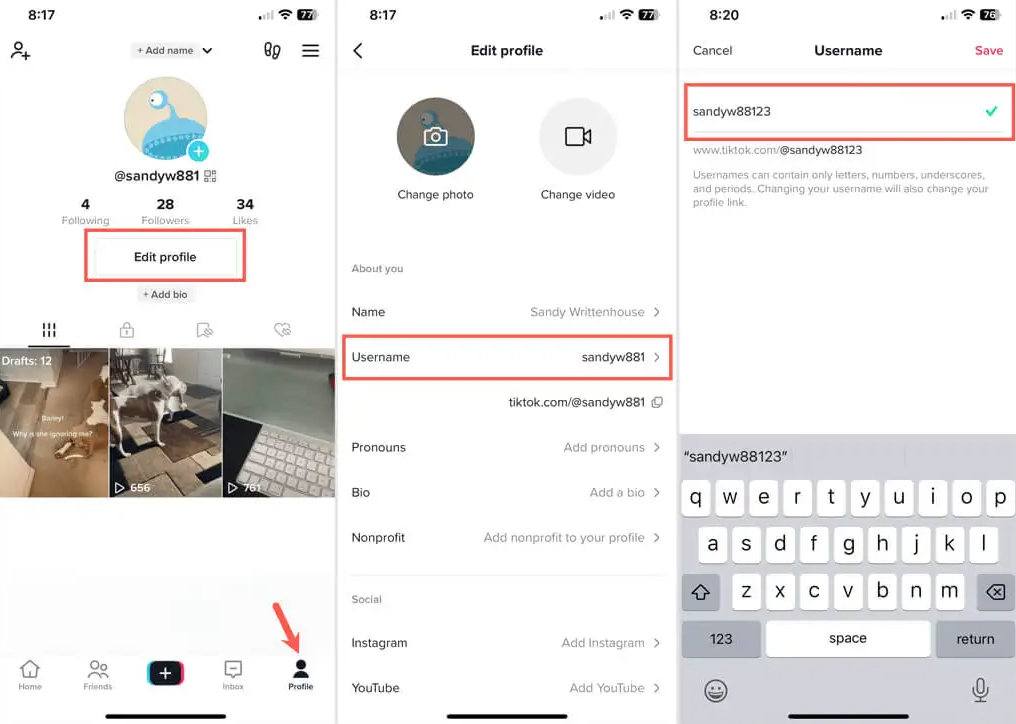
- Open TikTok and log in if necessary.
- Go to the Profile tab at the bottom.
- Click Edit profile.
- Select your current username.
- Type your new handle in the Username box. You will see a green check mark if the one you selected is available.
- Press Save to finish and use the arrow in the top left to exit.
See also: TikTok: Now allows you to receive DMs from anyone
Change TikTok username on the website
With just a few easy steps, you can change your username on the TikTok website, if you're using it from your computer!
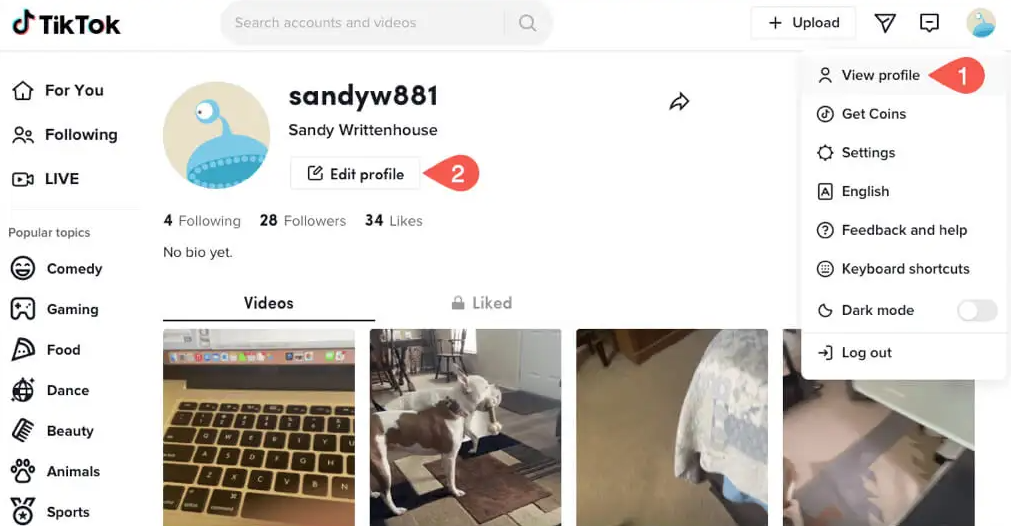
1.Visit TikTok.com and log in.
2. Select your profile icon in the top right and select View Profile.
3.On your profile page, select Edit Profile.
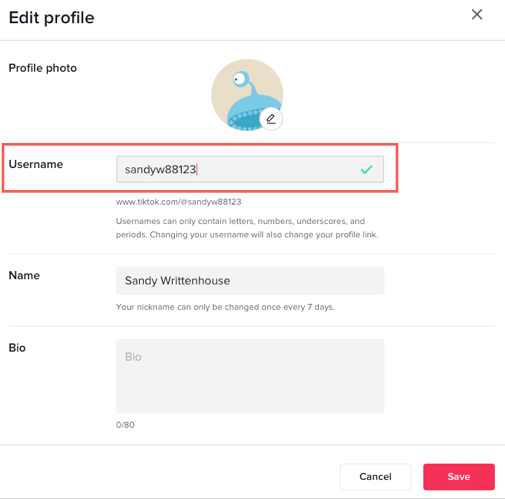
4.Type your new handle in the Username box of the pop-up window.
5.If the name is available, you will see a green check mark. Click Save to keep the new username.
It's easy to choose a username that matches your TikTok personality.
Information source: online-tech-tips.com
