

Many of us watch YouTube videos every day on devices other than our phones and computers. For me, and for many others, that device is a TV. Google says that as of January 2022, viewers have watched over 700 million hours of YouTube content on a TV. That’s a lot of hours, and it’s a very clear sign that no one can ignore the user experience on the YouTube app that’s designed for TVs.
See also: Another YouTuber removes Nintendo soundtracks due to copyright

Earlier this year, YouTube Chief Product Officer Neal Mohan talked about what he expected to improve on YouTube this year. One of the areas mentioned was the TV experience, given that YouTube was the fastest-growing screen of 2021. Now we're seeing this come to fruition with a new feature that lets connect your TV to iOS or Android phone and use that phone to interact with the content you're watching on TV.
See also: YouTube: Removes 70,000 Ukraine-related videos
According to Brynn Evans, Head of Design for YouTube on TV, the breakthrough moment came when they realized that over 80% of YouTube users were using another device while watching a video on their TV and were using that device to simultaneously open the same video and interact with it by liking, subscribing, or commenting. This realization prompted the design team to shift their focus to improving the big-screen experience, which had been a challenge up until that point, to use this newfound knowledge. The result was to turn mobile device into an extension of that experience by syncing it with your TV for interaction while letting your video play full-screen and uninterrupted.
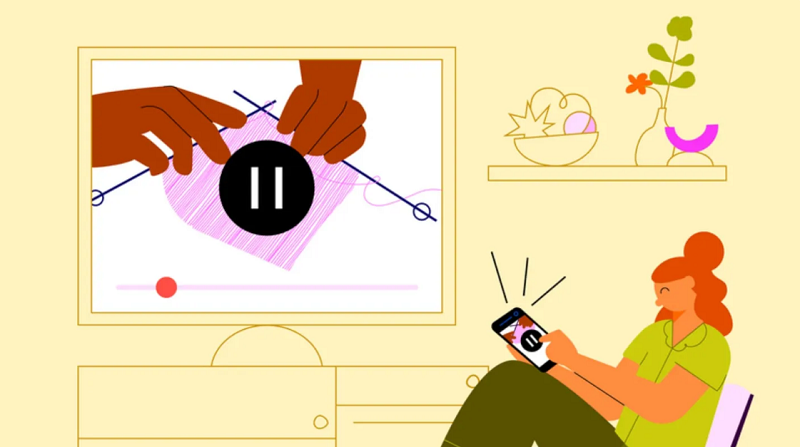
This feature started rolling out yesterday, and for it to work, your phone and TV must be signed in to the same YouTube account. When you open the YouTube app on TV and then on phone , you should see a pop-up on your phone asking you to sign in to your TV to easily access video details and comments. It's unclear whether the feature will be an account-based rollout or if it's an update to the YouTube mobile app.
This feature shouldn't be confused with casting a video from your phone to watch on your TV, which already has the capabilities this feature promises to do. Instead, this feature comes into play when you're watching a video directly from the YouTube app on your TV and then realize you want to add a comment or subscribe to that channel.
See also: YouTube Shorts: How to create and upload a video?
YouTube is also working on ways to redesign the watch page to draw attention to the use of this new feature, as well as other features it is currently testing, such as browsing and purchasing products featured in videos.
Information source: chromeunboxed.com
