

If you are using WordPress and haven’t heard of WordPress Security Keys, read this article. We will explain what they do and why you should use security keys and Salts in WordPress.
What are WordPress security keys?
It is a set of random variables that improve the encryption of information stored in user cookies. In total, there are four different security keys: AUTH_KEY, SECURE_AUTH_KEY, LOGGED_IN_KEY and NONCE_KEY. Then there are the salt keys that add encryption to the encryption:
AUTH_SALT, SECURE_AUTH_SALT, LOGGED_IN_SALT, NONCE_SALT
Why use WordPress security keys?
These security keys make your password much harder to crack. A plain password like “password” or “123456” can be easily cracked, but a random, unpredictable, encrypted (and salted) password like “$%&UryhyhH7S%&R7)+5673l5THS6” will take an attacker years to figure out the right combination. This is how WordPress keys will increase the security of your website.
How to use WordPress Security Keys
WordPress blogs that are not hosted on WordPress.com or another reputable managed hosting service do not have security keys. You will have to add them yourself. It is a very simple and easy process, as long as you have access and know how to use FTP.
First, you will need to get your own unique secret keys. WordPress has a random code generator website that will give you the secret keys you need. We recommend using it instead of inventing your own.
You can find your own random security keys from the link below:
https://api.wordpress.org/secret-key/1.1/salt/

Copy the keys somewhere, or leave the page open until you edit the wp-config.php file. The file is located in the root (/) of your WordPress (in the same folder where your wp-content and other folders are stored) and you can download it via FTP to your computer to edit. Use your favorite text editor to edit it. We do not recommend the default Windows editor. Try the free notepad++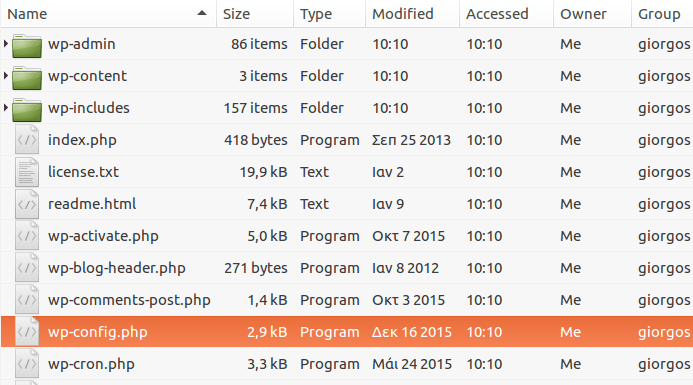
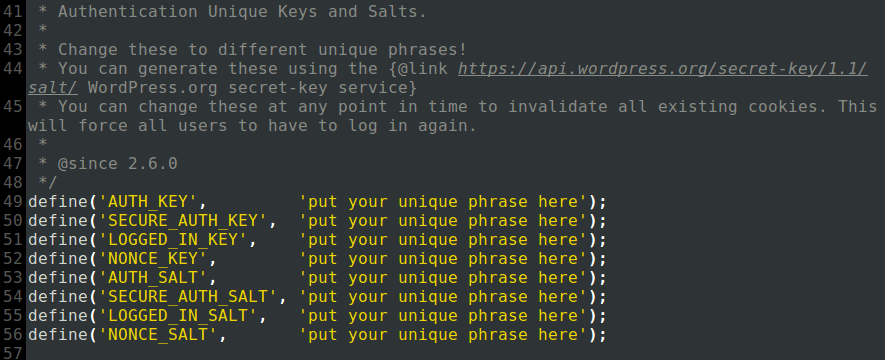
In your wp-config.php file you should look for something that looks like the image below:
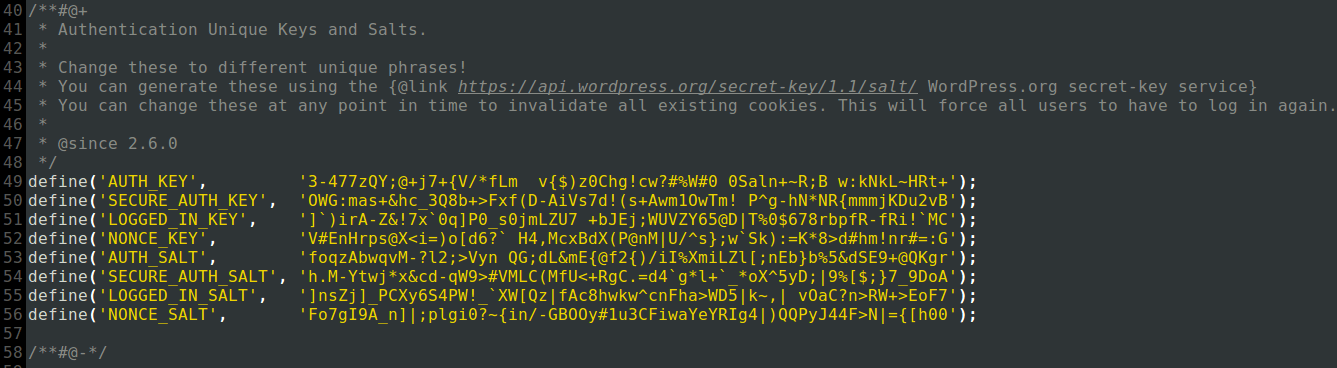
Copy and paste the security keys found on the WordPress page into wp-config.php as shown in the image below:
Save the wp-config.php file, upload it to the root of your website via FTP and you're good to go. Just to be safe, rename the old file in case you messed up. If you were logged into your WordPress admin panel, you'll be prompted to log in again.
Should you remember Security Keys?
No, you don't need to remember the security keys. After copying and pasting, you don't need to worry about it again, unless... let's not say it.
