

It's well known that a hacker can access your device's camera and microphone without your consent and certainly without you knowing. You can put some tape on it, but that's still not a wise solution. A former NSA hacker has created an anti-spyware tool for OS X that warns you when an app tries to access your FaceTime camera and microphone.
A few months ago, Mark Zuckerberg uploaded a picture of himself sitting inside Instagram headquarters. Chris Olson's observant mind managed to spot a film on his laptop's camera and microphone.
Not only Zuckerberg, but also the film on the camera is growing as a trend among Internet users. Especially from those who hate being secretly watched by someone. It is possible that someone is watching you dance Gangnam Style in your room or taking a look at a private conversation.

Covering the camera with a film can be a relatively good choice and we can say that it is equivalent to covering the eyes of the person watching you. But what if you need to use your camera? You can remove the film for a moment and chat.
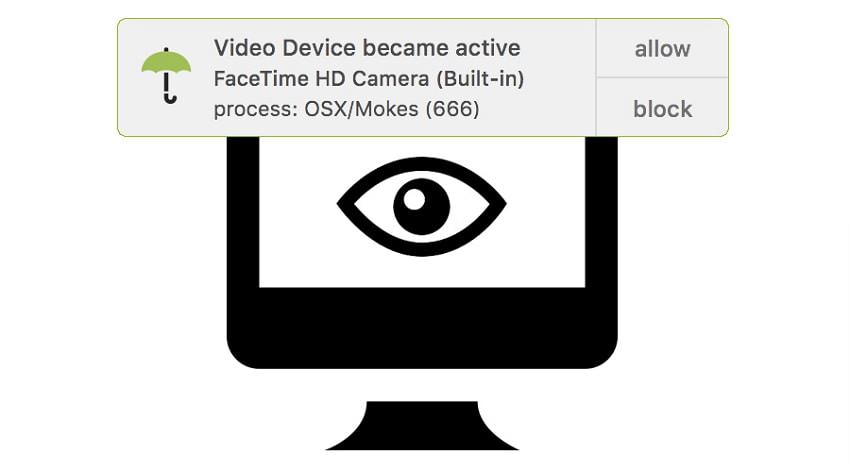
A former NSA hacker has created an app called OverSight. The tool is designed to monitor which apps are trying to access your camera. It's built for OS X (macOS) and notifies you when an app is using FaceTime HD camera and microphone.
OverSight is not available in any application, even native ones, such as Skype. MacBooks have an LED light that turns green to indicate that the camera is active. But methods have been devised to prevent the LED from being activated. So tools like OverSight come to our rescue in such situations. And of course, the microphone does not have an LED indicator.
OverSight's creator is Patrick Wardle, who worked for the NSA in the past. "I want to know who's using my camera and how," he told Motherboard.

He is currently the R&D director at Synack. He loves creating security tools for the Mac. OverSight is one of the many tools he has created under his one-man company Objective-See LLC.
The application requires elevated privileges to terminate the process that is trying to access your webcam. And detecting that a process is spying on you is not as easy as it seems.
“There is no easy way to determine which process is using the camera when the camera is enabled. Worse, there is no immediate indication that a new process is accessing an existing session. So, OverSight has to perform various tests and has to be tested by the system (only when the camera is enabled) in order to determine which process(es) have access to the camera. This can take a few seconds and … thank you for your patience,” we read in the FAQ.
Finally, an app we can rely on. And who knows? It might end up being a better option than installing a film.
You can find more information about OverSight on the Objective-See website.
