

Microsoft today released the new Windows 10 Redstone build 14257 to Fast Ring Insiders. As we mentioned in the announcement post, the image (ISO) will be released soon from unofficial sources.
The update files have actually just been leaked by the famous leaker Wzor. Wzor uploaded the original files (ESD) to the cloud he uses and published the links.
For those interested, below are the links for the ESDs along with a link to the ESD Decrypter for Windows 10 build 14257.
Let's see how you can build your own ISO.
Download the ESD files
Download the ESD Decrypter for Windows 10 build 14257
After downloading the above files, open the ESD Decrypter .zip in the folder where you have saved all the above downloads.
Right-click on decrypt.cmd and run it as administrator. Type 4 in the command line that opens to create your own ISO file.
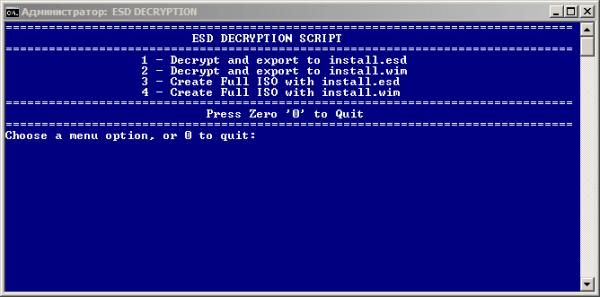
Sit back and wait for your file to be created…
