

Microsoft has fixed a bug found in all current versions of Windows that allows attackers to exploit the Windows Group Policy feature to gain complete control of a computer. This bug found in Windows Group Policy affects all versions of Windows since Windows Server 2008. Windows administrators can remotely manage all devices on a network through the Group Policy feature. Specifically, this feature allows administrators to create a centralized global configuration policy for their organization that is pushed to all Windows devices on their network. These policies allow an administrator to control how a computer can be used, such as disabling settings in applications, preventing applications from running, enabling and disabling Windows features, and even deploying the same wallpaper on every Windows computer.
To check for new Windows group policies, Windows devices use the service , or “gpsvc,” which will regularly connect to the domain controller and check for new updates . To properly apply these new group policies, the “gpsvc” service is configured to run with “SYSTEM” privileges, which provide the same rights and permissions as the administrator account.

Group Policy Client Service Allows Attackers to Escalate Privileges As part of the June 2020 Patch Tuesday security updates , Microsoft has fixed CVE-2020-1317 (a privilege escalation flaw in Group Policy) that allows local attackers to execute any command with administrative privileges. This flaw was discovered by cybersecurity firm CyberArk , which identified a symlink attack in a file used for Group Policy updates to gain elevated privileges. This flaw could affect any Windows computer (2008 or later). When you perform a Group Policy update that applies to all devices in an organization, Windows will write the new policies on a computer to a subfolder of the %LocalAppData% folder , to which every user, including a standard user, has permission. For example, if the policy is related to printers, it would be stored at: C:\Users\[user]\AppData\Local\Microsoft\Group Policy\History{szGPOName}\USER-SID\Preferences\Printers\Printers.xml. By having full access to a file known to be used by a process with “SYSTEM” privileges, CyberArk discovered that they could create a symbolic link between the file and an RPC command that executes a DLL.
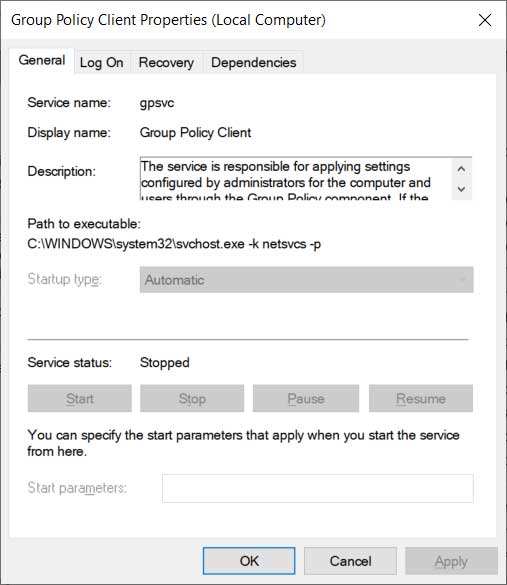
Since the “Group Policy Client” service runs with “SYSTEM” privileges, when they try to apply the policies to this file, it will instead execute any DLL that the attackers want with “SYSTEM” privileges. To trigger this flaw, local attackers could run the gpupdate.exe program, which performs manual Group Policy synchronization. This command would then trigger the policy update and execute an attacker’s malicious DLL.
According to CyberArk, the steps to exploit this bug are as follows:
- List the Group Policy GUIDs you have in C:\Users\user\AppData\Local\Microsoft\Group Policy\History\.
- If you have multiple GUIDs, check which directory was updated recently.
- Go inside this directory and into the subdirectory, which is the user SID.
- Look at the most recently modified list. This will vary in your environment.
- Delete the Printers.xml, inside the printers directory.
- Create an NTFS mount point at \RPC Control + an Object Manager symlink to Printers.xml which is in C:\Windows\System32\everything.dll.
- Open your favorite terminal and run gpupdate.
With standard, unprivileged users still able to create files in arbitrary locations, attackers can ultimately exploit this flaw to escalate their privileges. As this flaw affects millions, if not billions, of computers, it is a serious security flaw that should be addressed by all Windows administrators as soon as possible. CyberArk disclosed this flaw to Microsoft in June of last year, and Microsoft has now fixed it with the June 2020 Patch Tuesday security updates
